WR1000-UM-251–01–9380 3 – 35
3. DISASSEMBLY AND REASSEMBLY
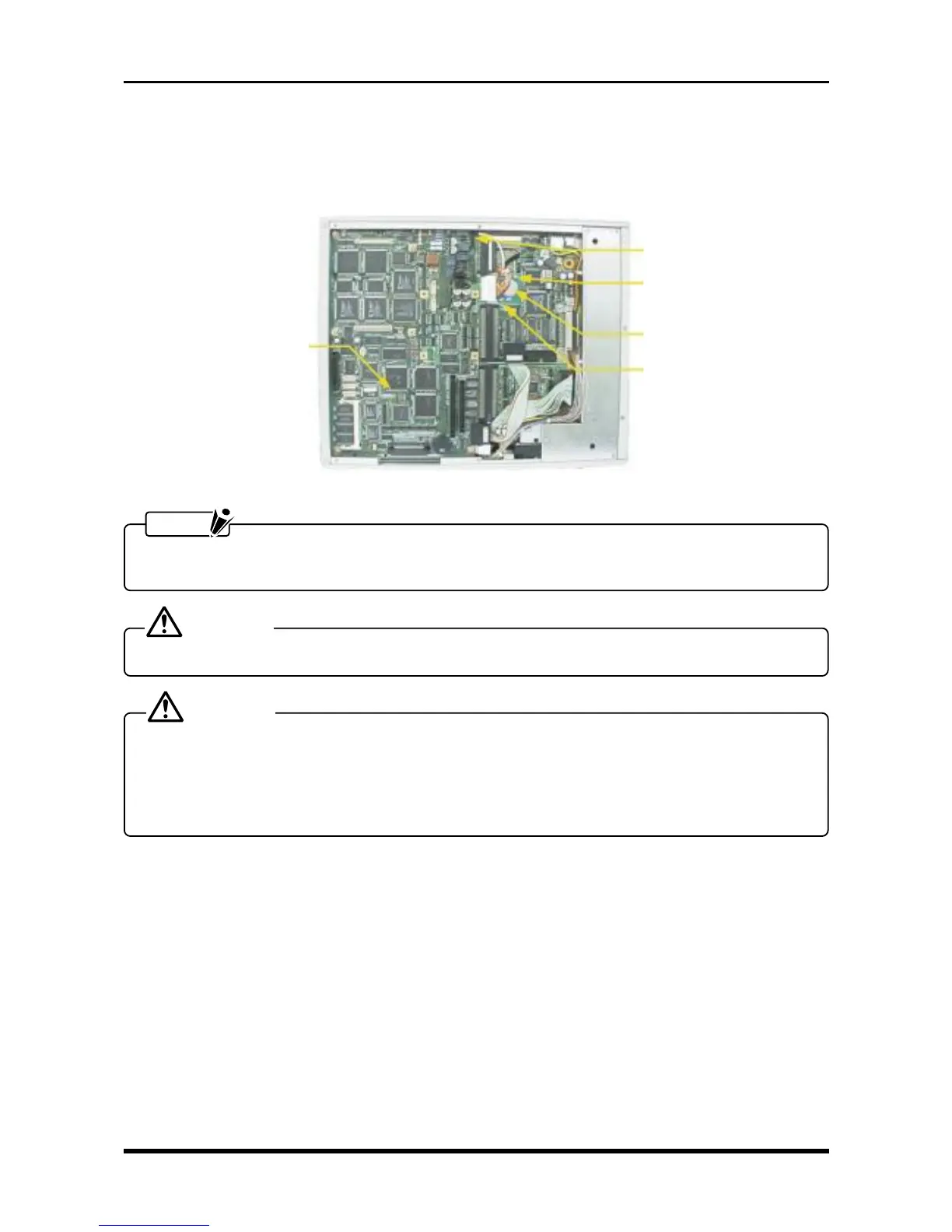
3.7 Replacing the Backup Battery
(1) Remove the bottom plate (see Subsection 3.6.1, “Replacing the 16-CH Control Board”).
(2) Unfasten the two screws, disconnect the cables from the main control board’s connector, then replace
the battery board.
Fig. 3-7-1
NOTE
The time and date settings are reset whenever the battery is replaced. Be sure to correctly set the time
and date before returning the WR1000 to the customer.
DANGER
• The battery may explode if it is not properly replaced.
CAUTION
• Do not replace the battery with a non-standard substitute (use only a battery with the same part num-
ber or its equivalent).
• Dispose of a used battery according to local ordinances and other regulations stipulated in your region.
If you are unsure how to dispose of batteries, contact your sales representative or nearest Graphtec
vendor.
P1023
M3L4 binding-head screw
Battery board
M3L4 binding-head screw
Main control board



 To Next Page