WR1000-UM-251–01–9380 6 – 26
6. INSPECTION AND CHECK PROCEDURES
6.3 Checking the Optional Devices
6.3.1 GP-IB Interface Operation
Check the operation of the GP-IB interface by issuing a request from the computer for information about the
WR1000’s current status, such as its model ID number, then checking that the right response is received.
Example:
Command : * IDN?
Sample response : * IDN GRAPHTEC, WR1000, 0, 1.11
↑
Firmware version no.
For detailed information about commands, refer to the separate WR1000 COMMAND MANUAL.
6.3.2 Logic Amp Operation
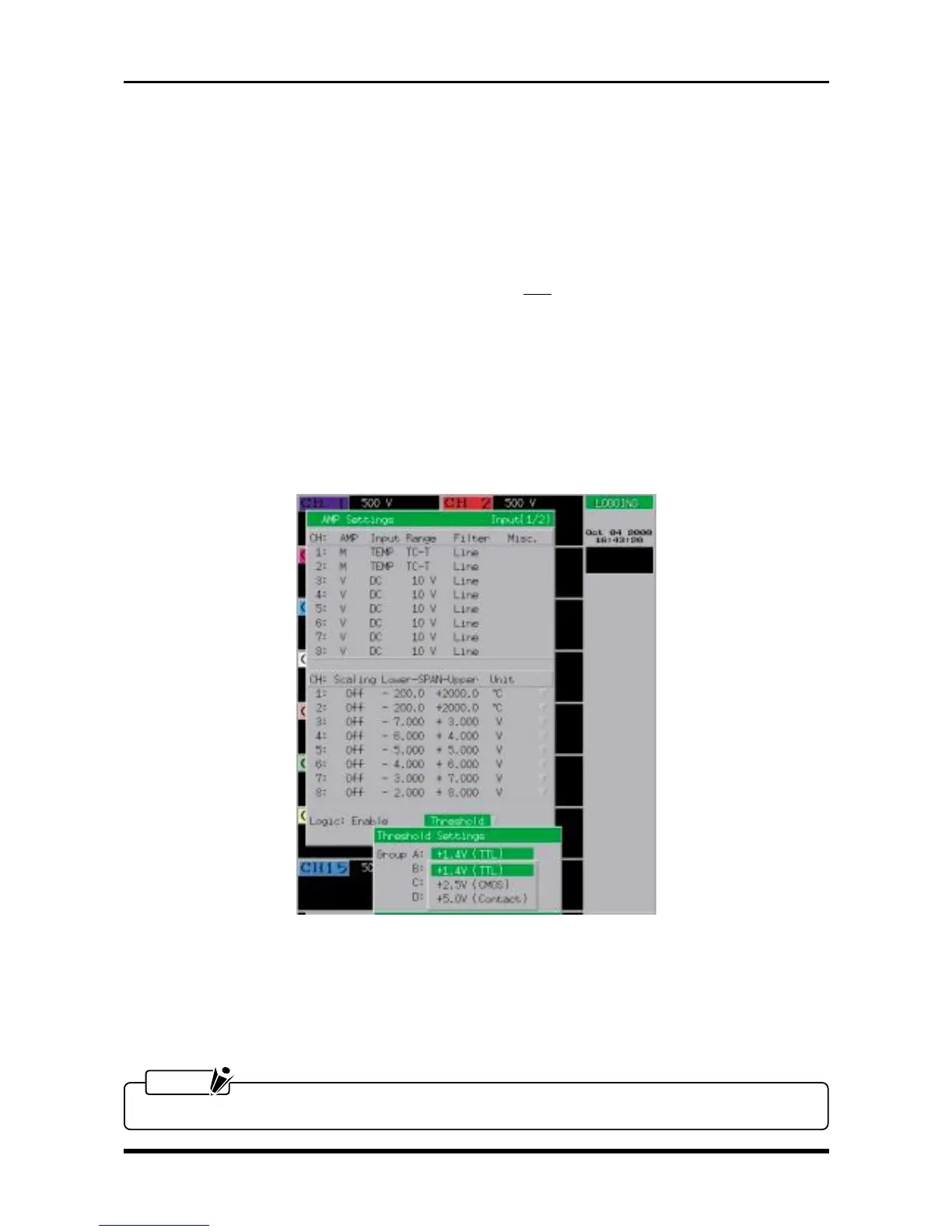
(1) Press the INPUT key on the Conditions panel to display the AMP Settings window shown below, then set
its Logic parameter and Threshold Settings as follows.
Fig. 6-3-1. AMP Settings window
Logic Enable
Group A +1.4V (TTL)
Group B +1.4V (TTL)
Group C +1.4V (TTL)
Group D +1.4V (TTL)
NOTE
Specify the same setting for Groups A, B, C, and D.



 To Next Page