Chapter 8 Hardware Reference
© 2017 Harmonic Inc. All rights reserved. 232 Harmonic MediaGrid Release 4.1
ContentBridge 2010F
System Status LEDs
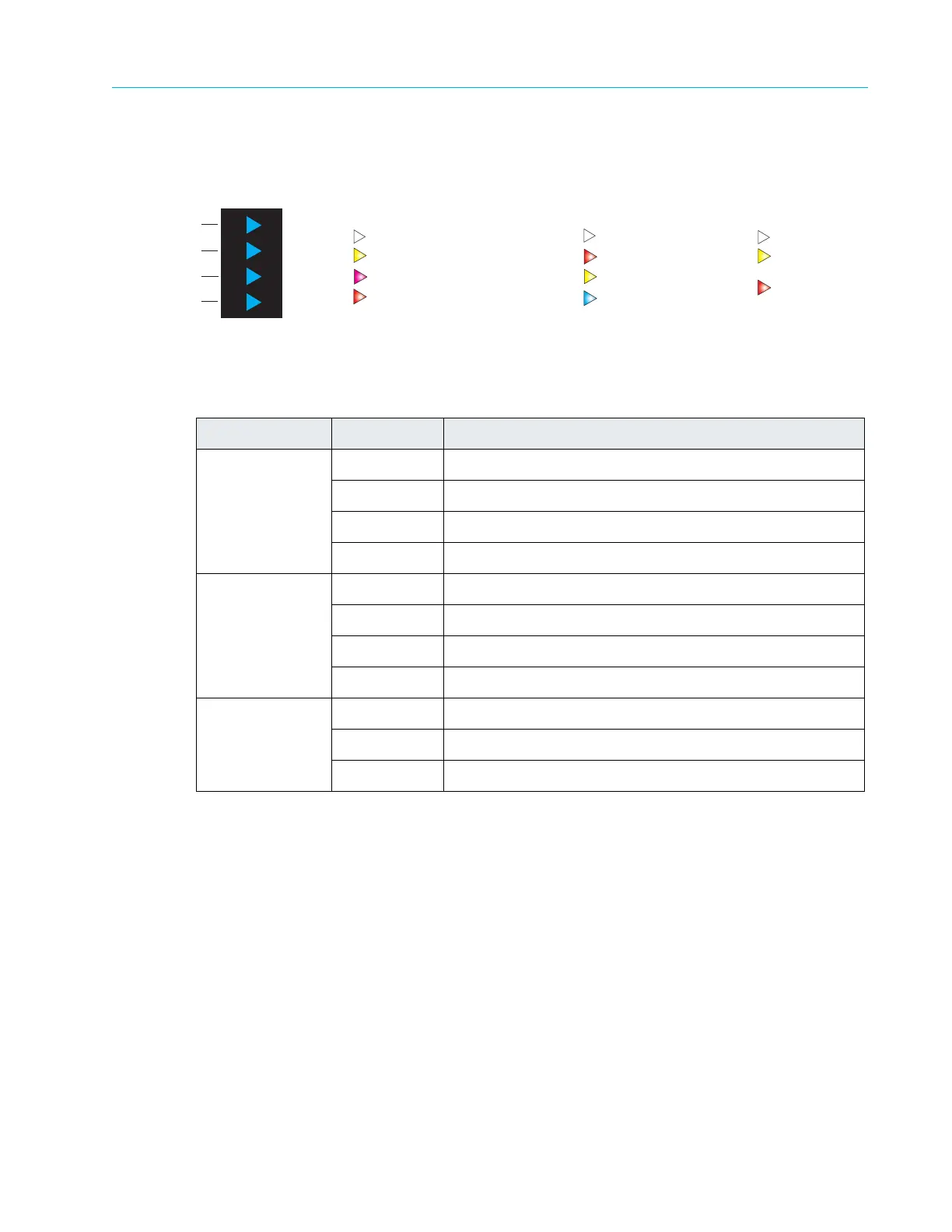
Figure 8–11 and Table 8–10 detail the four system status indicators on the front of the ContentBridge
2010F.
Figure 8–11: ContentBridge 2010F Front Panel Indicators
Table 8–10: ContentBridge 2010F Front Panel Indicator Descriptions
LED Color/State Description
10 GbE NIC White Both ports are working normally.
Yellow 10 GbE port 2 is non-functional.
Magenta 10 GbE port 3 is non-functional.
Red Both 10 GbE connections have failed.
HA Pair White Indicates normal operation.
Red A local failure has occurred.
Yellow A peer failure has a occurred.
Off/Blue HA Pair has not been configured.
Hard Drive 0
Hard Drive 1
White Drive is online.
Yellow Drive replacement warning.
Red A drive failure has occurred.
Normal operation
White
Both connections have failed
Red
Yellow
NIC 2 connection failure
NIC 3 connection failure
Magenta
10 GbE NIC
HA Pair
Hard Drive 0
Hard Drive 1
10 GbE NIC Indicator
Hard Drive Indicators
Drive online
White
Drive failure
Red
Yellow
Drive replacement
warning
HA Pair Indicator
Normal operation
White
Yellow
Peer failure
Local failure
Red
HA Pair not configured
Off or Blue



 To Next Page