Chapter 8 Hardware Reference
© 2017 Harmonic Inc. All rights reserved. 256 Harmonic MediaGrid Release 4.1
ContentStore 3160
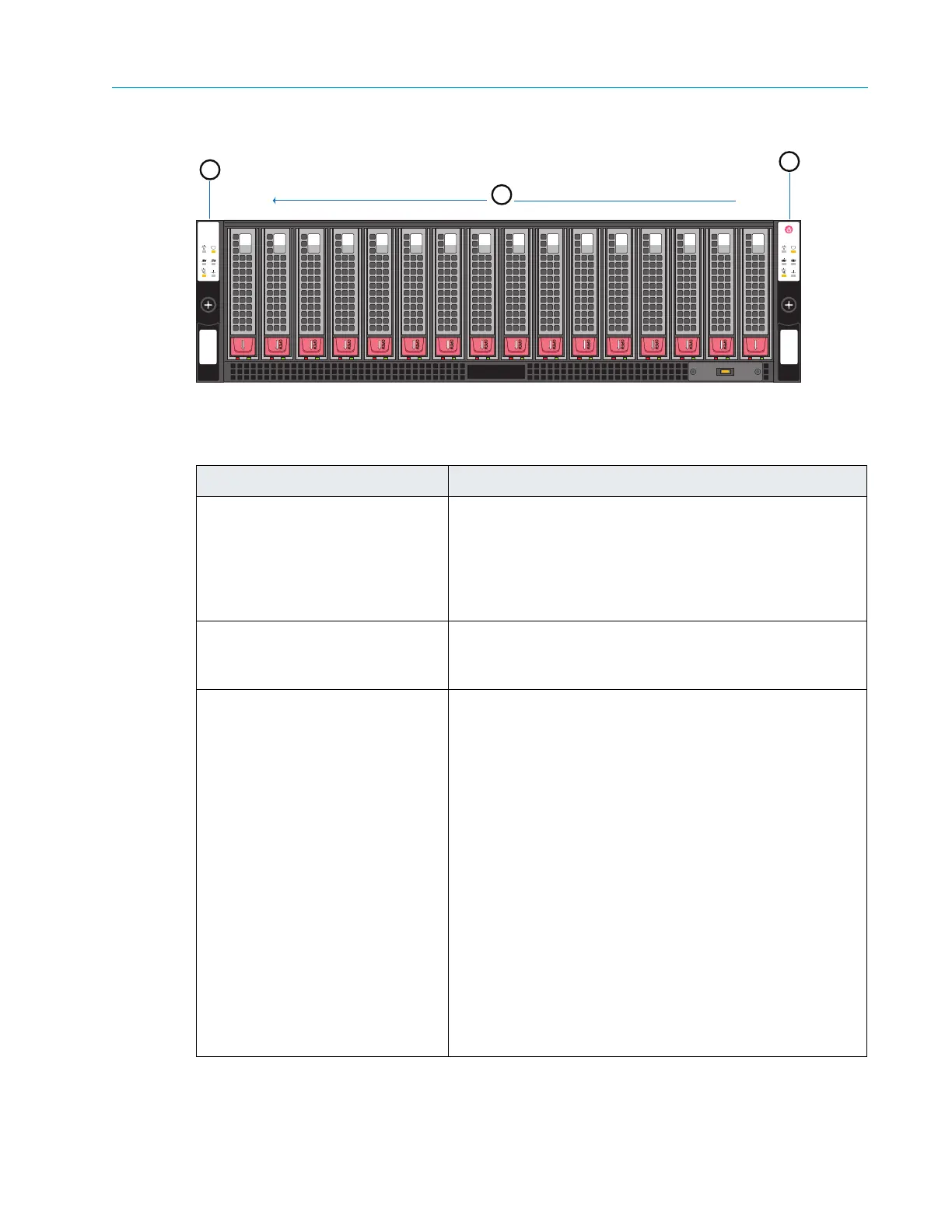
Figure 8–36: ContentStore 3160 Front Panel
Table 8–35: ContentServer 3160 Front Panel Components
Component Description
1. Left Control Panel The control panel included on the
left side of the
ContentServer 3000 provides system monitoring and
control for the controller on the same side of the chassis.
LEDs indicate system power, network (NIC) activity,
system overheat and power supply failure for the
controller on the left side.
2. Disk drives The server contains 16 SATA or SAS disk drives, providing
s
tora
ge for the Harmonic MediaGrid.Drives are numbered
from right to left when facing the front panel.
3. Power button and Right Control
Pan
el
There is a single, shared power button located on the
right control panel. Note the following behaviors when
powering on/off with the shared power button:
When both nodes are powered on, depressing this
button will power both nodes off.
When both nodes are powered off, pressing this
button will power both nodes on.
If one node is powered on, pressing this button will
power on a single node with no impact on the node
that is already powered on.
Powering off with this button removes the main power
but keeps standby power supplied to the system.
The control panel included on the right side of the
ContentSer
v
er 3000 provides system monitoring and
control for the controller on the same side of the chassis.
LEDs indicate system power, network (NIC) activity,
system overheat and power supply failure for the
controller on the right side.
1
3
15
OPEN
0
OPEN
14
10
9
3
2
1
4
8
7
5
6
11
12
13
Drive 0
Drive 15
2



 To Next Page