Appendix A Legacy Hardware Platforms
© 2017 Harmonic Inc. All rights reserved. 299 Harmonic MediaGrid Release 4.1
ContentDirector 1000B/1000C/1000D and High Performance ContentDirector 2000
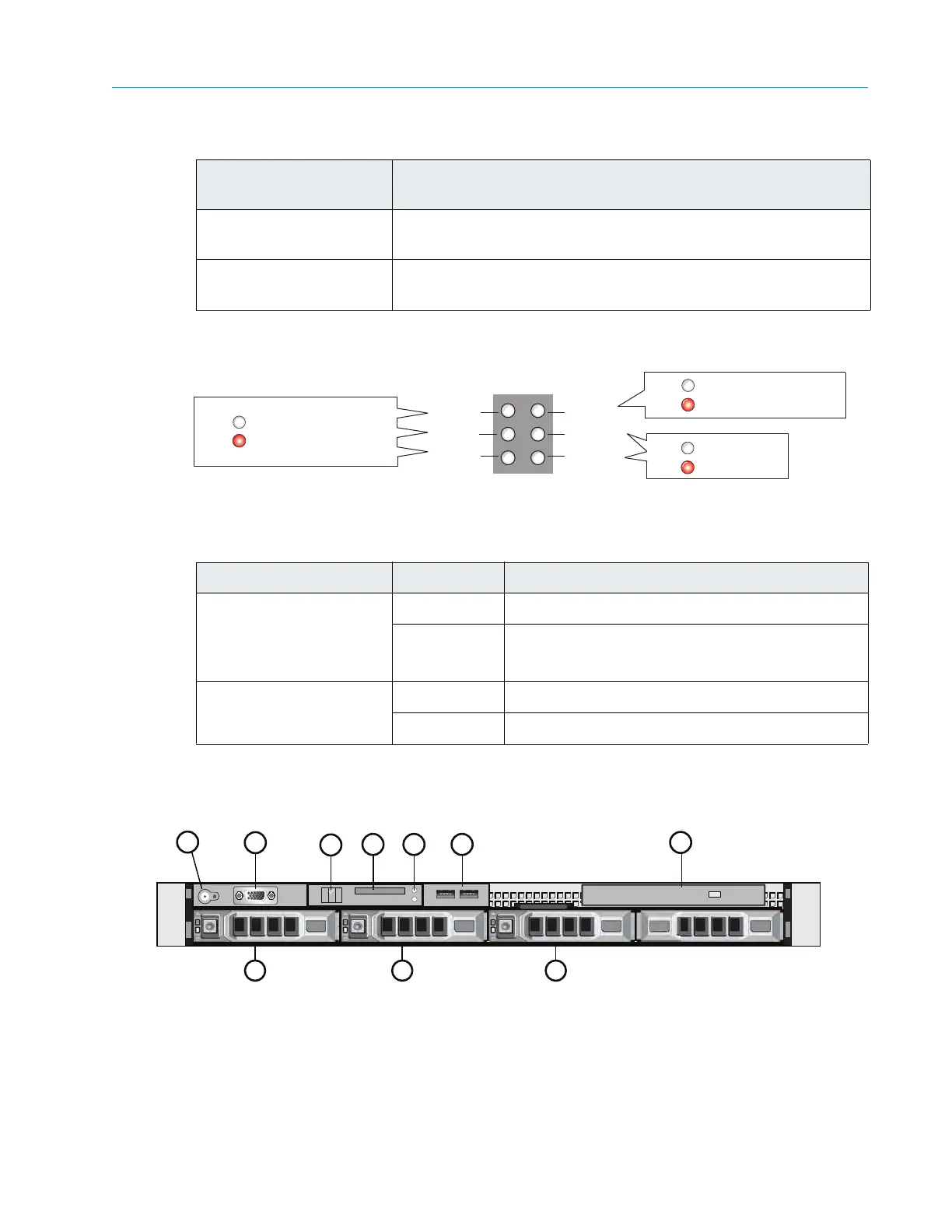
Figure A–2 and Table A–2 detail the six system status indicators on the front of the ContentDirector.
Figure A–2: ContentDirector Front Panel Indicators
Figure A–3 and Ta
ble A–3 detail the front panel view of a the ContentDirector with the bezel
removed. Note that your ContentDirector may differ somewhat from the one described below.
Figure A–3: Front View of ContentDirector
2. Air vents Allows airflow through the unit. For optimum airflow, do not
obstruct
the air vents.
3. Status LEDs
An array of six
status LEDs is provided on the front panel. See the
following figure and table for descriptions of each status LED.
Table A–2: ContentDirector Indicator Descriptions
LED Color/State Description
NIC 0 Link
NIC 1 Link
NIC 2 Link
NIC 3 Link
White Ethernet communications OK
Red Ethernet communications problem
Hard drive 0
Hard drive 1
White Drive status OK
Red Drive error
Table A–1: ContentDirector Front Panel Descriptions
Indicator, Button, or
Connector
Description
NIC 0 Link
NIC 1 Link
NIC 2 Link
NIC 3 Link
Hard Drive 0
Hard Drive 1
Ethernet communications OK
Ethernet communications problem
White
Red
Ethernet communications OK
Ethernet communications problem
White
Red
Drive status OK
Drive error
White
Red
1
4
2
3
7
<>
5 6
8 9 10



 To Next Page