Appendix A Legacy Hardware Platforms
© 2017 Harmonic Inc. All rights reserved. 305 Harmonic MediaGrid Release 4.1
ContentDirector 1000E and High Performance ContentDirector 2000B
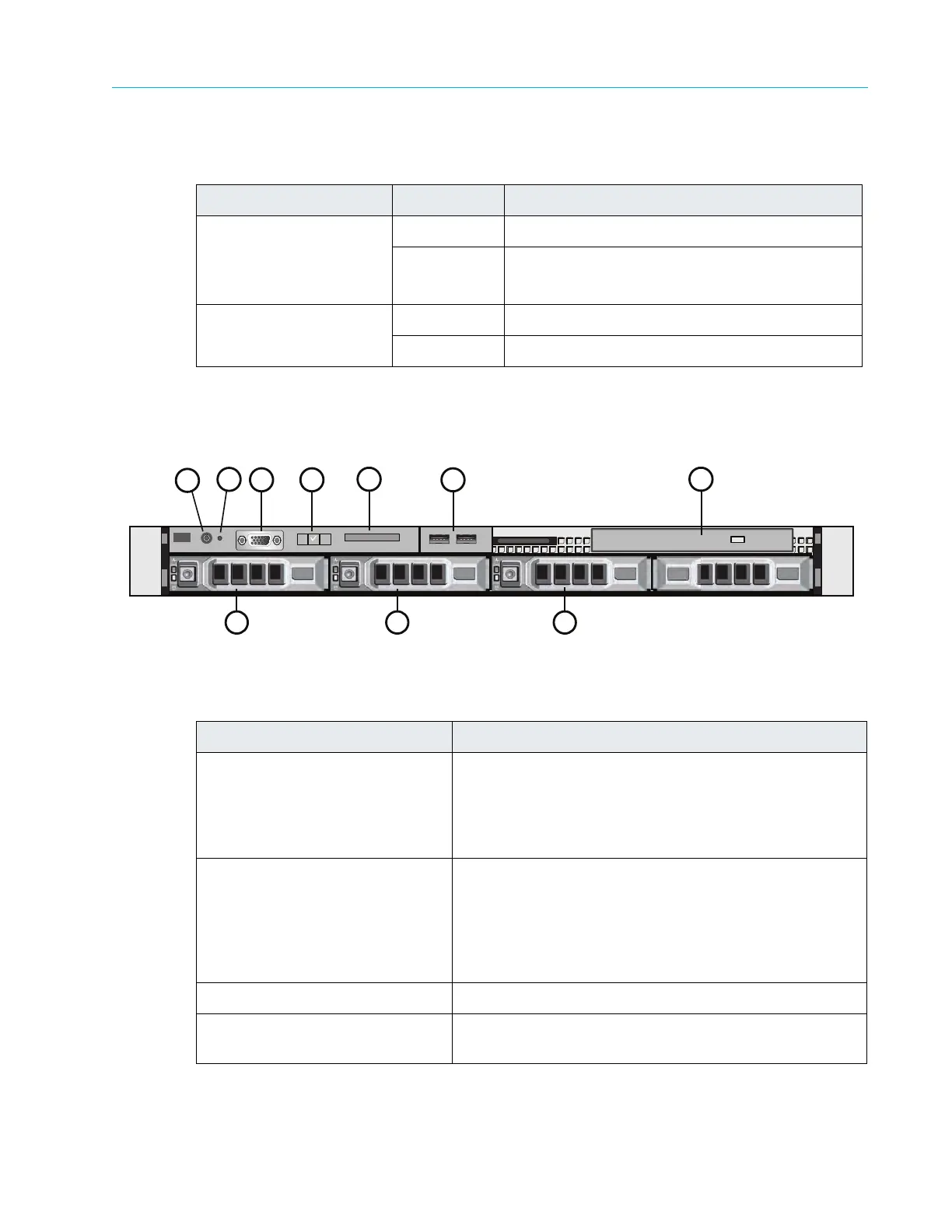
Figure 9–4 and Table 9–5 detail the front panel view of a the ContentDirector 1000E and High
Performance ContentDirector 2000B with the bezel removed. Note that your ContentDirector
may differ somewhat from the one described below.
Figure 9–4: Front View of ContentDirector
Table 9–5: Front Panel Components
Table 9–4: ContentDirector Indicator Descriptions
LED Color/State Description
NIC 0 Link
NIC 1 Link
NIC 2 Link
NIC 3 Link
White Ethernet communications OK
Red Ethernet communications problem
Hard drive 0
Hard drive 1
White Drive status OK
Red Drive error
Indicator, Button, or Connector Description
1. Power-on indicator/button The power button controls the DC power supply output
to the sys
tem.
The power-on indicator lights when the system power is
on. Wh
en the power-on indicator is off, this indicates that
no power is supplied to the system.
2. System identification button The identification buttons on the
front and back panels
can be used to locate a particular system within a rack.
When one of these buttons is pressed, the ID buttons on
the front and rear panels flash until one of the buttons is
pressed again.
Press to toggle the system ID on and off.
3. Video connector Connects a monitor to the system.
4. LCD menu buttons Allows you to navigate the control panel
LCD menu.



 To Next Page