GigE Area Scan Camera User Manual
89
The action command allows you to execute actions on multiple devices at roughly the
same time by using a single broadcast protocol message.
Steps
1. Go to Transport Layer Control → GEV IEEE 1588, and enable GEV IEEE 1588.
2. Go to Acquisition Control → Trigger Selector, and select Frame Burst Start.
3. Select On as Trigger Mode.
4. Select Action 1 as Trigger Source.
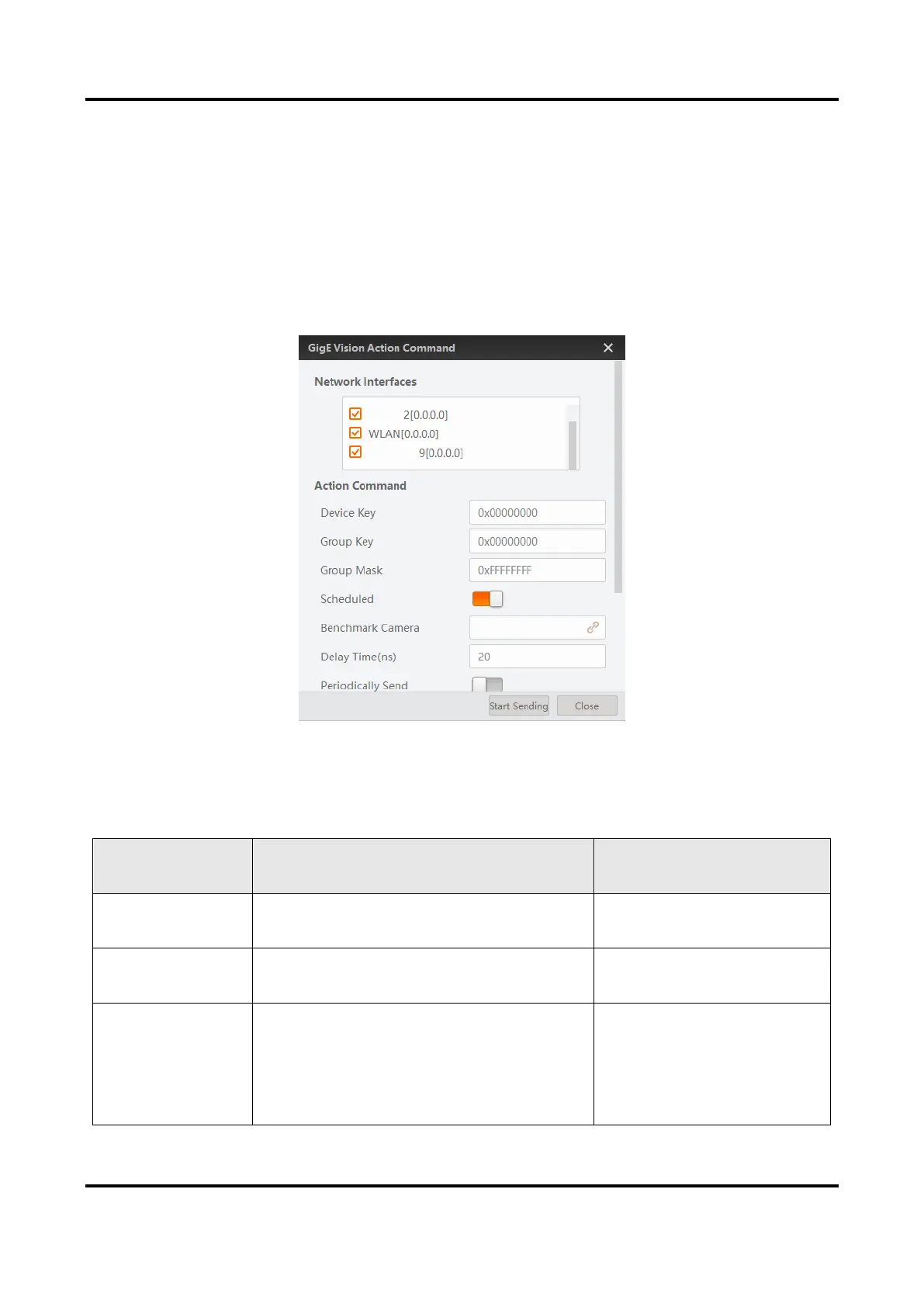
5. Go to Tool → GigE Vision Action Command in the menu bar.
Figure 12-7 GigE Vision Action Command
6. Select Network Interfaces to set the subnet that the command to be sent to.
7. Enter Device Key, Group Key, and Group Mask.
Table 12-3 Parameter Description


 To Next Page