GigE Area Scan Camera User Manual
77
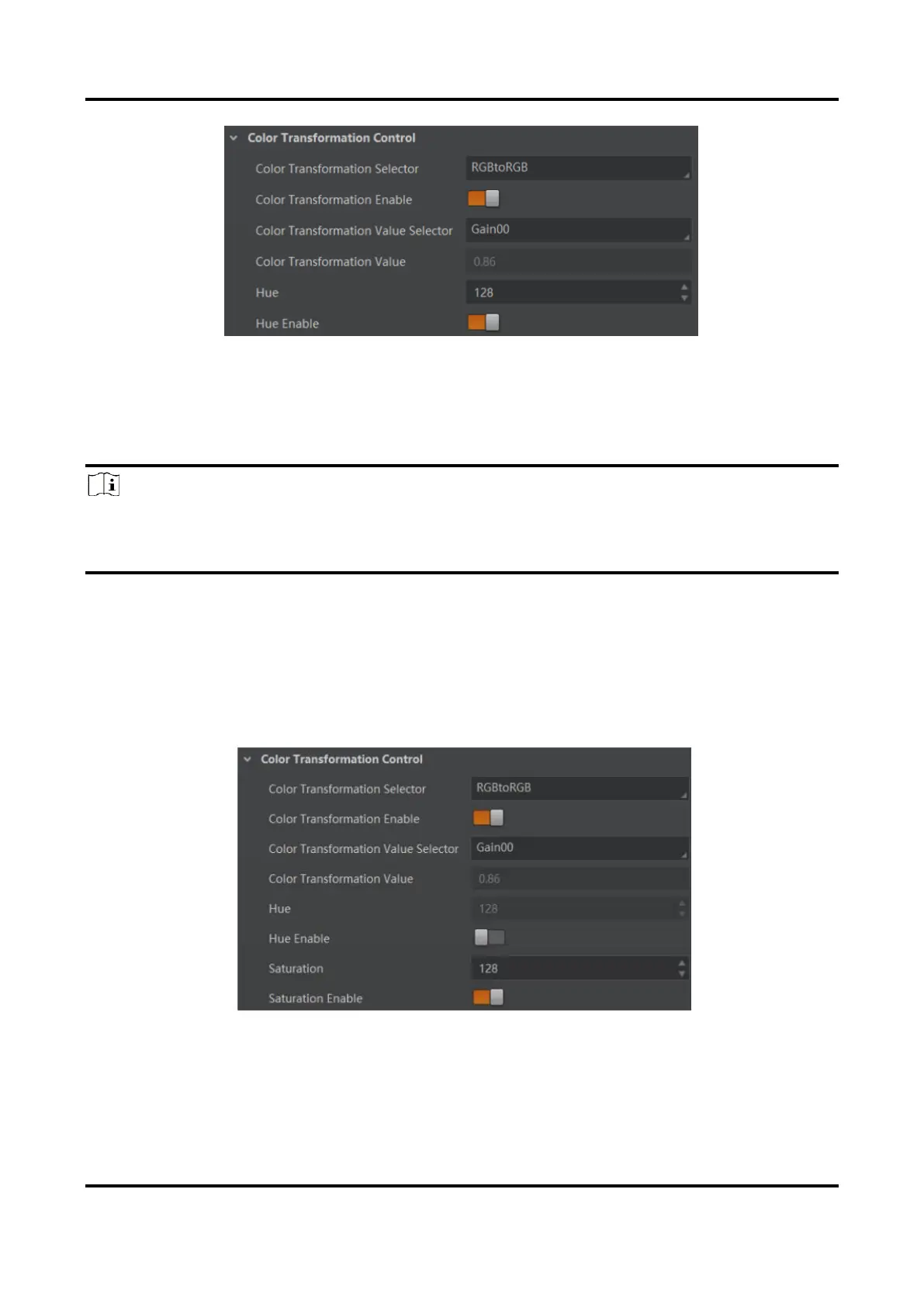
Figure 11-48 Set Hue
11.27 Set Saturation
Note
●
The saturation function is only available for color devices.
●
In Mono pixel format, hue function is not supported.
●
The range of saturation is between 0 and 255.
Adjusting the saturation changes the colorfulness of the colors. A higher saturation, for
example, makes colors easier to distinguish.
Steps
1. Go to Color Transformation Control.
2. Enable Color Transformation Enable, and enable Saturation Enable.
3. Enter Saturation according to actual demands.
Figure 11-49 Set Saturation



 To Next Page