GigE Area Scan Camera User Manual
36
9.2.2 Enable Strobe Signal
The strobe signal is used to directly output I/O signal to external devices when the device’s
event source occurs.
Steps
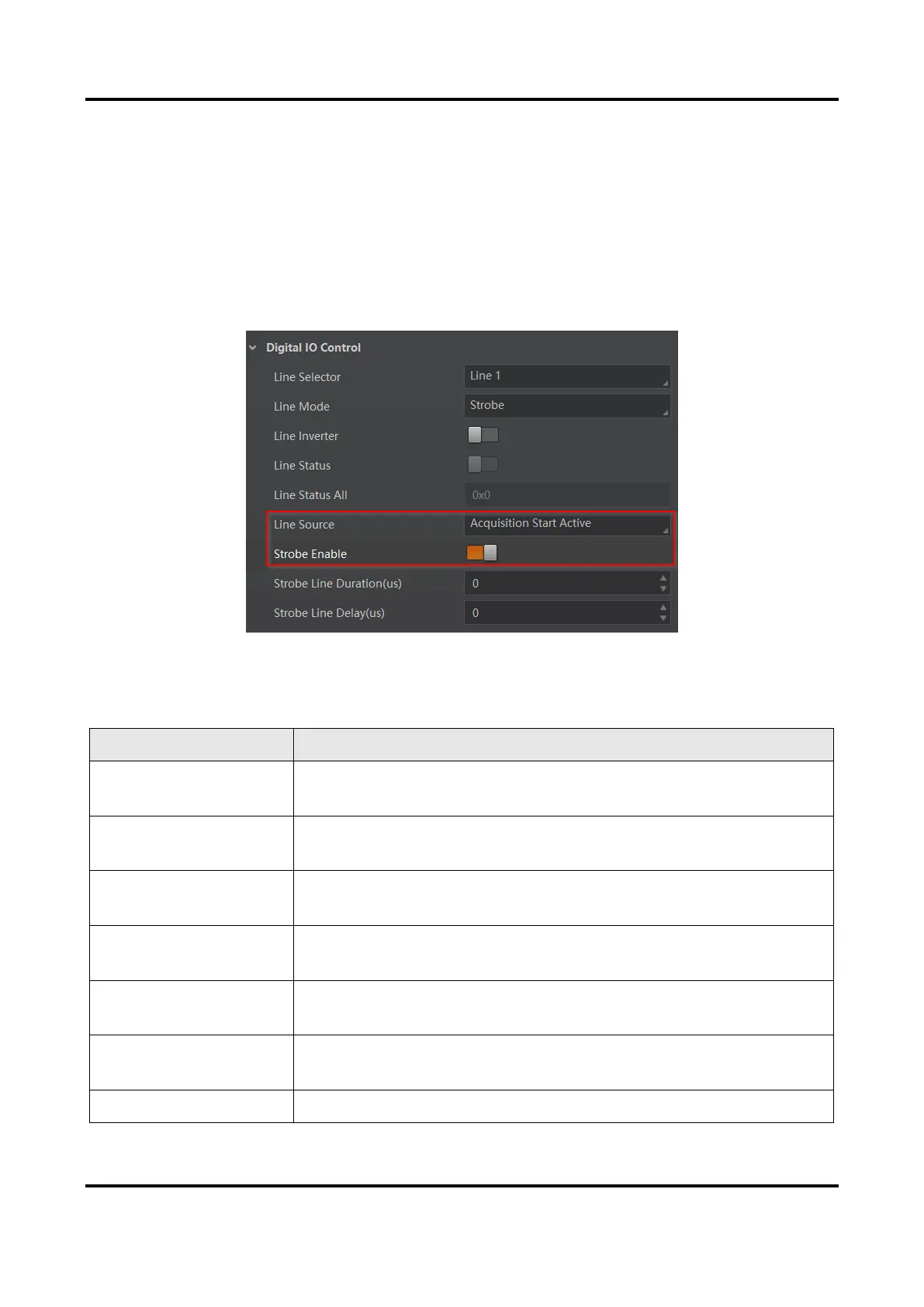
1. Go to Digital IO Control → Line Source, and select Line Source according to actual
demands.
2. Enable Strobe Enable.
Figure 9-3 Enable Strobe Signal
The supported line sources are as follows:
Table 9-1 Line Source Description
The device outputs signals to external devices when it starts
exposure.
The device outputs signals to external devices when it stops
exposure.
The device outputs signals to external devices when it starts
acquiring images.
The device outputs signals to external devices when it stops
acquiring images.
The device outputs signals to external devices when the
device’s frame burst starts.
The device outputs signals to external devices when the
device’s frame burst stops.
The device is currently waiting for a frame start trigger.



 To Next Page