GigE Area Scan Camera User Manual
66
11.14 Set Gain
Note
The gain function may differ by device models.
The device has 2 types of gain, including the analog gain and digital gain. The analog gain
is applied before the signal from the device sensor is converted into digital values, while
digital gain is applied after the conversion.
11.14.1 Set Analog Gain
The device supports 3 types of gain mode, including Off, Once and Continuous. Click
Analog Control → Gain Auto, and select Gain Auto according to actual demands.
●
Off: The device adjusts gain according to the value configured by user in Gain.
●
Once: The device adjusts the gain automatically according to the image brightness.
After adjusting, it will switch to Off mode.
●
Continuous: The device adjusts the gain continuously according to the image
brightness.
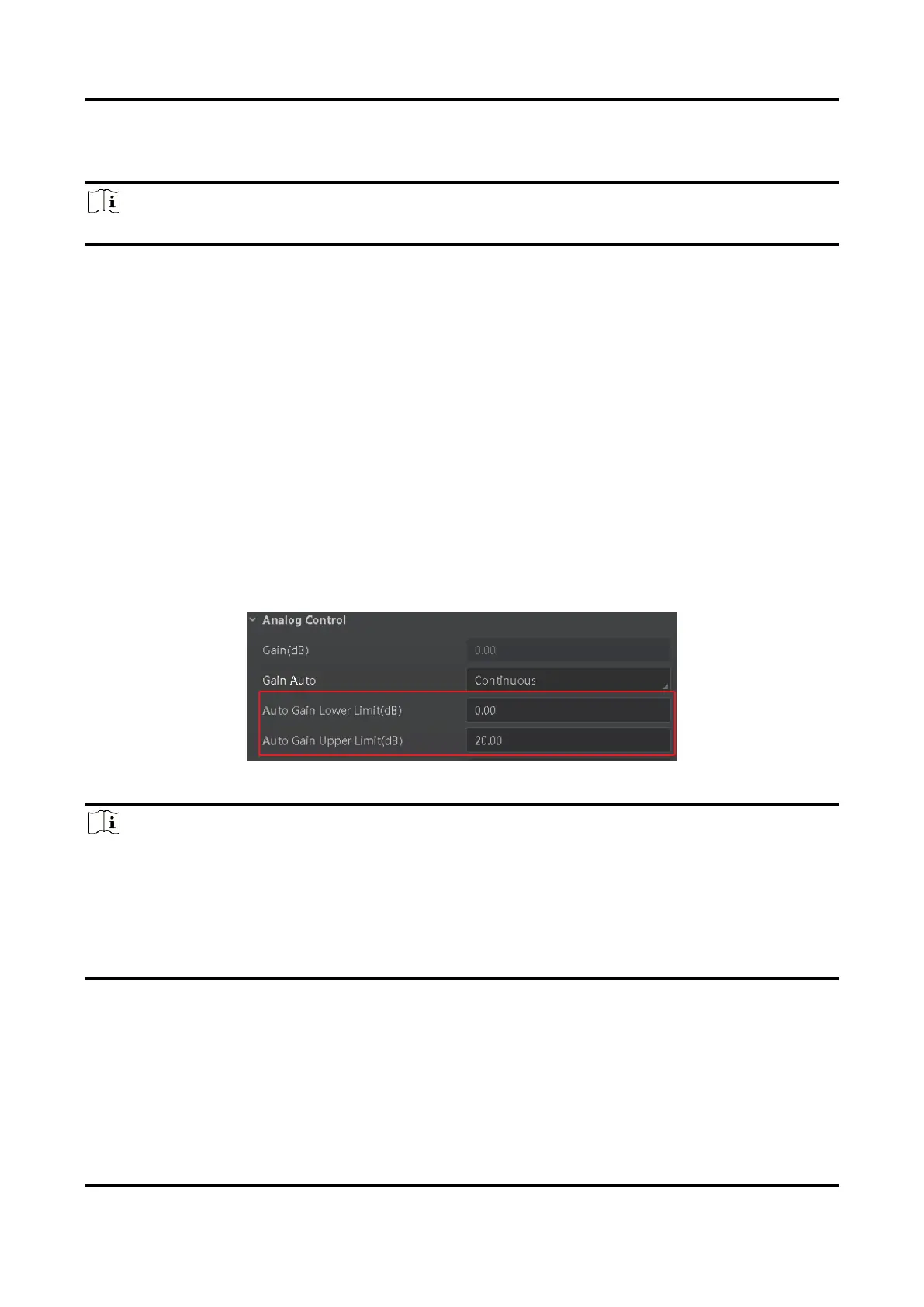
When the gain mode is set as Once or Continuous, the gain should be within the range of
Auto Gain Lower Limit (dB) and Auto Gain Upper Limit (dB).
Figure 11-33 Set Gain under Once or Continuous Mode
Note
●
When increasing gain, the image noise will increase too, which will influence image
quality. If you want to increase image brightness, it is recommended to increase the
device’s exposure time first. If the exposure time reaches its upper limit, and at this
point, you can increase gain.
●
Some models of the device do not support Once or Continuous gain mode. You can
enter Gain (dB) directly.



 To Next Page