GigE Area Scan Camera User Manual
67
11.14.2 Set Digital Gain
Apart from analog gain, the device supports digital gain function. When analog gain
reaching its upper limit and the image is still too dark, it is recommended to improve
image brightness via digital gain.
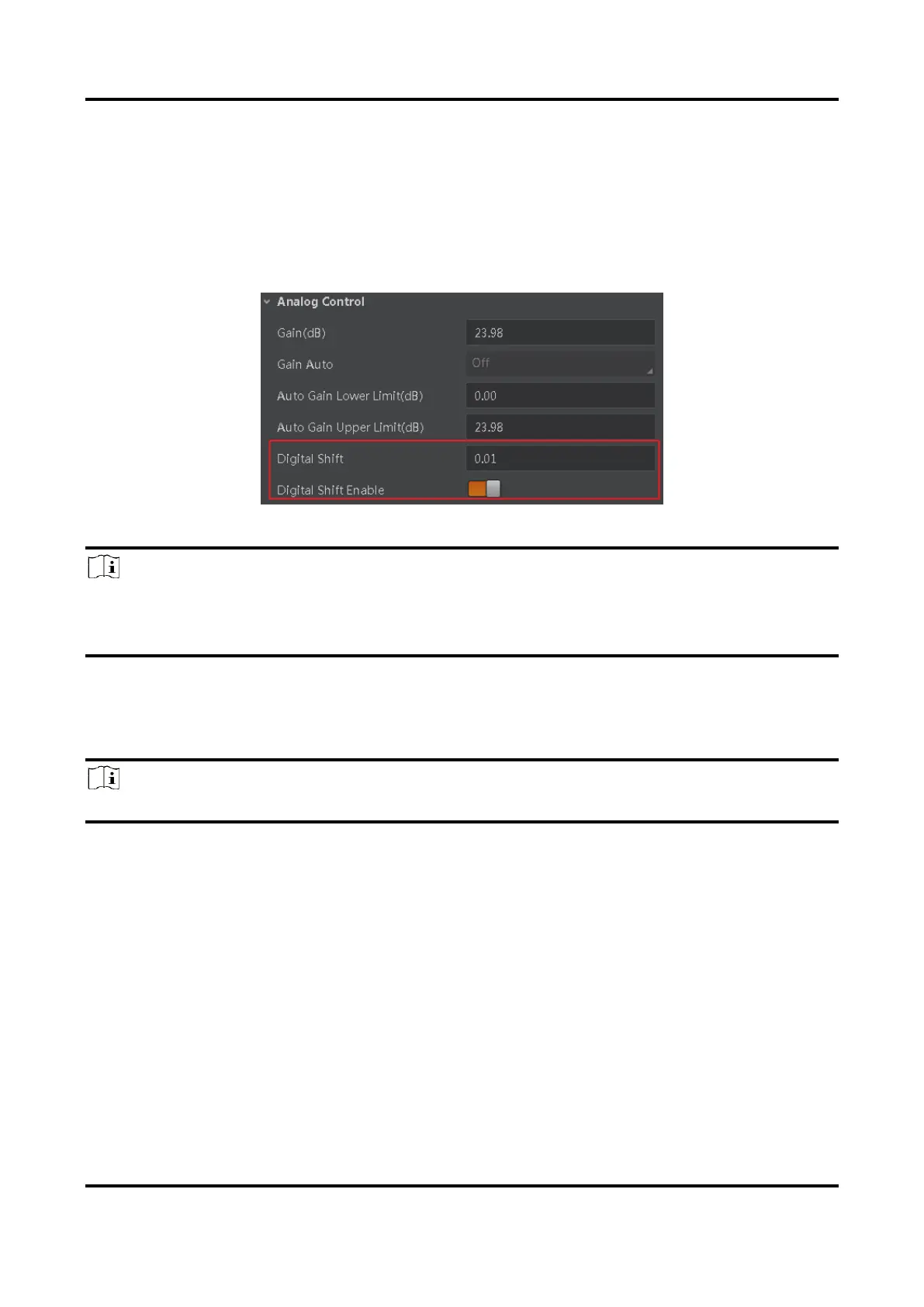
Click Analog Control, enable Digital Shift Enable, and enter Digital Shift according to
actual demands.
Figure 11-34 Set Digital Gain
Note
When increasing the digital gain, the image noise will greatly increase too, which will
severely influence image quality. It is recommended to use analog gain first, and then to
adjust digital gain if the analog gain cannot meet demands.
11.15 Set Sensor Mode
Note
The sensor mode function may differ by device models.
The device provides two types of sensor mode, including high full well capacity and high
sensitivity.
●
High Full Well Mode: It greatly improves the overall brightness of images and is
applicable to low-light environment.
●
High Sensitivity: It improves the image’s sensitivity.



 To Next Page