GigE Area Scan Camera User Manual
79
11.29 Set LUT
A Look-Up Table (LUT) is a customizable grayscale-mapping table. You can stretch,
amplify the grayscale range that interests you. The mapping can be linear or customized
curve.
Note
●
You cannot use Gamma correction function and LUT function at the same time.
●
The parameter of LUT Save may differ by device models. If the device has no LUT Save,
the settings you configured will be saved in the device in real time.
●
For different models of device, the LUT Index and LUT Value range may differ, please
refer to the actual one you got.
●
Regarding the color device in Bayer pixel format, you need to enable Super Bayer Enable
first before using LUT function.
Steps:
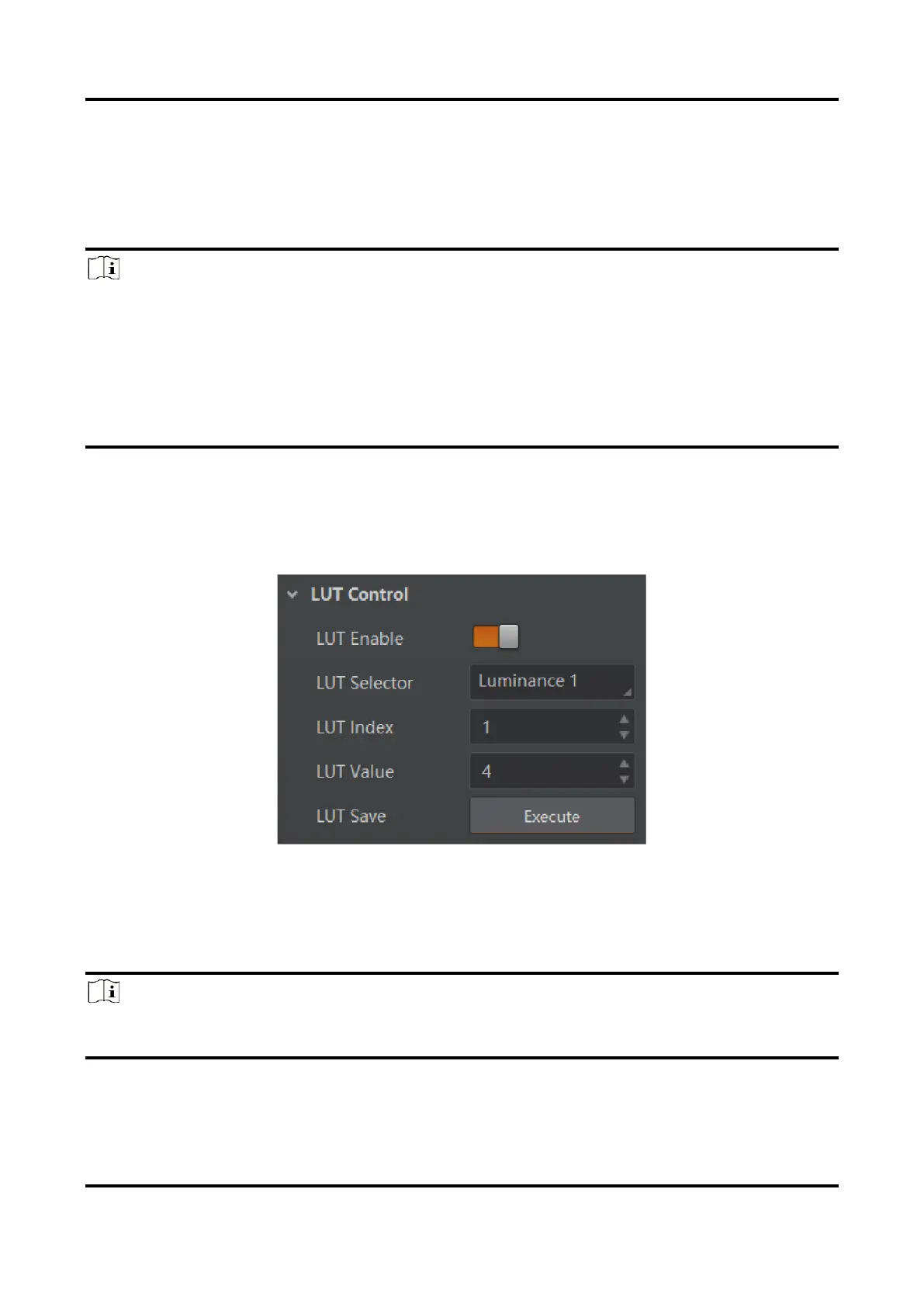
1. Click LUT Control, and enable LUT Enable.
2. Enter LUT Index and LUT Value according to actual demands.
3. Click Execute in LUT Save to save it.
Figure 11-52 Set LUT
11.30 Set Shading Correction
Note
The specific shading correction types that devices support and configuration methods
may differ by device models.



 To Next Page