GigE Area Scan Camera User Manual
53
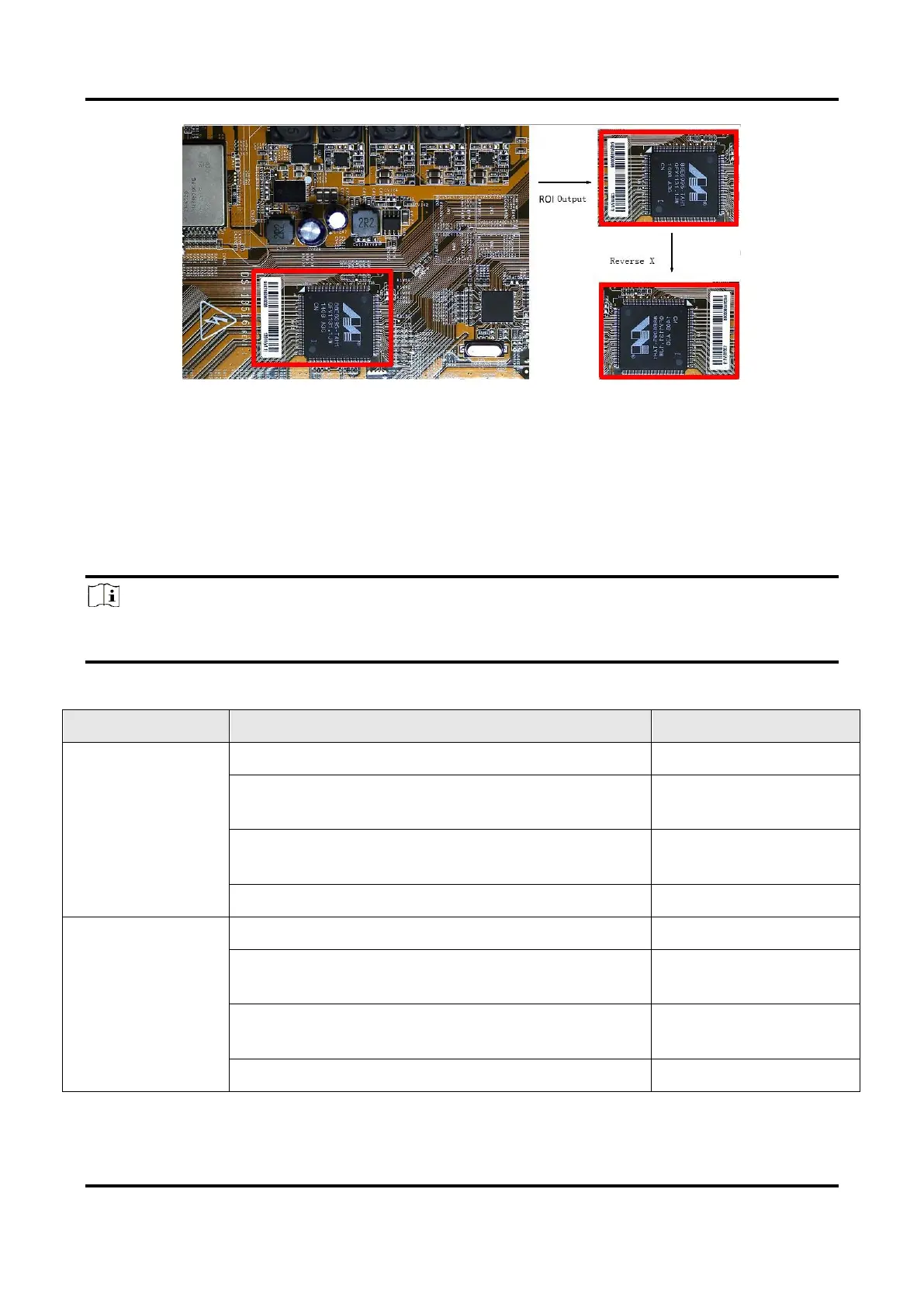
Figure 11-4 Image Reverse Comparison
11.4 Set Pixel Format
This function allows you to set the pixel format of the image data transmitted by the
device. Go to Image Format Control → Pixel Format, and set Pixel Format according to
actual demands.
Note
●
The specific pixel formats may differ by device models.
●
With different ADC bit depth, the pixel format and pixel size may differ.
Table 11-1 Pixel Format and Pixel Size
Mono 10/12 , Bayer 10/12, YUV422Packed, YUV
422 (YUYV) Packed
Mono 10/12, Bayer 10/12, YUV422Packed, YUV
422 (YUYV) Packed



 To Next Page