12.8 Set Cooling Fan
Note
●
The cooling fan may differ by device models.
●
The temperature unit here is Celsius degree.
For device with cooling fan, you can go to Analog Control → Fan Open Threshold to set
fan parameters.
When the device’s temperature is higher than the value you set in Fan Open Threshold, the
fan starts to work. Otherwise, the fan stops working.
Figure 12-16 Set Cooling Fan
12.9 User Set Customization
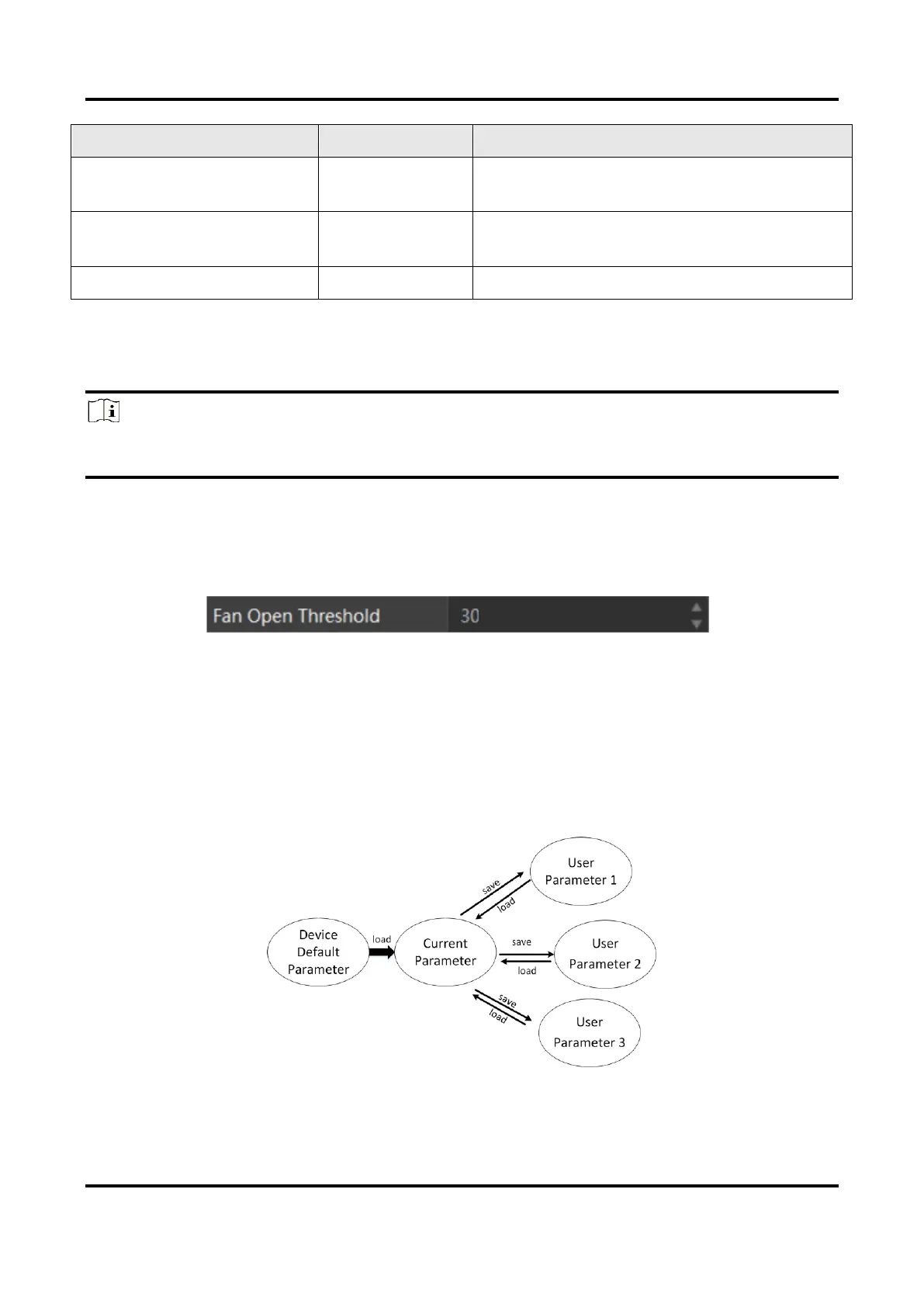
This function allows you to save or load device settings. The device supports four sets of
parameters, including one default set and three user sets, and the relation among four sets
of parameters is shown below.
Figure 12-17 Parameter Relation



 To Next Page