USER INTERFACE
6.58
ThinPrep™ 5000 Processor with AutoLoader Operator’s Manual
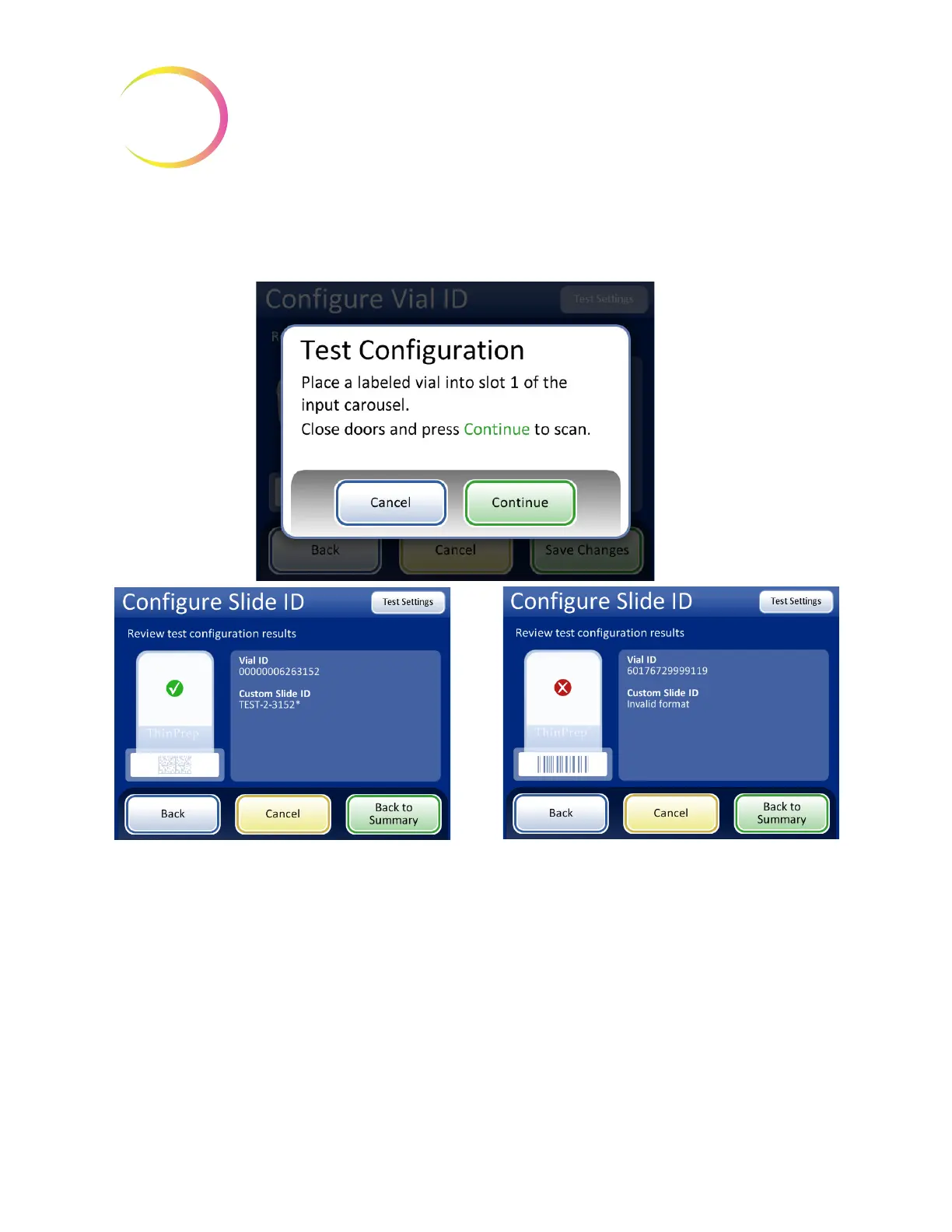
The screen display shows the vial ID that was scanned and it shows the custom slide ID, which is the
accession ID portion from the vial customized by using a chosen segment, and/or with characters
replaced, inserted or appended.
Figure 6-71 Test slide ID settings
When the slide ID is properly configured, return to the summary screen and save the changes.
Successful Slide ID configuration. The vial ID
configuration information matches the vial label that
was scanned.
The slide ID for the sample in this vial would be
etched as “TEST-2-3152*”, in this example,
(corresponding to the laser-etched slide
configuration settings shown in Figure 6-69.)
If the configuration settings for the slide ID cannot
be combined to produce a valid slide ID for the
slide design, a red “x” appears in the test
configuration results. Correct the slide ID
configuration settings before processing samples.



 To Next Page