NOTE:
A virtual library may only contain one type of tape drive.
To add tape drives to a virtual library:
1. If you are already in the Create Library Wizard window, click Create Tape Drives.
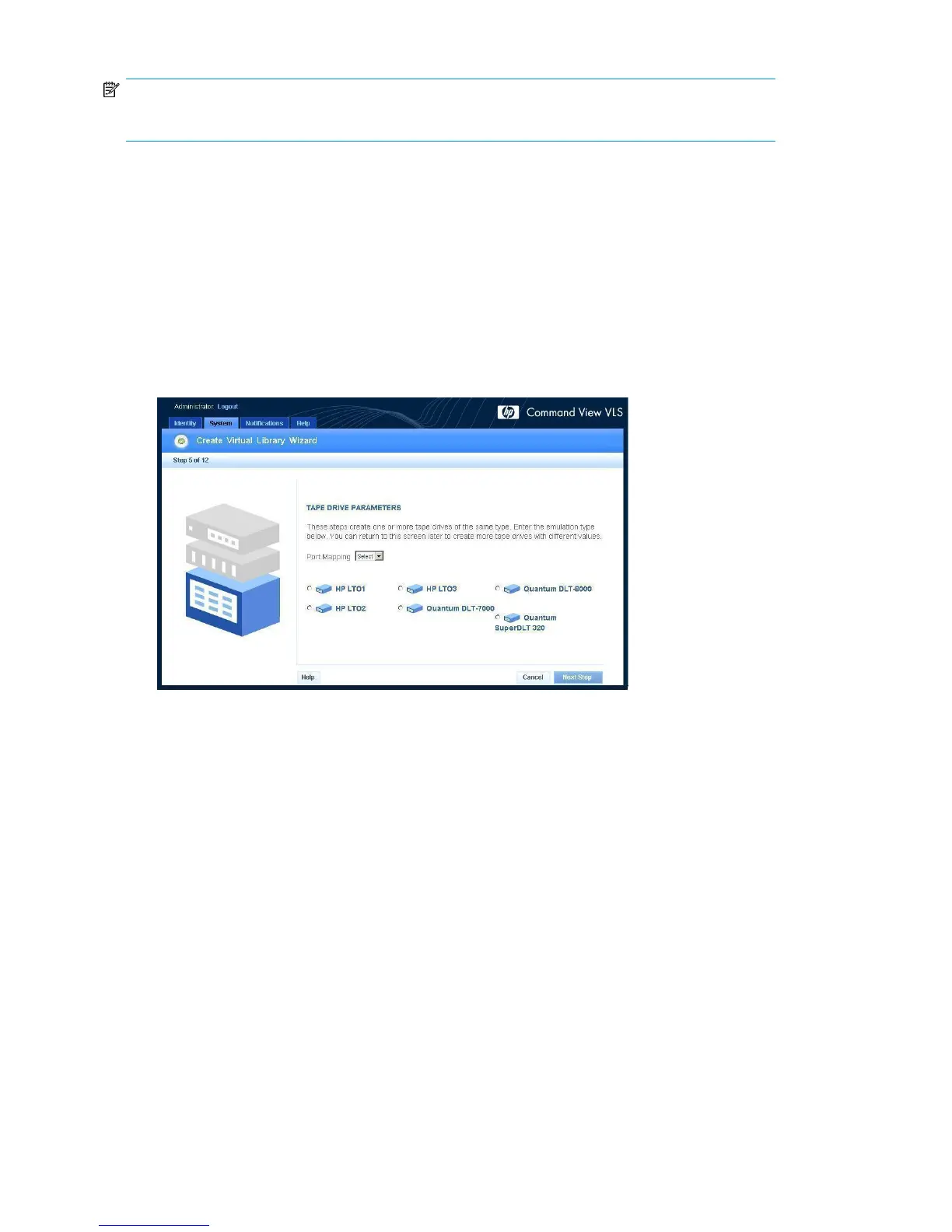
The Tape Drive Parameters window opens.
2. If not:
a. Click the System tab.
b. Select the library in the navigation tree to which you want to add tape drives.
c. Click Create Tape Drive in the task bar.
The Tape Drive Parameters window opens (Figure 54).
Figure 54 Create Virtual Library Wizard window (5 of 12)
.
3. Select the type of physical tape drive to emulate.
4. Enter the Fibre Channel host port and node on which to present the tape drives in the Port Mapping
box.
Only one port or port pair may be selected.
Configuration172










 To Next Page