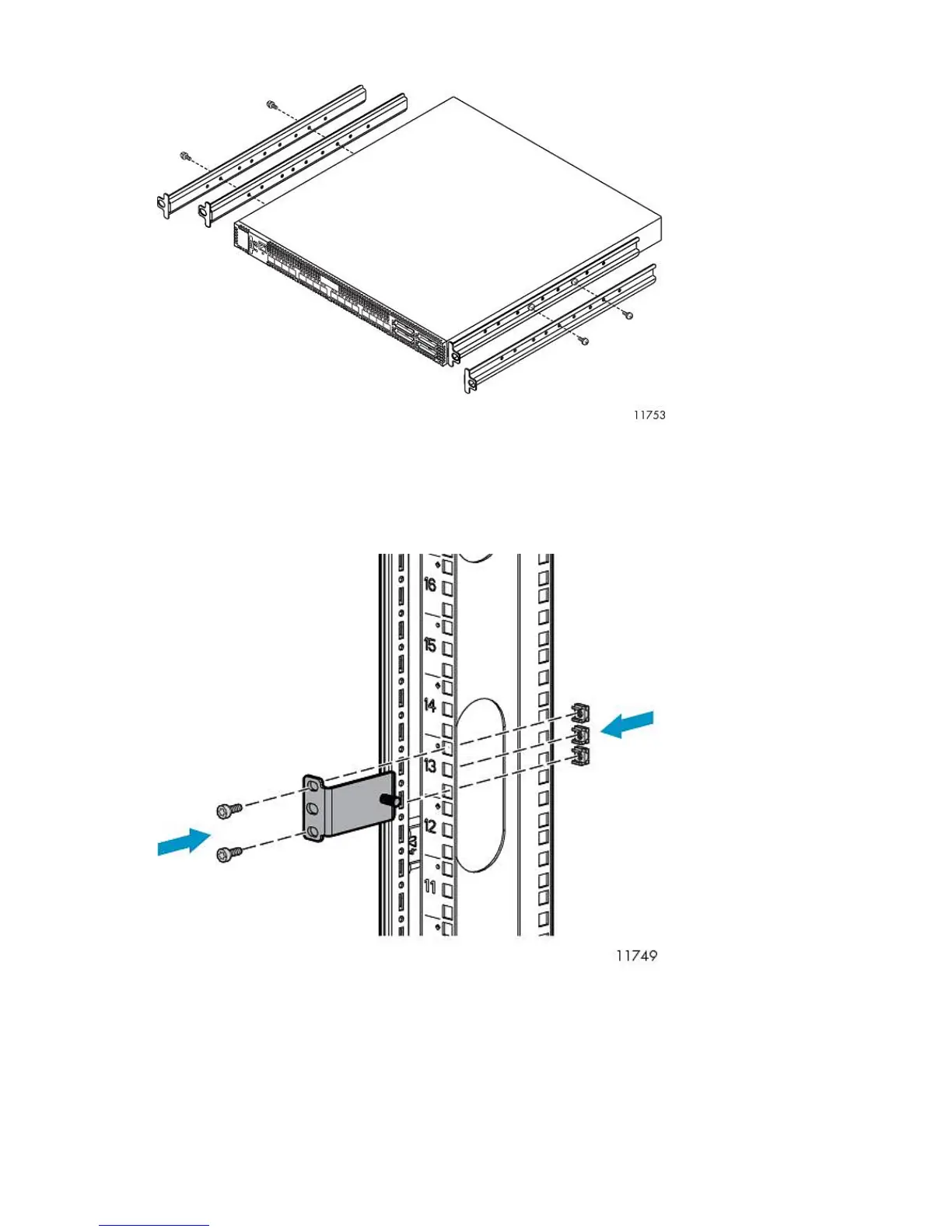
3. Attach the rails to the sides of the switches, using screws provided.
Racking Fibre Channel Switches 4/10q or 4/16q
1. On the rack vertical posts, mark the holes that will be used by the rail flanges (three on each
front vertical post and two on each rear vertical post). Then, from the inside of each vertical post,
insert a cage-nut into each marked hole.
2. From the front of the rack, secure the adjustable mounting flanges to the marked holes, using
screws shipped with the rails.
Hardware Installation44










 To Next Page