NOTE:
The replacement drive is automatically configured to RAID 1 — no administrator action is required.
DVD-CD Drive
CAUTION:
To prevent improper cooling and thermal damage, do not operate the node unless all bays are
populated with either a component or a blank.
1. Power off the node.
NOTE:
The ejector button for the CD-ROM drive is recessed to prevent accidental ejection; it may
be helpful to use a small, flat, blunt object, such as a key or pen, to push the ejector button.
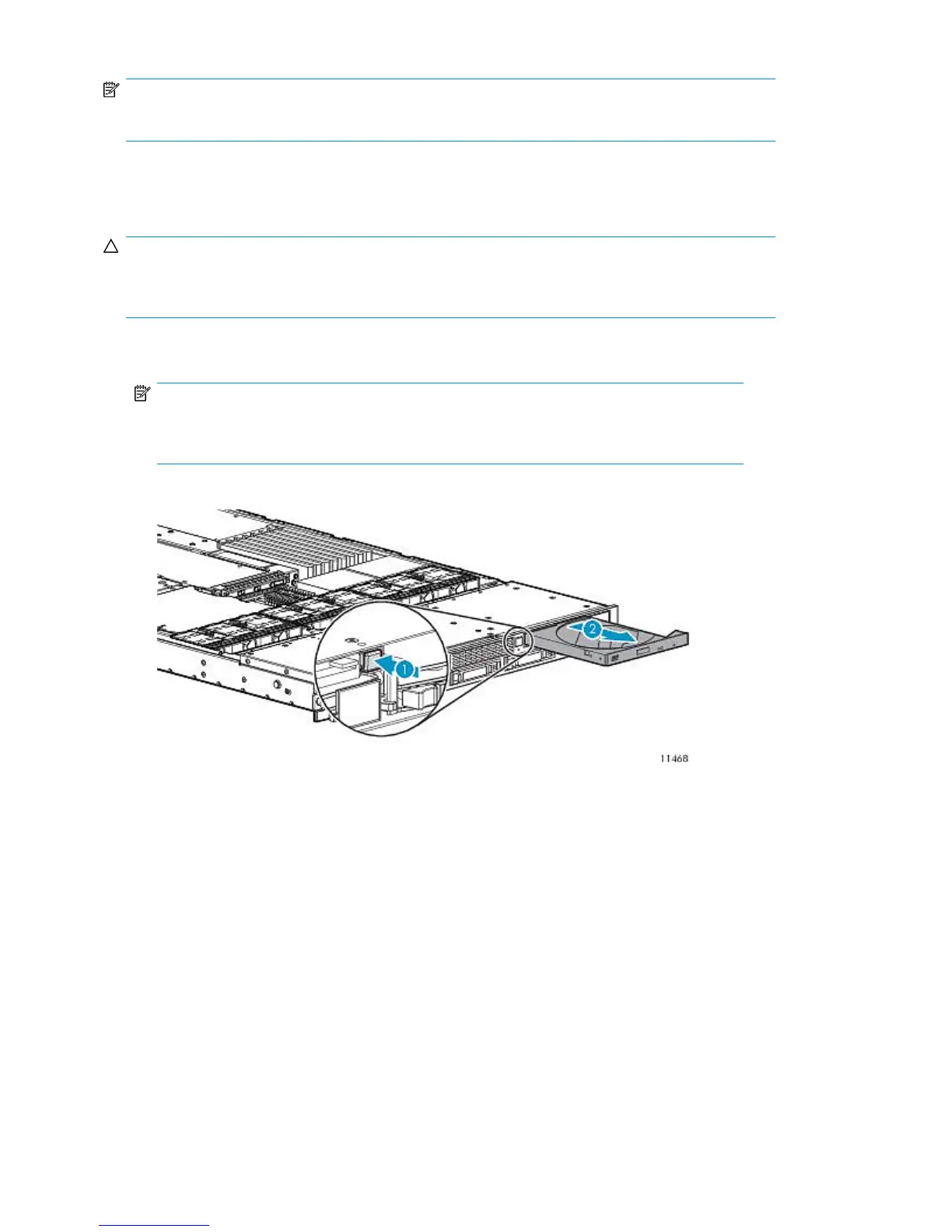
2. Press the ejector button in firmly until the DVD-CD drive ejects (1).
Figure 75 Pressing ejector button
.
3. Pull the DVD-CD drive out of the node (2).
To replace the component:
1. Carefully align the connector on the rear of the drive with the connector on the DVD-CD drive
interface board.
Component Replacement258










 To Next Page