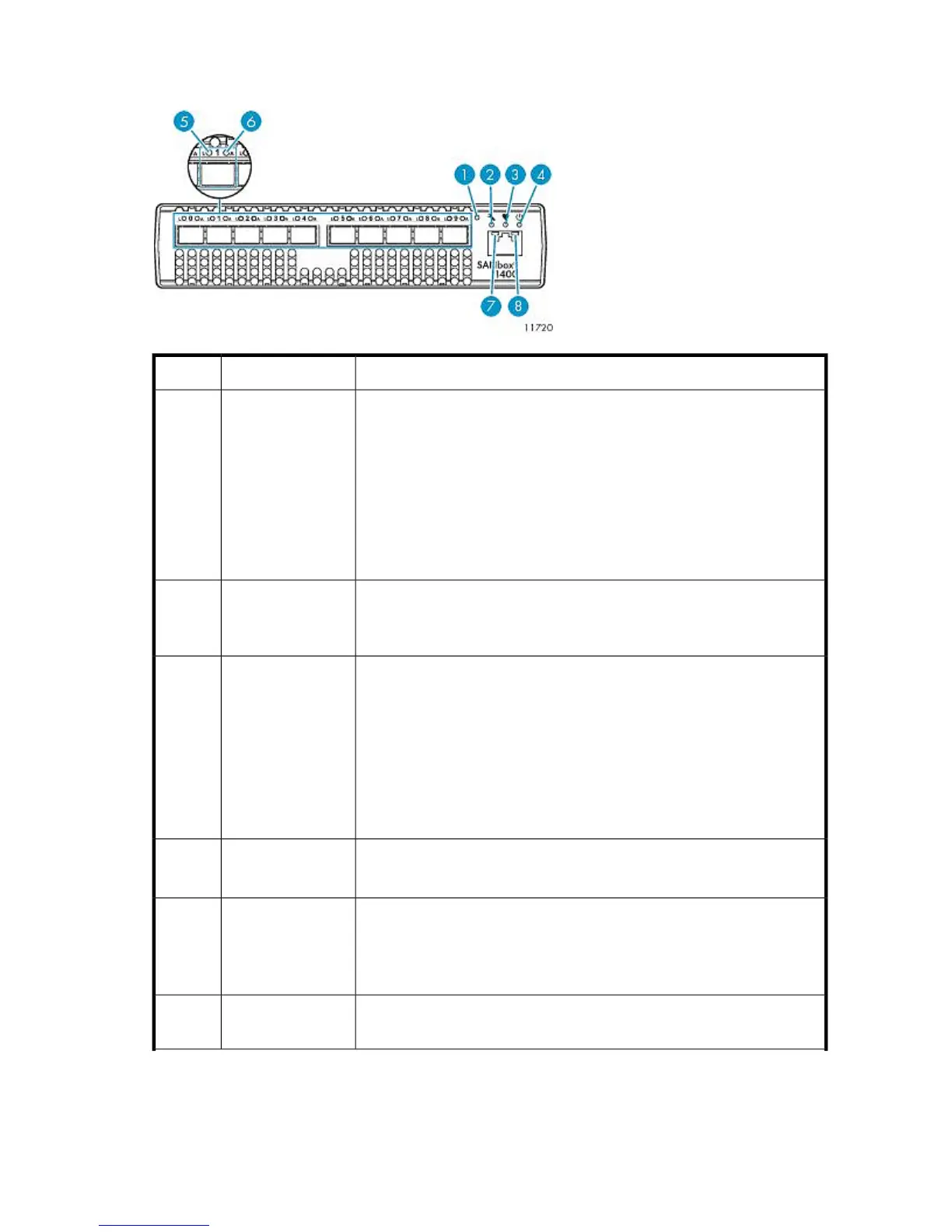
Front Panel LEDs and Buttons
StatusDescriptionItem
Dual-function momentary switch. Its purpose is to reset the switch or to place
the switch in maintenance mode.
To reset the switch, use a pointed tool to momentarily press and release (less
than 2 seconds) the Maintenance button. The switch will respond as follows:
1. All the chassis LEDs will illuminate except the System Fault LED.
2. After approximately 1 minute, the power-on self test (POST) begins, ex-
tinguishing the Heartbeat LED.
3. When the POST is complete, the Input Power LED is illuminated and the
Heartbeat LED is flashing once per second.
Maintenance button1
Amber = A fault exists in the switch firmware or hardware. Fault conditions
include POST errors and over temperature conditions.
Off = Switch is operating normally.
System fault LED2
Green = Switch is in maintenance mode.
Blinking green (constant 1 Hz) = Switch passed the POST and the internal
switch processor is running.
2 blinks = Internal firmware failure.
3 blinks = System error.
4 blinks = Configuration file system error.
5 blinks = Over temperature.
See Heartbeat LED Blink Patterns for more information.
Heartbeat LED3
Green = Switch logic circuitry is receiving the proper DC voltages.
Off = Switch is in maintenance mode.
Input power LED4
Green = A device is logged in to the port.
Flashing green (constant 1 Hz) = A device is logging in to the port.
Flashing green (constant 2 Hz) = The port is down, offline, or an error has
occurred.
Port logged-In LED5
Green = Data is passing through the port. Each frame that the port transmits
or receives causes LED to illuminate for 50 milliseconds.
Port Activity LED6
HP StorageWorks 237










 To Next Page