Creating a Smart Copy Pool
Smart copy pools are created from physical library slots after a destination tape library is added to
the VLS automigration configuration. Each smart copy pool defines:
• The single destination library
• The single source virtual library
• The slot range
• The pool mode – echo copy or smart copy
• The number of drives allocated to the pool (for smart copy only)
To create a smart copy pool:
1. Select the Automigration/Replication tab and expand the task bar of the navigation pane so that
you can see all the items listed under Destination Libraries.
2. Select Copy Pools on a destination library for which you want to create a pool.
3. From the task bar, select Create Smart Copy Pool.
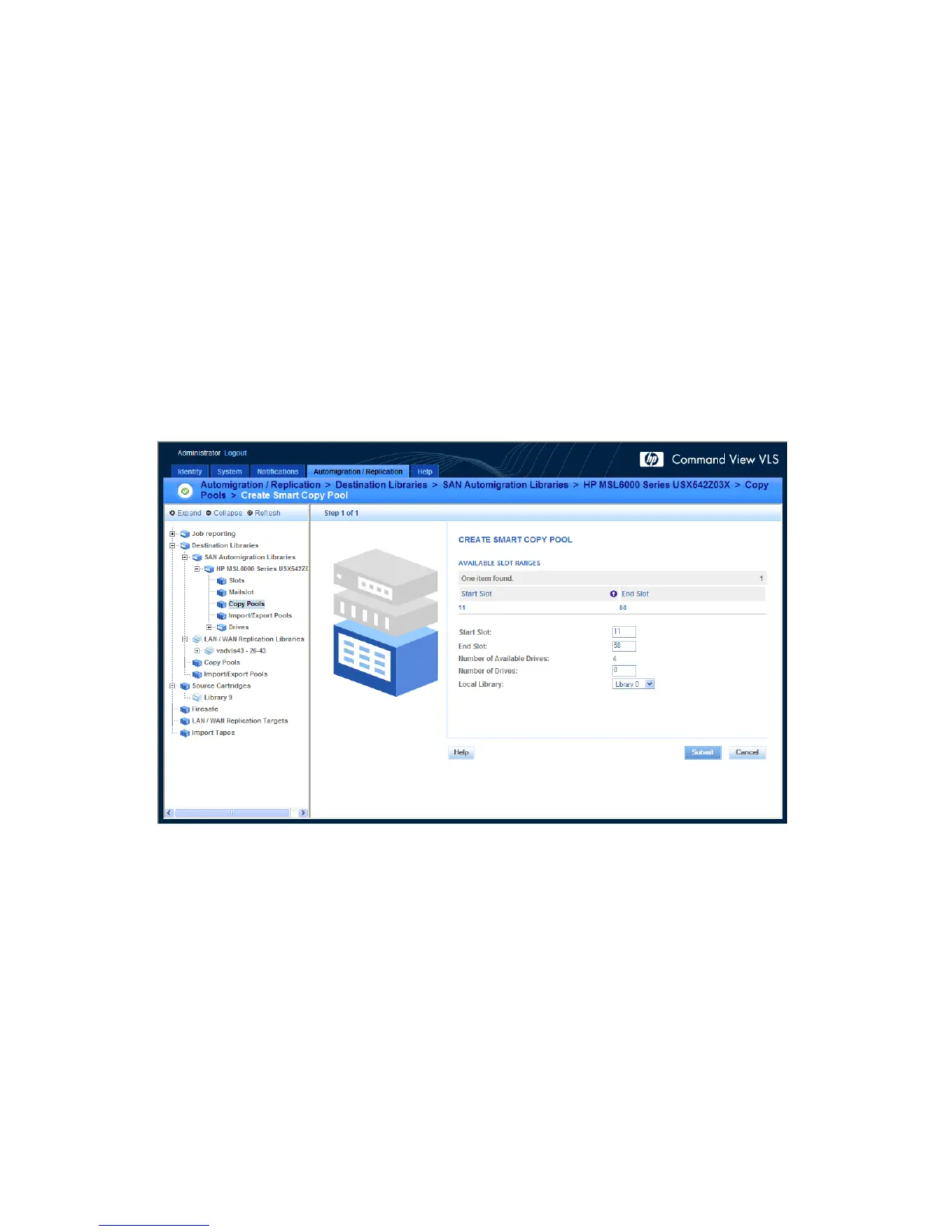
The CREATE NEW SMART COPY POOL screen displays (see Figure 31).
Figure 31 Creating a new smart copy pool (with sample slot range error message)
.
4. Select a start slot and an end slot for the copy pool from within the available slot range.
5. Select the number of drives to create within the pool. The number of available drives is displayed
just above the empty field.
6. Select the source library from the Local Library list.
Automigration/Replication98










 To Next Page