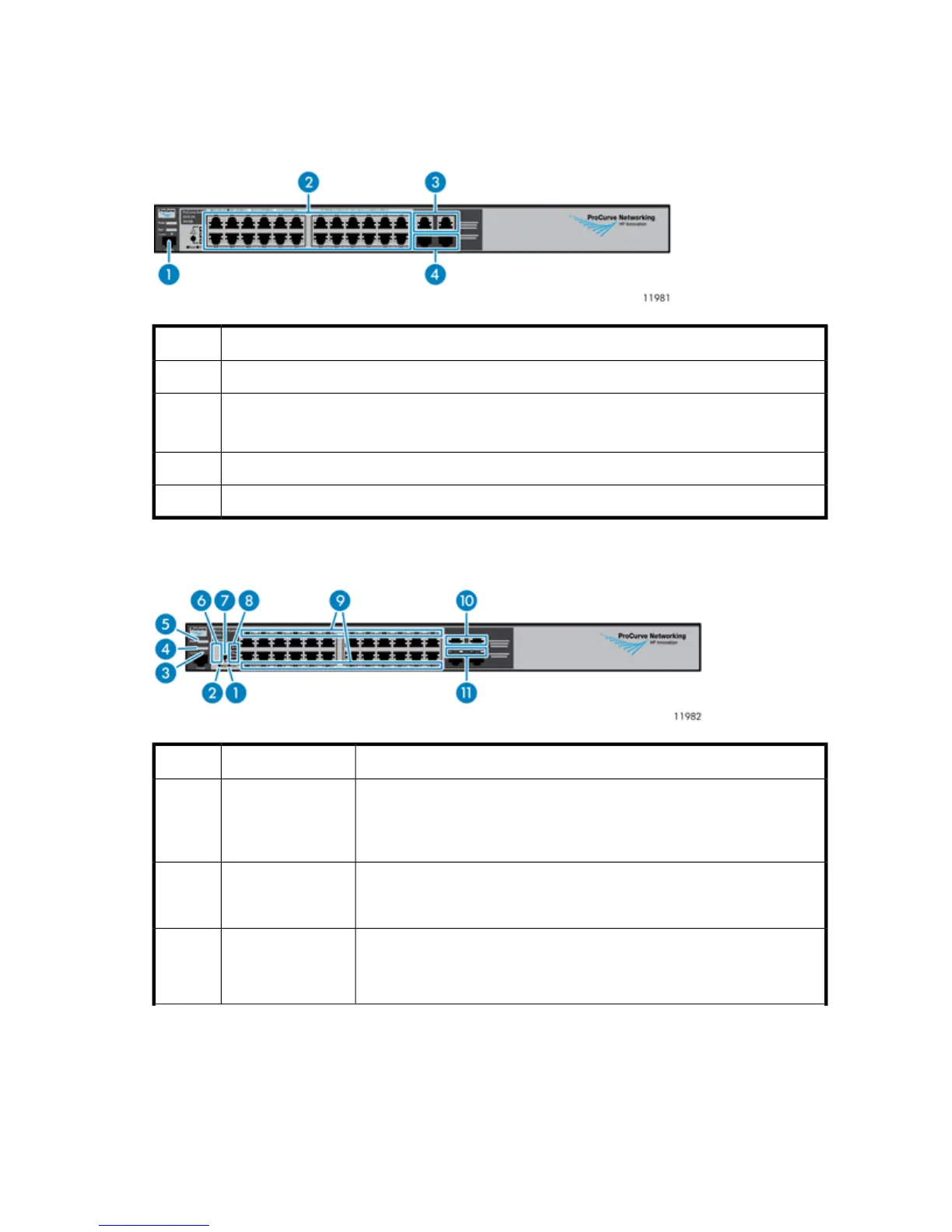
Ethernet Switch 2510–24 Components, LEDs, and Buttons
Front Panel Components
DescriptionItem
Console port1
10/100Base-TX RJ-45 Ethernet ports 1 through 24
(numbered from left to right, top to bottom)
2
10/100/1000–T dual-personality ports 25 and 263
mini—GBIC dual-personality ports 25 and 264
Front Panel LEDs and Buttons
StatusDescriptionItem
When pressed with the Reset button in a specific pattern, any configuration
changes you may have made through the switch console, the web browser
interface, and SNMP management are removed, and the factory default
configuration is restored to the switch.
Clear button1
Press to reset the switch while it is powered on. This action clears any tem-
porary error conditions that may have occurred and executes the switch self
test. Also resets all network activity counters to zero.
Reset button2
Blinking blue = Locate function is active. Firmware controlled, can be set to
on or blinking.
Off = Locate function is disabled.
Locator LED3
HP StorageWorks 241










 To Next Page