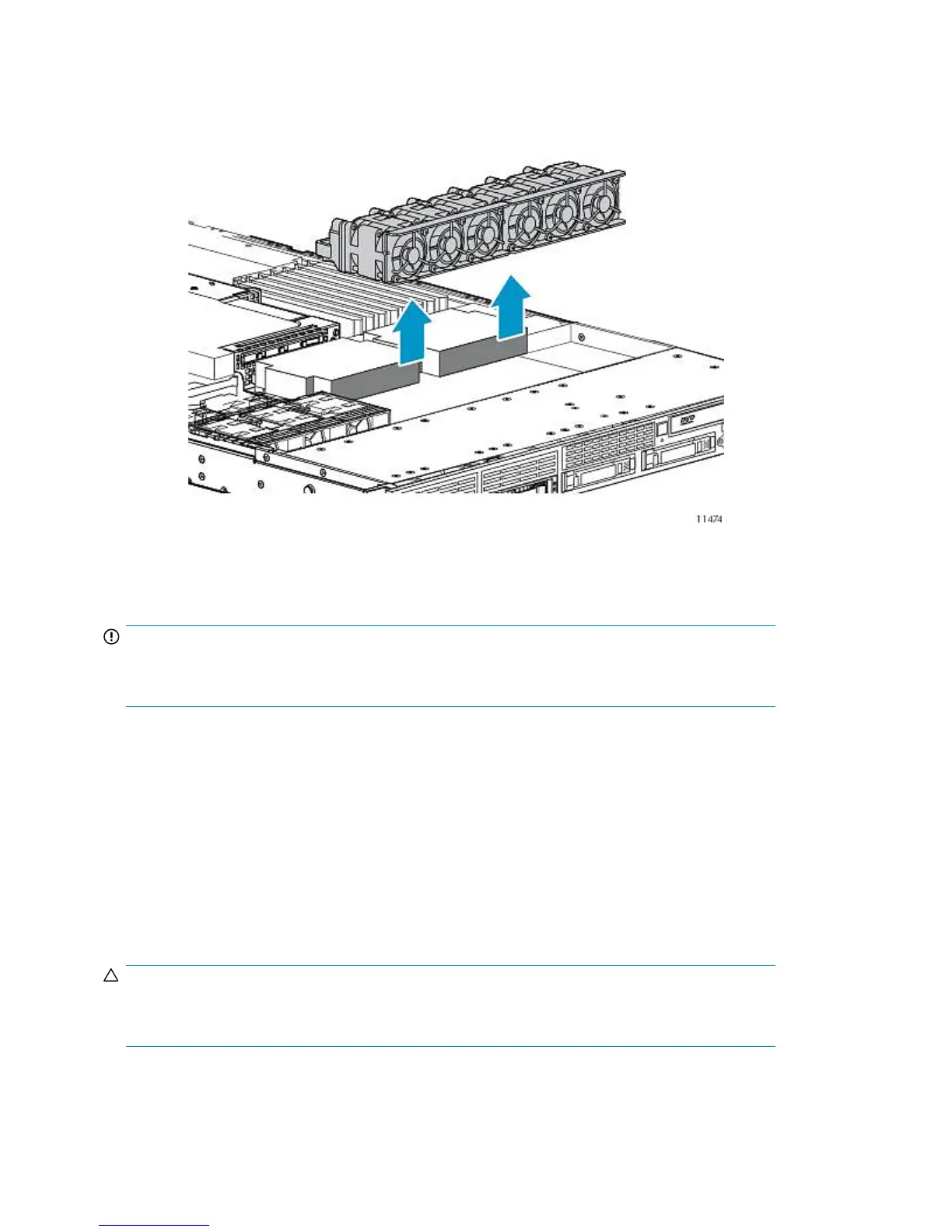
5. To remove fan module 2 or 3:
a. Remove the power supply air baffle. See Figure 80.
b. Remove fan module 2 or 3.
Figure 82 Removing the node fan module 2 or 3
.
To replace the component, reverse the removal procedure.
IMPORTANT:
After installing the fan module, firmly press the top of the module connectors to ensure the connectors
are seated properly.
FBDIMM
1. Power off the node.
2. Extend or remove the node from the rack. See Extending the Node from the Rack or Removing
the Node from the Rack.
3. Remove the access panel.
4. Open the FBDIMM slot latches.
5. Remove the FBDIMM.
CAUTION:
Use only Compaq branded or HP FBDIMMs. FBDIMMs from other sources may adversely affect data
integrity.
To replace the component, reverse the removal procedure.
Component Replacement262










 To Next Page