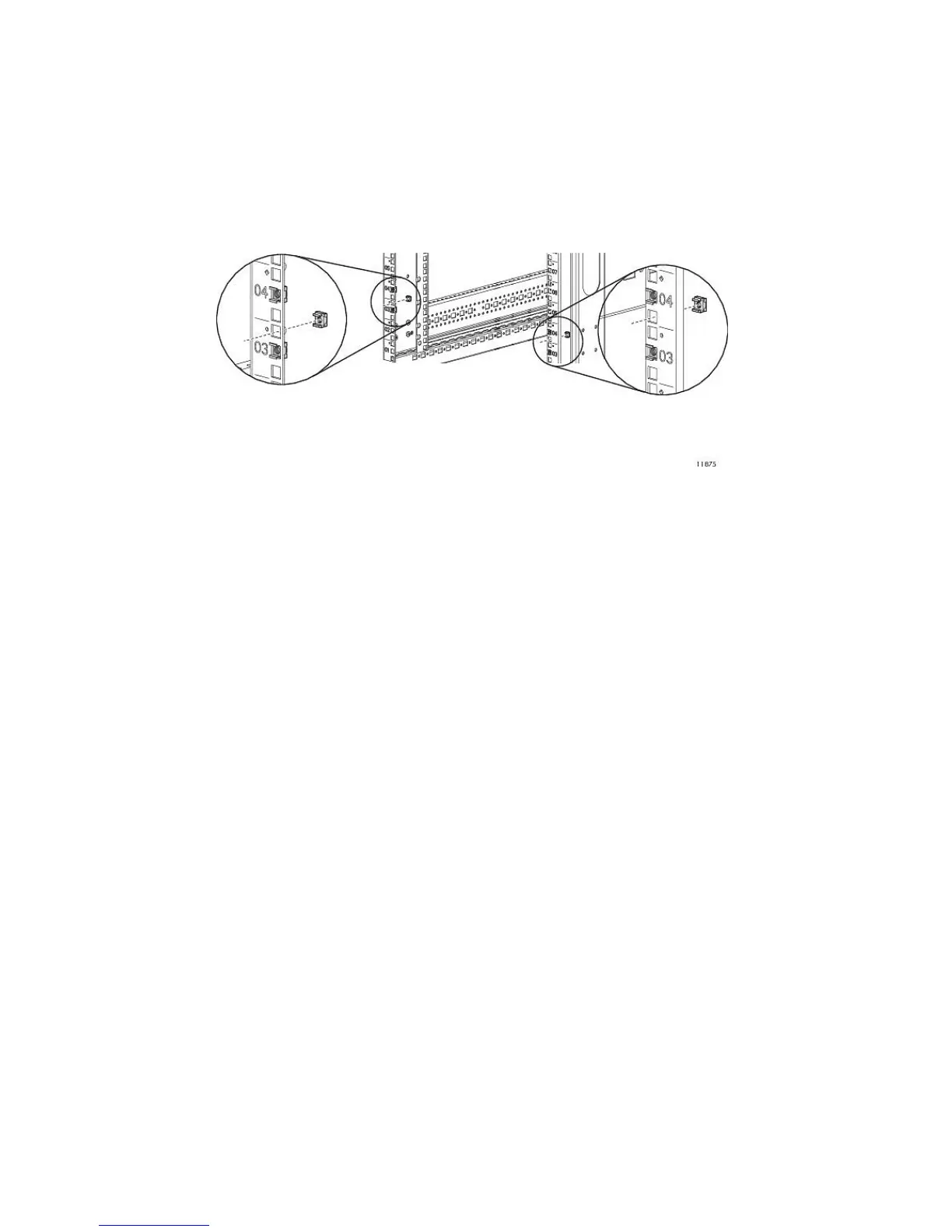
1. Locate the cage nuts from the rack mounting hardware kit contents.
a. Start at rack positions 3 and 4.
b. Install a cage nut in the middle hole of each position on the front vertical posts for a total of
two on each side.
c. On the left front post, between the two cage nuts just installed, install a cage nut in the bottom
hole.
d. On the right front post, between the two cage nuts just installed, install a cage nut in the top
hole. See Figure 15.
Figure 15 Installing the cage nuts
.
e. Repeat this procedure on the front vertical posts for each 2U enclosure to be installed.
f. On the rear vertical posts, starting at rack positions 3 and 4, install a cage nut in the middle
hole of each position for each 2U enclosure to be installed.
HP StorageWorks 53










 To Next Page