1. Determine the number of PDUs to install.
• The number of PDUs you install is based on the number of arrays to install.
• Install up to four arrays in one rack.
• Install up to a maximum of four additional arrays in racks two through four.
Use the following table to determine how many PDUs to install:
PDMsPDUsArrays
EuropeNorth AmericaEuropeNorth America
66221
66222
610443
810444
NOTE:
PDUs are installed in pairs.
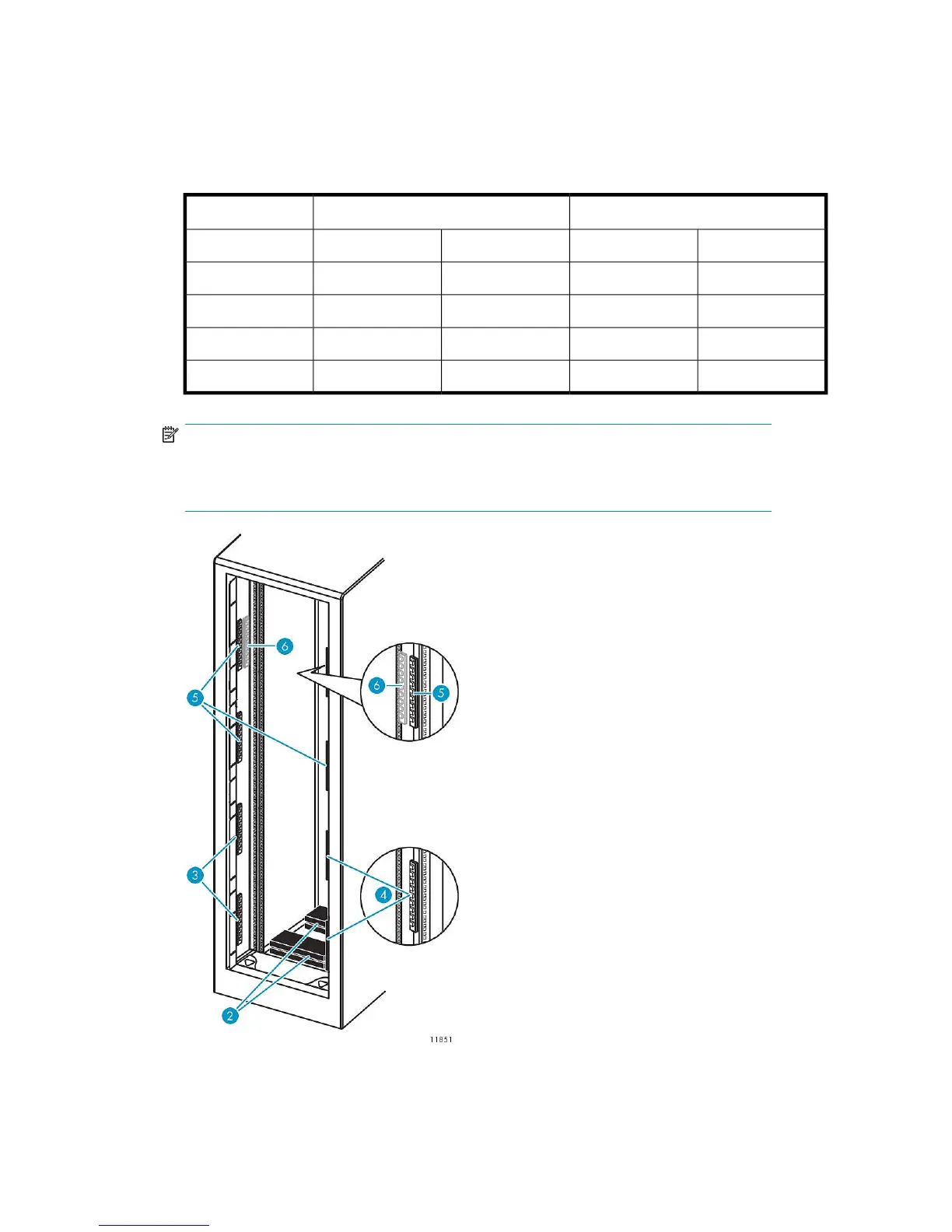
PDMs (power distribution modules) are the power outlet strips that connect to the PDUs.
Figure 9 PDU and PDM locations
.
HP StorageWorks 33










 To Next Page