Applying Labels
Locate the labels supplied in the interswitch link kit contents.
As you install each cable in the following sections, apply the appropriate label to each cable end.
NOTE:
The labels for interlinking the switches use “A” to indicate rack 1 and “B” to indicate rack 3. For
example, an ethernet cable label will read, “SW2510–24A port 22 TO SW2510–24B port 22.”
Installing Interswitch Fibre Channel Cables
1. Locate the Fibre Channel cables included in the interswitch link kit contents.
2. Remove the black cover from each XPAK.
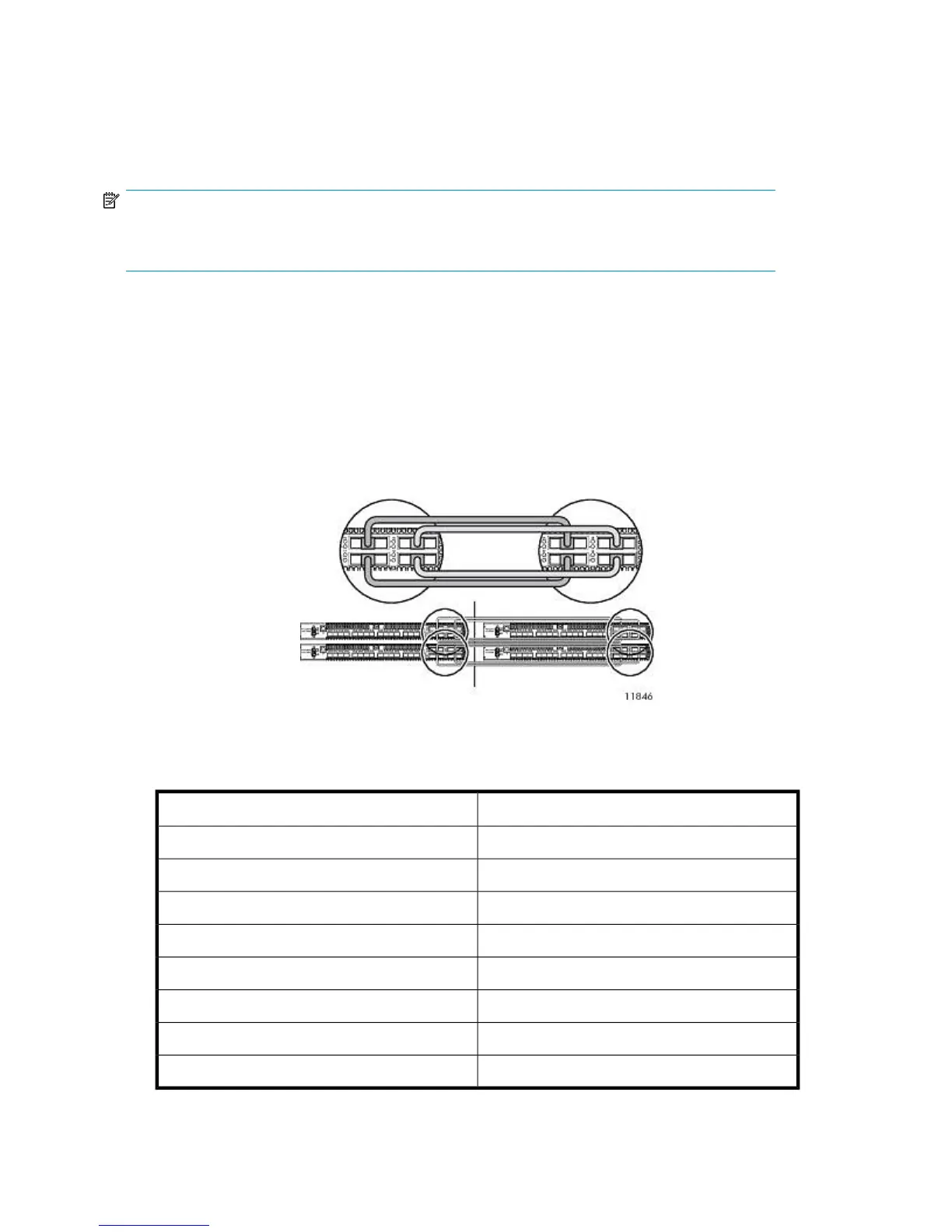
3. Connect the Fibre Channel cables from the switches in rack 1 to the switches in rack 3. See
Figure 25.
Rack 3Rack 1
Figure 25 Interswitch Fibre Channel cables
.
To identify individual ports in the image above, see Figure 23.
To Rack 3From Rack 1
Switch 0 port 16Switch 0 port 16
Switch 0 port 17Switch 0 port 17
Switch 0 port 18Switch 0 port 18
Switch 0 port 19Switch 0 port 19
Switch 1 port 16Switch 1 port 16
Switch 1 port 17Switch 1 port 17
Switch 1 port 18Switch 1 port 18
Switch 1 port 19Switch 1 port 19
Hardware Installation70










 To Next Page