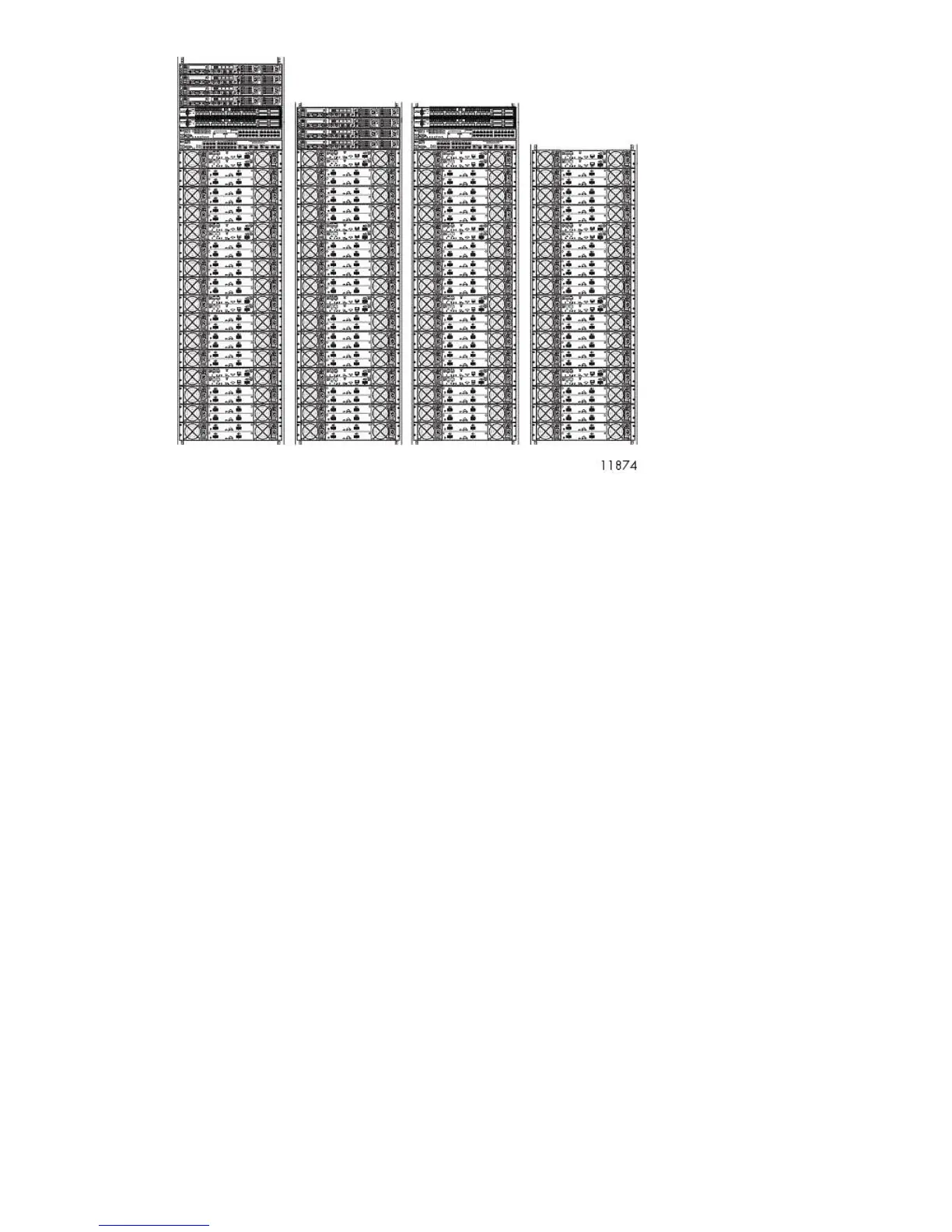
Figure 8 VLS9000–series four-rack configuration, Racks 1–4 (left to right)
.
• If the racks you are using did not come with PDUs installed, see Installing PDUs before racking
VLS9000–series equipment.
• Install a maximum of four arrays in each rack, starting above the PDUs at rack positions 3 and 4.
See Installing the Disk Array Enclosures into a Rack.
• Install an Ethernet switch or 32– or 20–port connectivity kit above the arrays in the first rack. See
the instructions beginning in Installing Fibre Channel Switches 4/10q onto Racking Shelf.
If available, install a second 32–port connectivity kit above the arrays in rack three.
• Install a maximum of four nodes at the top of the rack, above the arrays, and the connectivity kit,
if present. See Installing the VLS Node into a Rack.
• Unless directed to do so, do not leave spaces between devices.
After racking all VLS9000-series equipment, see Installing VLS9000 Cables. If the configuration you
are installing consists of one Ethernet switch or connectivity kit, cabling the system completes the
installation.
If the configuration you are installing consists of two 32-port connectivity kits, you must additionally
connect the connectivity kit in rack one to the connectivity kit in rack three. See Installing VLS9000-series
Interswitch Link Kit. The two cabled connectivity kits function as one logical set of switches.
Installing the VLS9000 7.5 TB and 10 TB Systems
To install the 7.5 TB and 10 TB systems, use the following sections. The installation is the same as for
other VLS9000 systems except where noted. Not all of the information will apply.
When installing disk array enclosures for the 7.5 TB and 10 TB systems, keep in mind that you install
the base disk array enclosure first and install expansion disk array enclosures as you purchase them
working down the rack. This differs from other VLS9000 systems where you install the expansion disk
array enclosures at the bottom of the rack and work up to the base disk array enclosure.
HP StorageWorks 31










 To Next Page