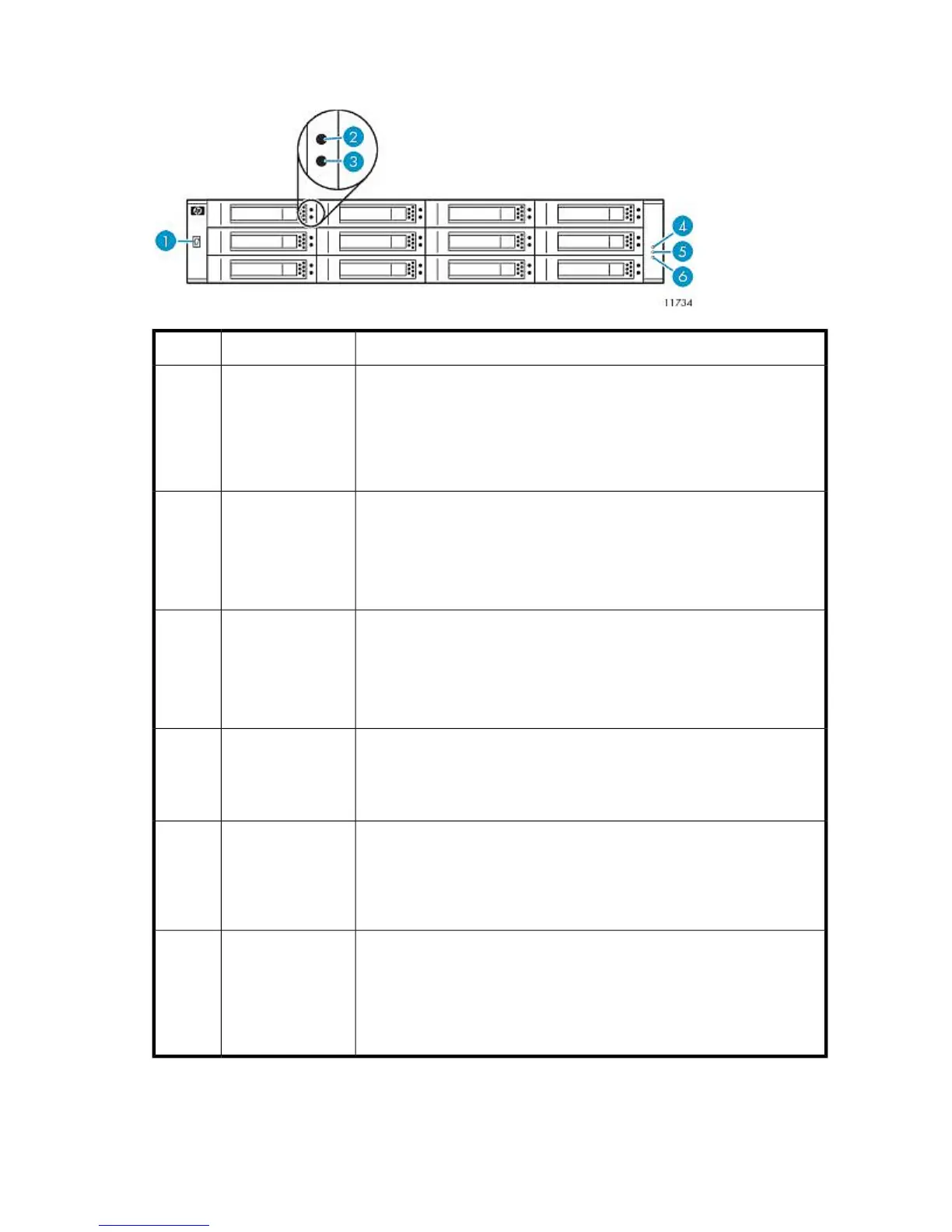
Front Panel LEDs
StatusDescriptionItem
A hex LED shows the enclosure ID, which enables you to correlate an
enclosure with logical views presented by Command View VLS. The enclosure
ID for a base disk array enclosure is zero (0); the enclosure ID for an attached
expansion disk array enclosure is nonzero.
Continuous “F” = The display has a problem. If the Fault/Service required
LED is also lit, an enclosure-level fault occurred.
Enclosure ID LED
(“F” for 3–4
seconds at power
up)
1
Blue = Hard drive is selected (for identification purposes only).
Amber = Hard drive has failed.
Flashing amber = Flashes at constant 1 Hz when hard drive is predicted to
fail.
Off = Hard drive is operating normally.
Hard drive status
LED
2
Green = Hard drive is online but there is no hard drive activity.
Flashing green (constant 1 Hz) = Hard drive is rebuilding.
Fluttering green = There is hard drive activity, or the array is running a
background parity check of the data in the RAID set.
Off = The hard drive has no power, is offline, or not configured.
Hard drive activity
LED
3
Blinking white = Enclosure is selected (for identification purposes only).
Off = Not active.
Unit locator LED
(on for 3–4 seconds
at power up, then
off)
4
Amber = An enclosure-level fault occurred. Service action is required. The
event has been acknowledged but the problem still needs attention.
Off = No fault.
Fault/Service
required LED
(on for 3–4 seconds
at power up, then
off)
5
Green = Enclosure is powered on with at least one power module operating
normally.
Off = Both power modules are off.
Power On/OK LED
(on for 3–4 seconds
at power up, blinks
for up to 2 seconds
during boot, then
on)
6
HP StorageWorks 247










 To Next Page