EasyManua.ls Logo

Huawei ECC500 - Page 33

Huawei ECC500
142 pages
Print Icon
To Next Page IconTo Next Page
To Previous Page IconTo Previous Page
Loading...
ECC500
User Manual
3 Configurations and Port
Copyright © Huawei Technologies Co., Ltd.
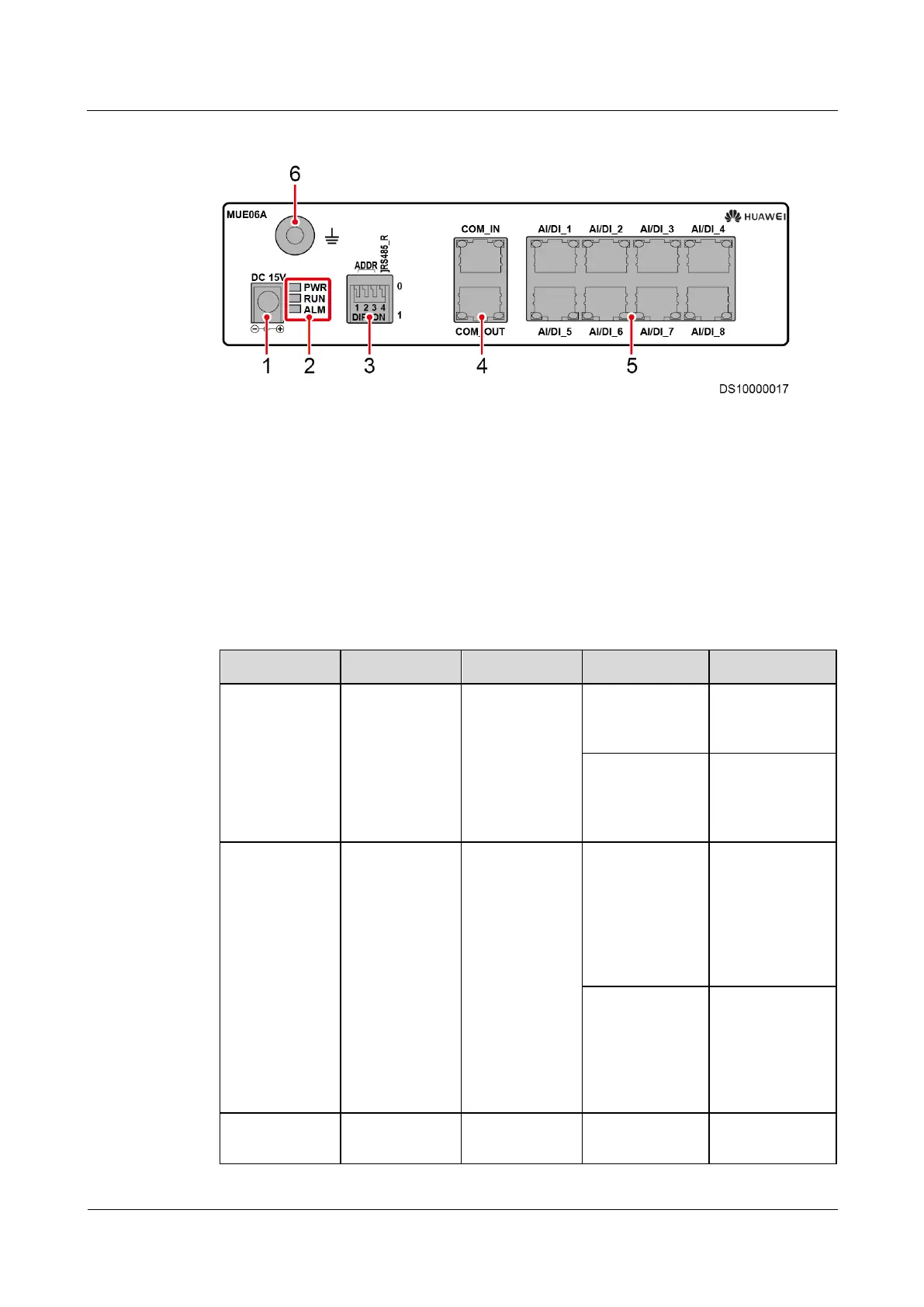
Figure 3-7 Front panel of the Independent Deployment AI/DI Unit
(1) DC 15 V power input
port
(2) Indicators
(3) DIP switch
(4) Cascading ports
(5) AI/DI_1 to AI/DI_8
(6) Ground point
Table 3-10 describes indicators on the front panel of the Independent Deployment AI/DI Unit.
Table 3-10 Description of indicators on the front panel of the Independent Deployment AI/DI
Unit
Silk Screen
Color
Meaning
Status
Description
PWR
Green
Power indicator
Steady on
The power
supply is
normal.
Off
The AI/DI
expansion card
is faulty or has
no DC input.
RUN
Green
Run indicator
Blinking (1
second on and 1
second off)
The Independent
Deployment
AI/DI Unit is
communicating
with the main
control module
properly.
Blinking (0.125
second on and
0.125 second
off)
The Independent
Deployment
AI/DI Unit fails
to communicate
with the main
control module.
ALM
Red
Alarm indicator
Off
No alarm is
generated.

Table of Contents

Related product manuals