v 1.4 — September 2015 Altanium Neo2
92 Configuring the Altanium Inputs and Outputs
11.4 Configuring the Altanium Inputs and Outputs
The optional Inputs and Outputs are available in the following configurations:
• Integrated (Without I/O Box): 3 Inputs and 3 Outputs
• Two I/O Package (With I/O Box): User configured for up to two options in any
combination of inputs or outputs
• Four I/O Package (With I/O Box): User configured for up to four options in any
combination of inputs or outputs
• All I/O Package (With I/O Box): User configured for All available options in any
combination of inputs or outputs
The Neo2 allows each digital input and output channel to be turned on or off as well
configured for normally closed or open operation.
11.4.1 Turning the Digital Input/Output On or Off
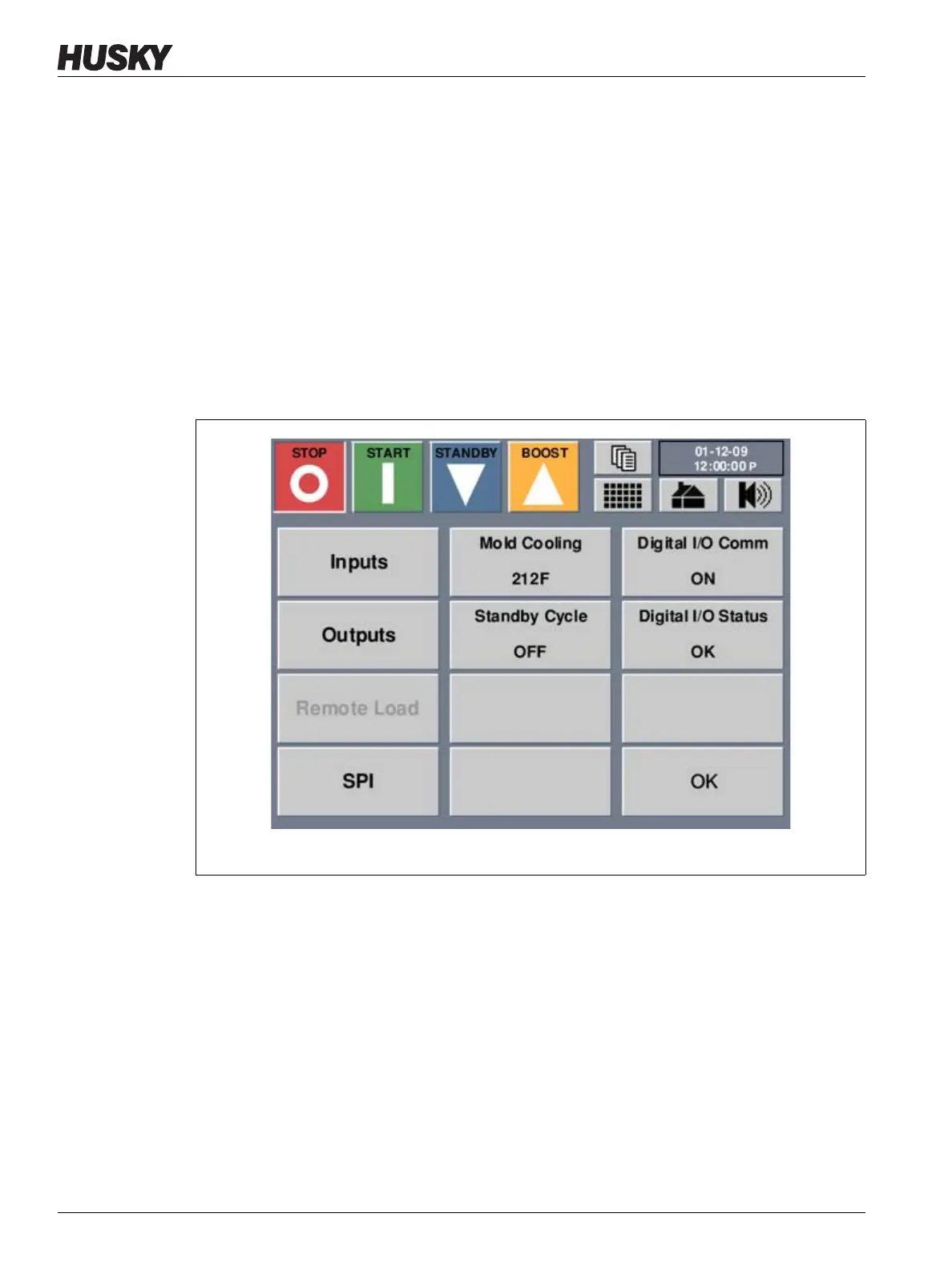
This button is used to enable or disable communication to an external I/O box by toggling
between ON or OFF. The button displays the current configuration. It is only active if the
system is configured to run with the external I/O box.
1. On the Home screen, touch Options.
2. On the Options screen touch the DIGITAL I/O COMM to toggle the digital I/O
communication from ON or OFF and vise versa.
Figure 11-2 Options Screen



 To Next Page