Setting the Delay Time 57
User Guide v 1.4 — September 2015 Mold Diagnostics
9. Touch the zone or zone to test.
10. On the Mold Test screen, touch RUN TEST and the diagnostics test will begin.
The test can be stopped at any time by touching STOP TEST.
8.1.2 Setting the Delay Time
Neo2 can wait for a certain period of time before moving on to test the next zone. This is
necessary in some molds because sometimes a heater will continue to heat up long after
power has been removed. This is very common with large manifolds. If the Neo2 started
testing the next zone before the previous zones temperature stopped increasing this could
affect the test results. The default setting is 10 seconds. Each mold can have its own set of
delay times.
To set the delay time:
1. Touch the zone or zone to add the delay time.
2. Touch DELAY TIME. The numerical key window appears.
3. Enter the delay time (MM:SS).
4. Touch the Enter button.
8.2 Test Results
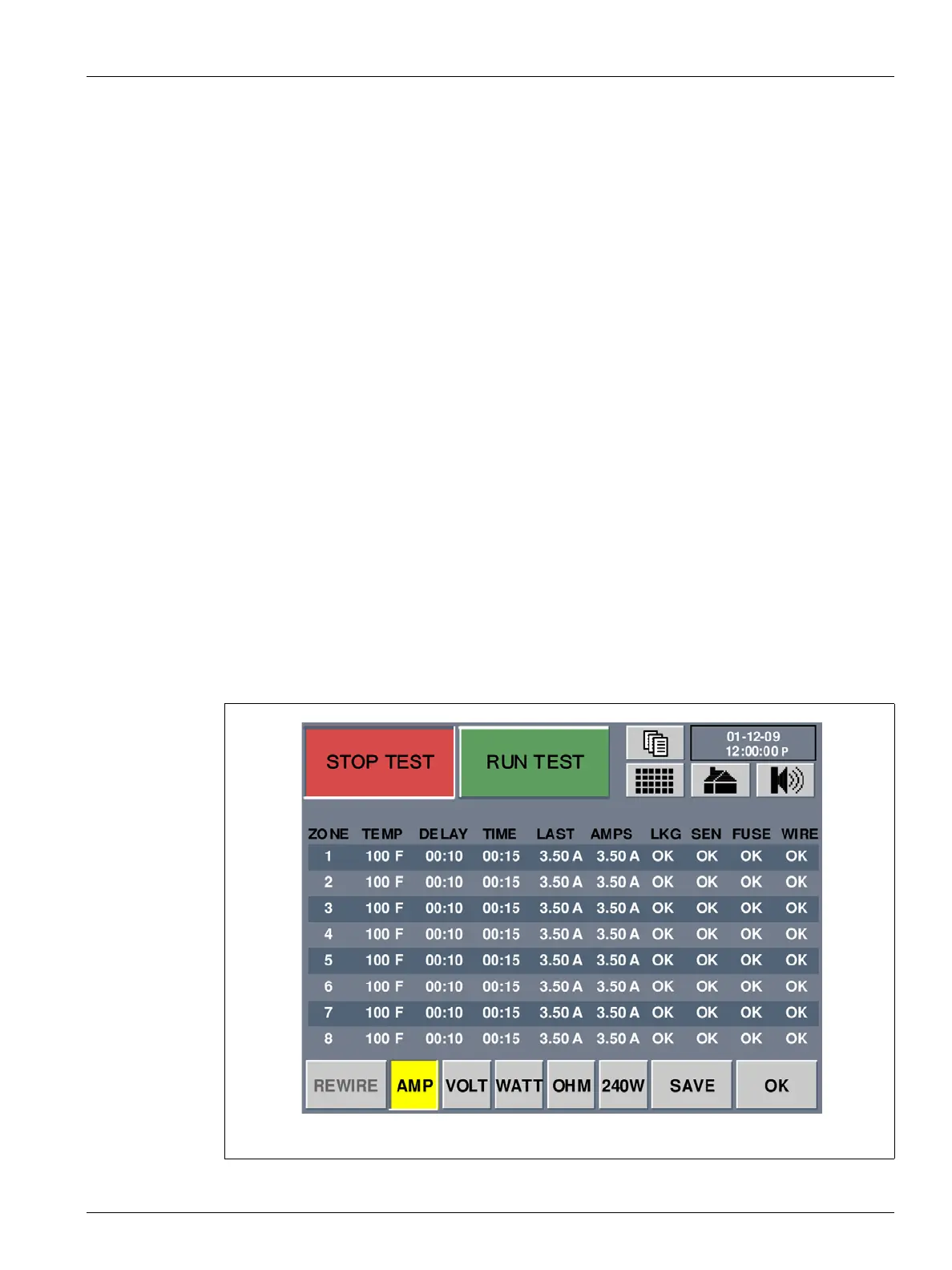
Figure 8-2 Mold Test Results Screen



 To Next Page