v 1.4 — September 2015 Altanium Neo2
98 Servicing the Altanium System
The Neo2 display is used to enter and display molding parameters. There are no user-
serviceable parts inside a Neo2 display.
12.2 Servicing the Altanium System
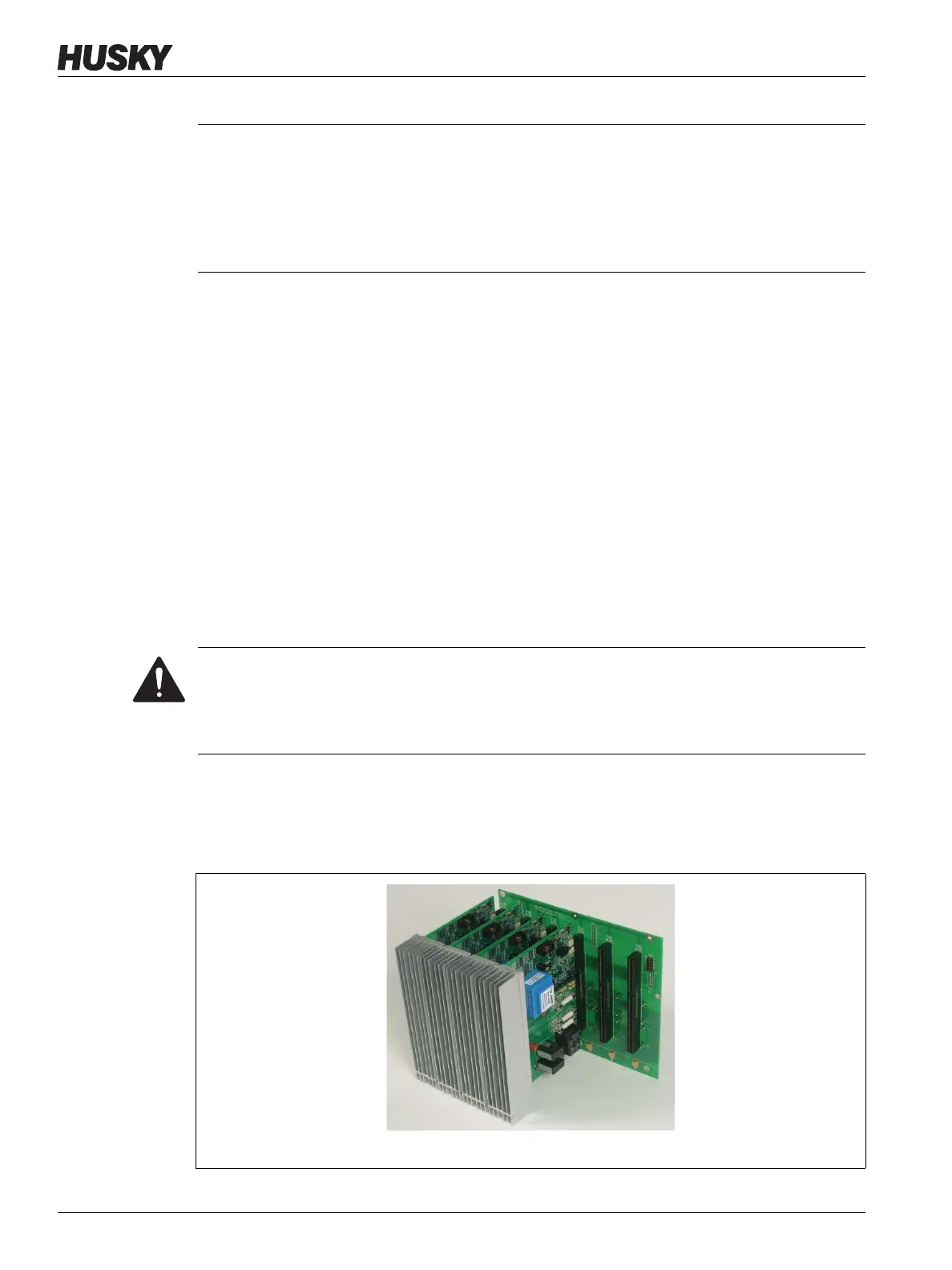
The Altanium card cage contains everything needed to run 1 to 12 heaters in the mold. This
consists of a green Passive Backplane and 1 to 6 green
ICC
2
or ICC
3
(Intelligent Control Cards)
which are plugged into the Passive Backplane. The number of ICC
2
s or ICC
3
s your system
contains is based on the number of zones ordered with the system. All
ICC
2
or ICC
3
are the
same and can be interchanged with other
ICC
2
or ICC
3
(Do not mix ICC
2
s and ICC
3
s in the card
cage). The Passive Backplanes contain CAN communications address switches and can be
interchanged with other Passive Backplanes if the switches are set properly.
12.2.1 Altanium Card Cage
CAUTION!
Mechanical hazard - risk of damage to the assembly. The Neo2 remote mounted
operator interface assembly is very unstable when the display is rotated in the forward
position. Attach the interface directly (using screws or other fastening hardware) to a
solid surface to prevent it from tipping over and being damaged when used in this
configuration.
DANGER!
Electrical hazard – risk of serious injury or death. Do not work on mold or Altanium
without locking out and tagging the Altanium main switch. Failure to do so will result
in death or serious injury.
Figure 12-2 12 Zone Card Cage


 To Next Page