v 1.4 — September 2015 Altanium Neo2
78 Clearing and Resetting Alarm and Abort Errors
2. Touch OK to return to the Home screen.
9.5.2 Clearing and Resetting Alarm and Abort Errors
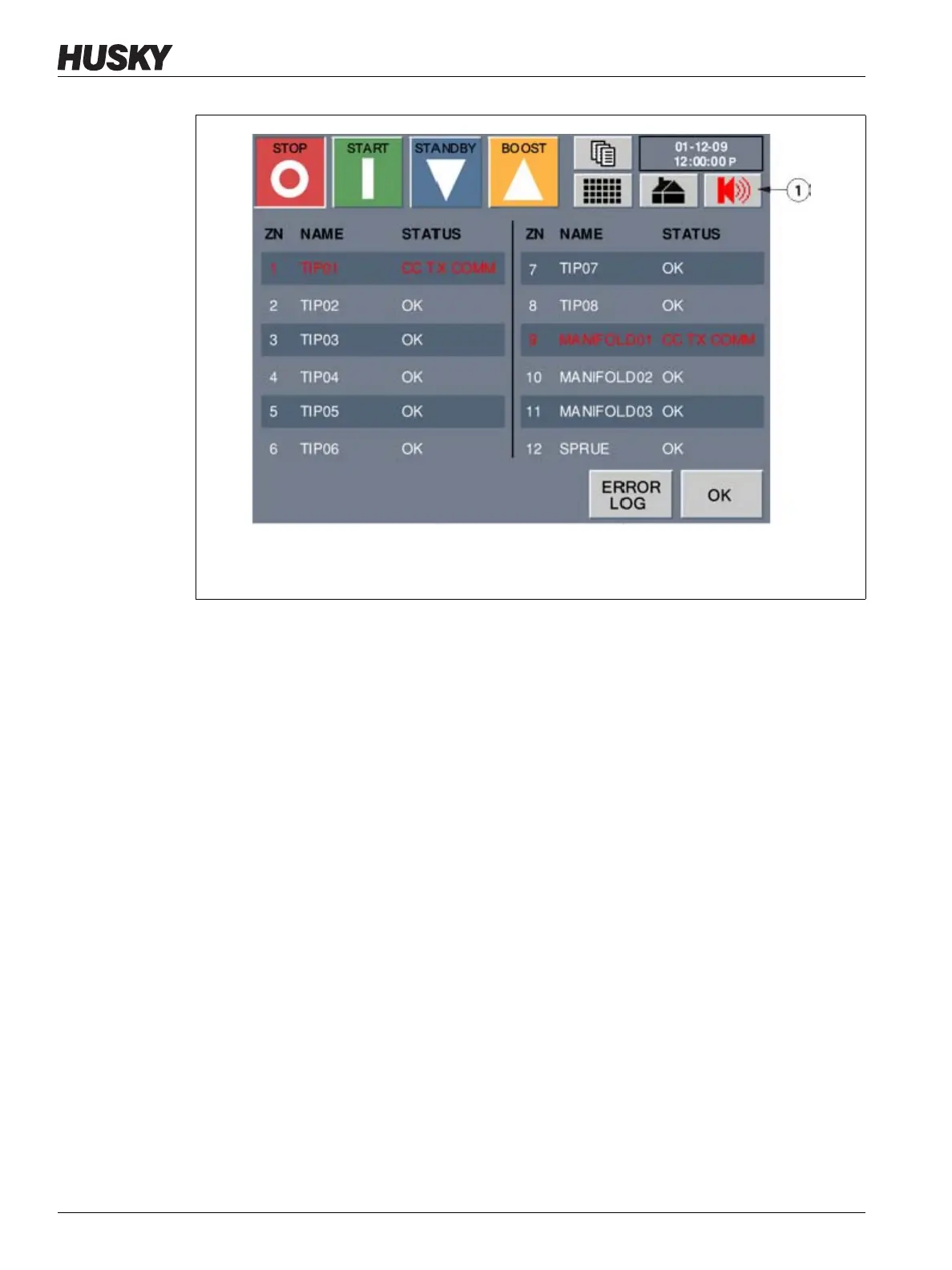
When a alarm occurs the SPEAKER button will flash red and the siren will sound.
To clear and reset an alarm or abort error:
1. Touch the SPEAKER button to silence the audible alarm but the SPEAKER button will
remain flashing red. This will not remove the error message on the screen.
2. A second touch of SPEAKER will reset the error message.
If after one minute the operator has not touched SPEAKER a second time (resetting the
error message) the system will initiate the audible alarm again.
9.5.3 Viewing the Error Log
The Error Log allows the operator to view the last 400 errors that occurred in the system.
To view the Error Log:
1. On the Alarms Status screen, touch ERROR LOG.
Figure 9-9 Alarm Screen
1. SPEAKER Button



 To Next Page