v 1.4 — September 2015 Altanium Neo2
22 Viewing the Supply Voltage
4.6.1 Viewing the Supply Voltage
To view the Supply Voltage screen, do the following:
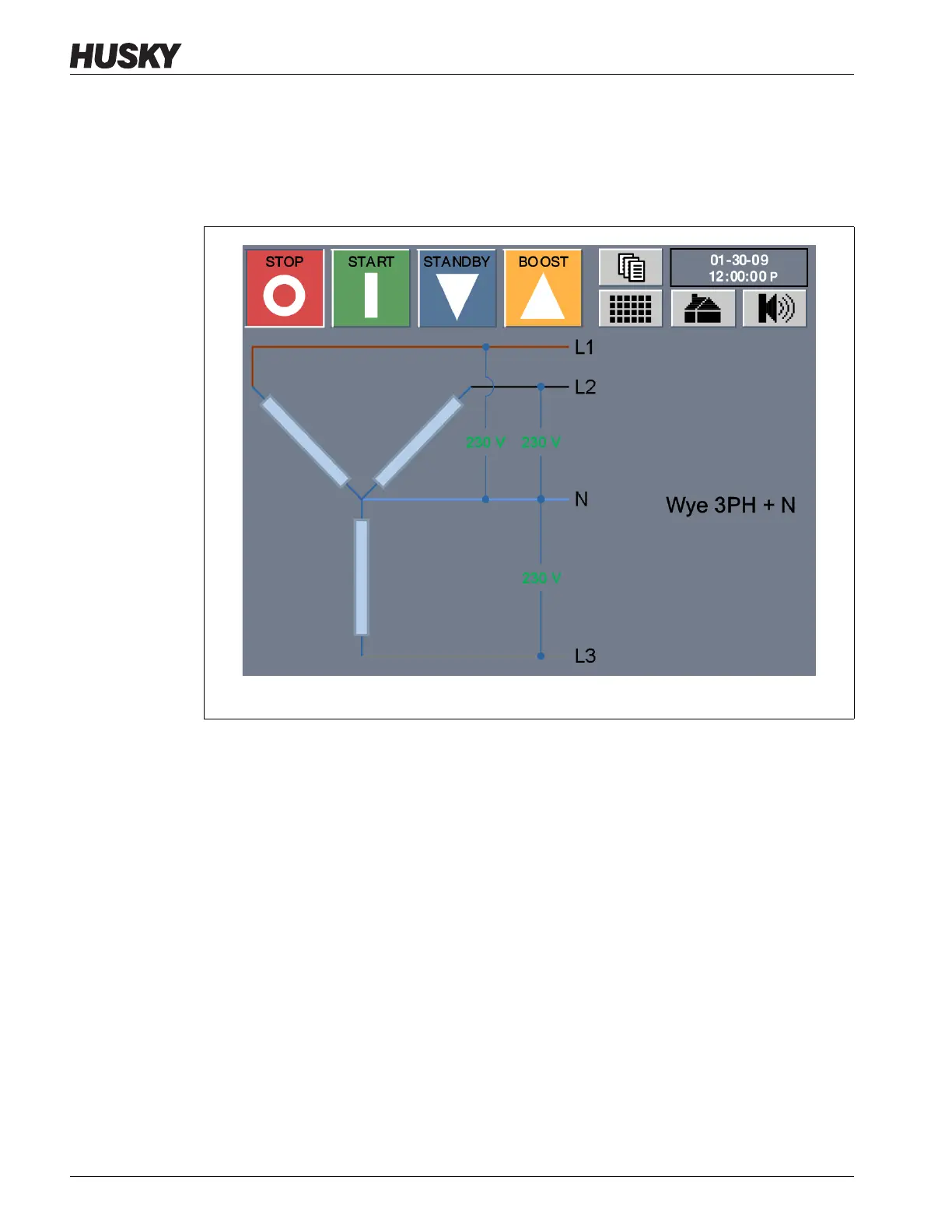
On the Home screen, touch the Supply Voltage button. The Supply Voltage screen
displays for the type of configuration selected.
The image on the left of the Wye 3 PH+N Supply Voltage screen is a visual representation of
the supply configuration. The numerical values shown for each of the phases is the average
voltage value for all the zones associated with a phase.
NOTE:The voltage values display “---” if the voltage is not calibrated for all the zones
associated with a particular phase or all the zones are XL cards.
Figure 4-5 Wye 3PH+N Supply Voltage Screen



 To Next Page