Page 10
Copyright© 2019 Ingenico
Terminal Connections
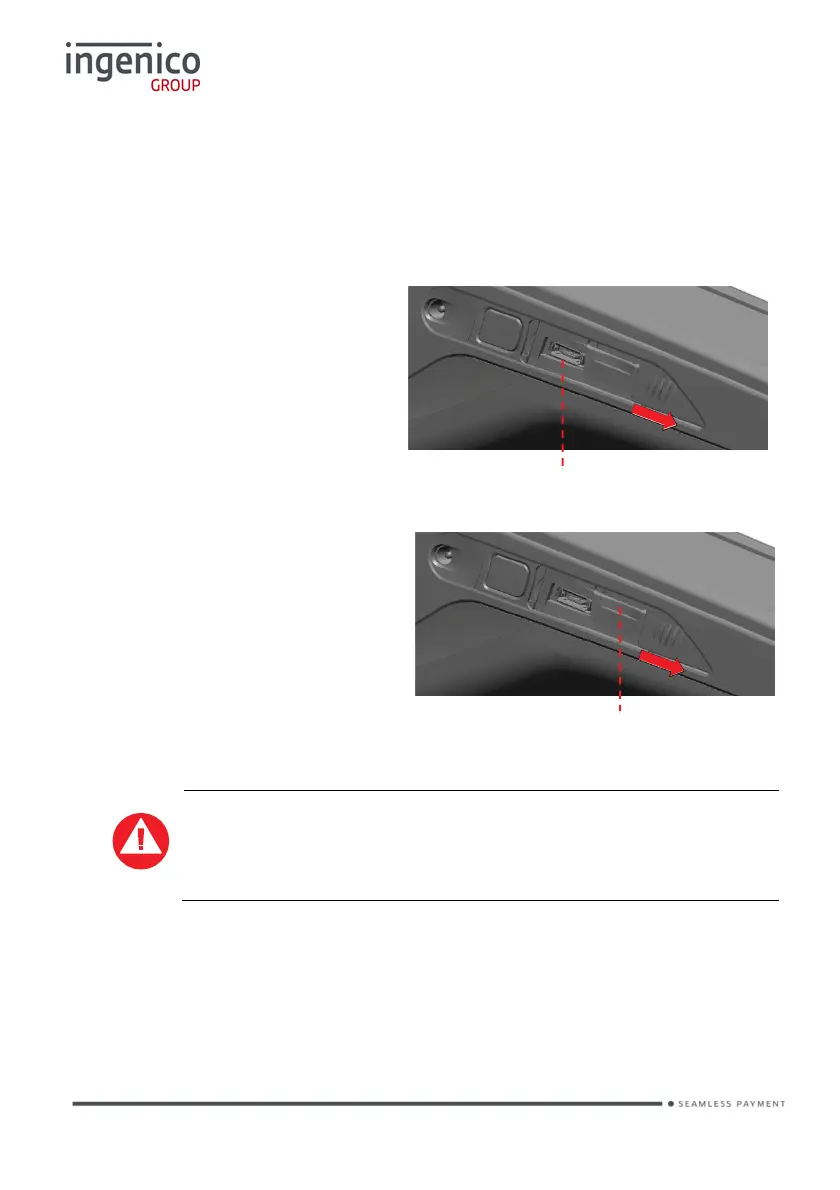
µUSB
• There is a Micro-USB connector on the left side of the Move/5000 wireless
terminal. (see picture). This connector manages Host and Slave
connections.
• The terminal supports USB
keys with FAT16 or FAT32
• The USB key has to be used
with a USB adapter (refer to
accessories section)
µSD Memory Card
• There is a MicroSD connector
on the left side of the
Move/5000 wireless terminal.
(see picture).Insert the
MicroSD memory card into
the connector slot shown on
the picture.
• The
terminal supports
MicroSD cards up to 32GB.
NOTE: The slots; are only used in production; they are NOT
currently supported by the terminal applications.
USB micro AB
Connector used for USB key etc.
Durability: up to 10,000 mating cycles
MicroSD Slot














 To Next Page