Page 16
Copyright© 2019 Ingenico
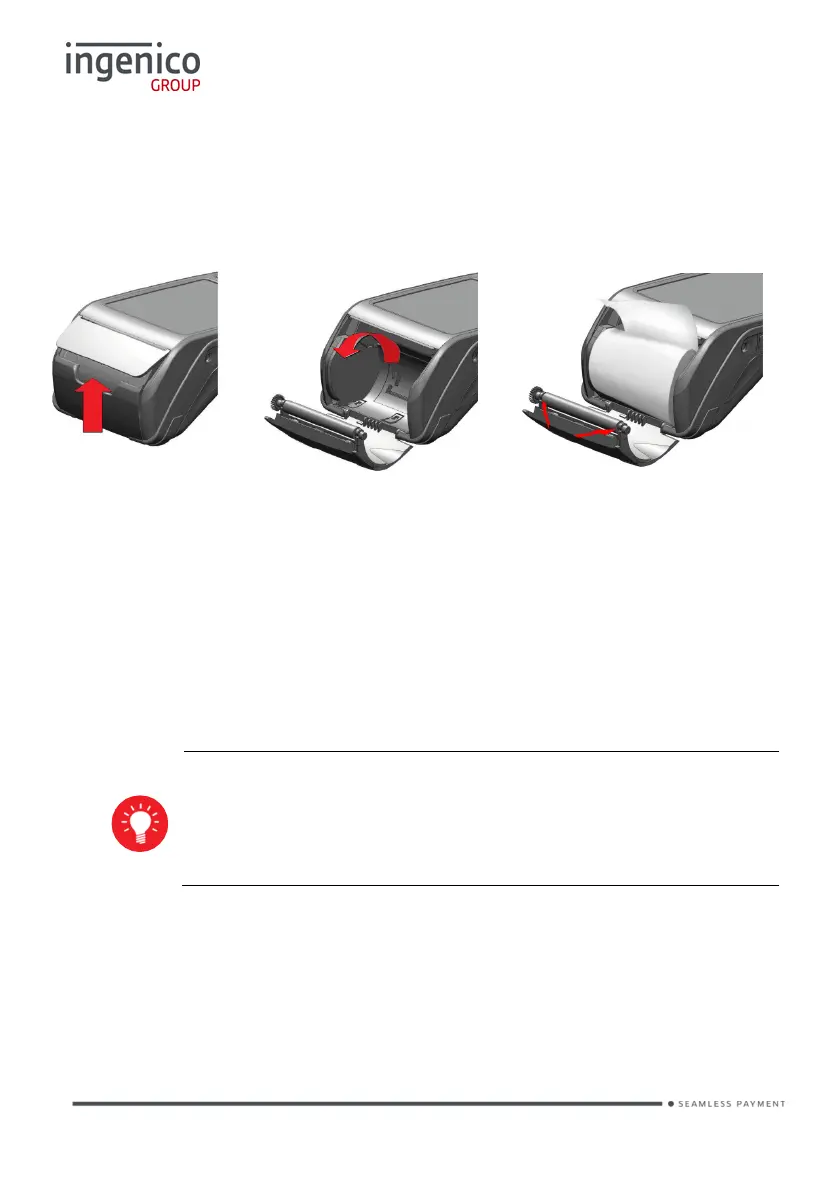
Installing a Paper Roll
• Open the paper compartment by lifting the catch located at the rear of the
terminal and pull the cover to the rear of the terminal.
• Insert
the paper roll in the compartment following the directions shown in the
picture
• Pull
the paper up to the top of the terminal
• Hold
the paper and close the lid
• Press
simultaneously on both upper corners of the paper flap, as shown by
arrows on picture, until it clips into position
When a new paper roll is inserted, tear off the first length (one
complete turn) to avoid printing on the residue of the adhesive
tape














 To Next Page