Page 8
Copyright© 2019 Ingenico
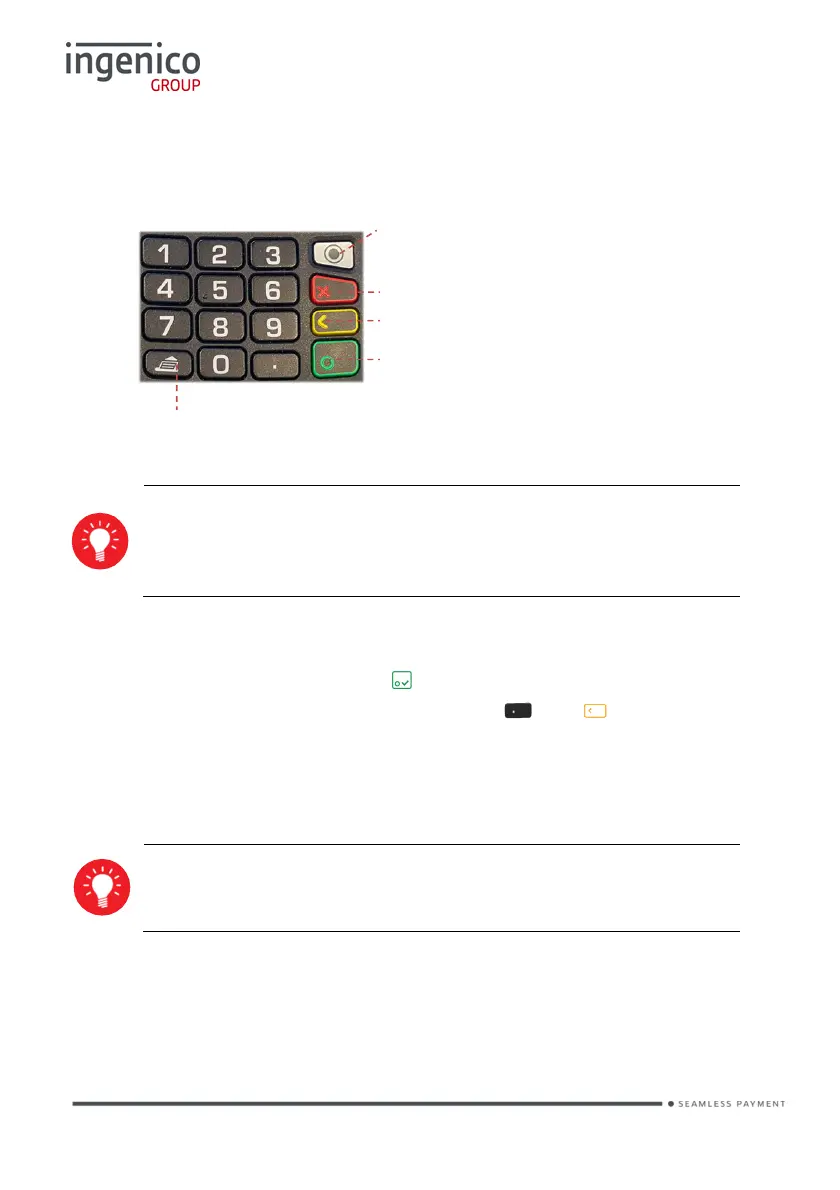
Keyboard details and functionality
Switching ON / OFF terminal
• To switch ON the terminal press on the keyboard.
• To switch OFF the terminal press and hold and simultaneously for 1
second.
Note: The terminal must be off the base/not on charge when attempting to
switch it off else it will just restart.
Before using the terminal, always check the paper roll is present.
Some keys can have other functions depending on the
applications on the terminal.
Red key cancels the procedure in progress.
Yellow key cancels the last character.
Green key validates input selections and information
It also switches the terminal on.
Paper feed (long press)
This is the ‘Menu’ button used to navigate the
various terminal menus from the ‘Idle Screen’.
Each press will display an available menu. It will
eventually return to the ‘Idle Screen’.














 To Next Page