Page 13
Copyright© 2019 Ingenico
Charging the battery
When does the battery need to be charged?
• On initial startup the battery, should be charged for 4 hours under the
environmental conditions stated earlier in this guide.
• When used daily on battery power only. The terminal; will automatically
recharge its battery each time it is placed on its base.
How can the battery, be charged?
Using the base
• Place the terminal on its base, charging will automatically begin.
Using the terminal power supply
• Connect the terminal power supply unit, to the terminal charging port on the
left of the terminal.
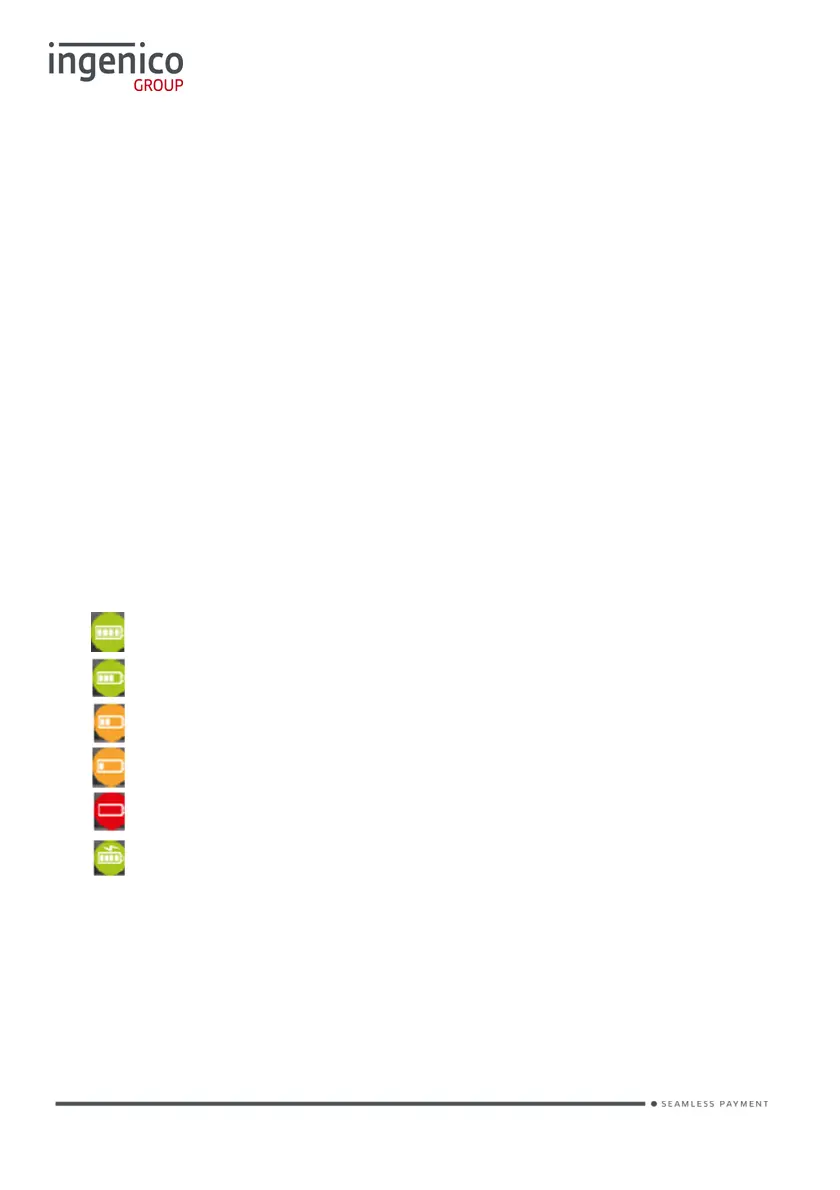
• The battery symbols are:
Battery charge greater than 80%
Battery charge greater than 60% and less than 80%
Battery charge greater than 40% and less than 60%
Battery charge greater than 20% and less than 40%
Battery charge less than 20%
Terminal powered by external power supply, battery full charge
• The environment in which the charge takes place influences battery lifetime
and autonomy (number of transactions)
• The optimal conditions are as follows:
- Charge away from any external heat source (radiator, sun, enclosed area
etc.)














 To Next Page