Page 68
Copyright© 2019 Ingenico
Application Menu
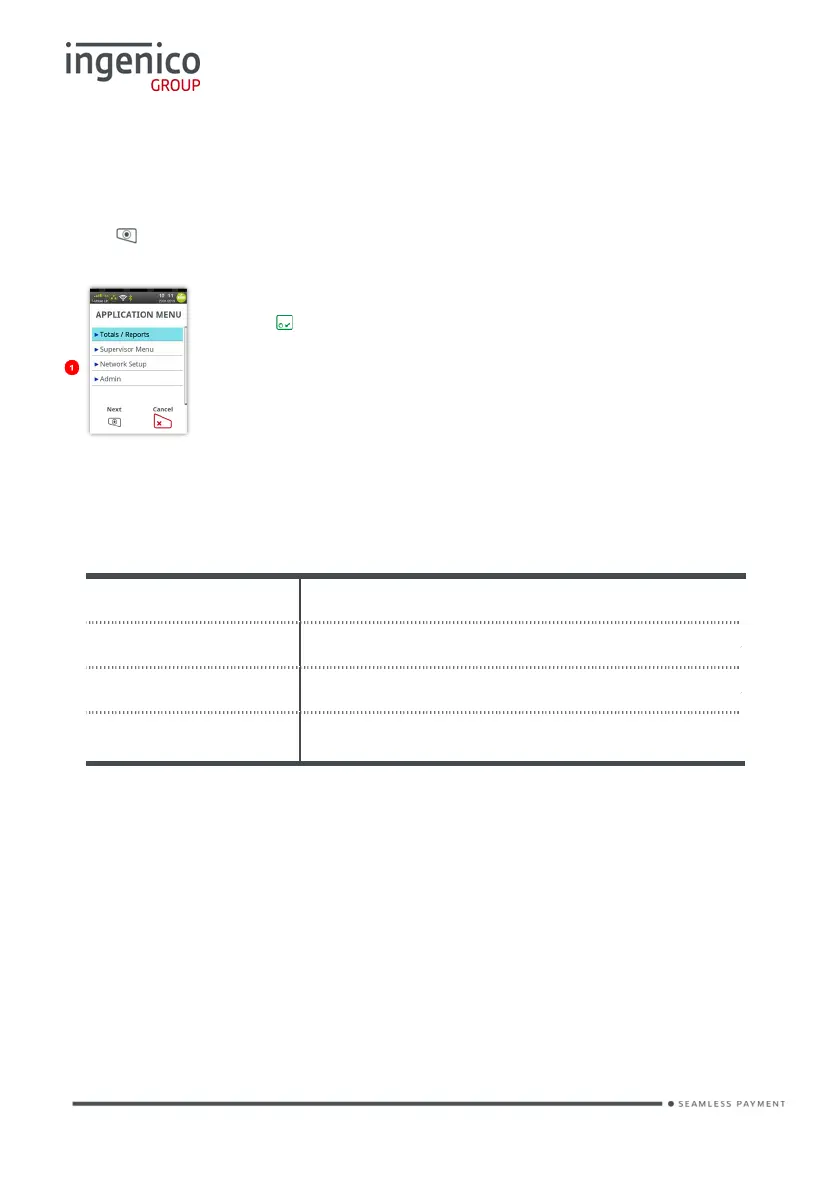
The ‘Application Menu’ is where the terminal sub menus are controlled from.
Press until the ‘Application Menu’ is displayed:
Touch the required option on the screen to select it.
Or press to select the highlighted option.
Totals/Reports
The terminal can produce a number of reports to aid banking
End of Day Banking Reconciliation report with the acquirers
X Balance Transaction total print without a reset
Z Balance Transaction total print with a reset
Waiters Totals Gratuity summary per waiter
• There are several common features across all the totals and sub-totals on
all of the reports that are available.
DR indicates that the value of transactions shown is in your favour – the
value shown will be debited from the customer.
CR indicates that the value of transactions shown is NOT in your favour –
the value shown will be credited to the customer.
The number of transactions that add up to the total shown will always be
shown on the left of the value.
Any gratuity and cashback amounts are included in the TOTAL and SUB-
TOTAL, as well as in the breakdown by transaction type (i.e. Sales or
Refunds).














 To Next Page