Page 12
Copyright© 2019 Ingenico
Battery
Main Characteristics
Operating Conditions
Characteristics Li-ion 2900 mAh
Charge
(power supply – 5V
1.5A)
50% capacity in 1,5 h; full capacity in 4 hours
The battery capacity depends on the model of terminal and its use
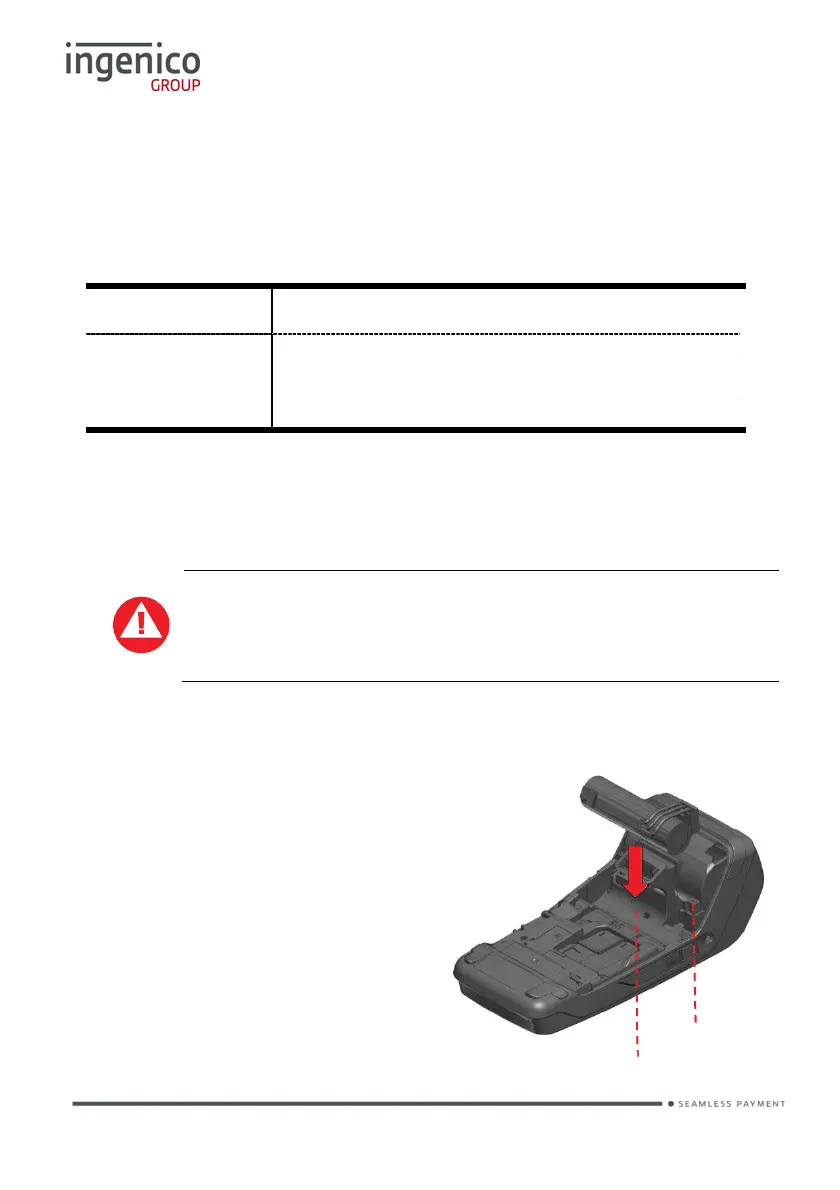
Installing the battery
Check that the terminal is not connected to the mains electricity
network
• Turn the terminal over and unclip the back cover by pushing on the clip
• Take the battery pack included in the box
• Locate the battery pack connector
beside the battery compartment
• Plug the battery pack into the
battery pack connector
• Verify that it locks
• Place the battery pack in its
compartment.
• Close the back cover
Battery connector
Battery compartment














 To Next Page