Page 50
Copyright© 2019 Ingenico
Cash Advance
Please note that this option is only available for certain types of business. Please
contact ‘Customer Services’ for further information.
Only certain types of credit cards allow ‘Cash Advance’.
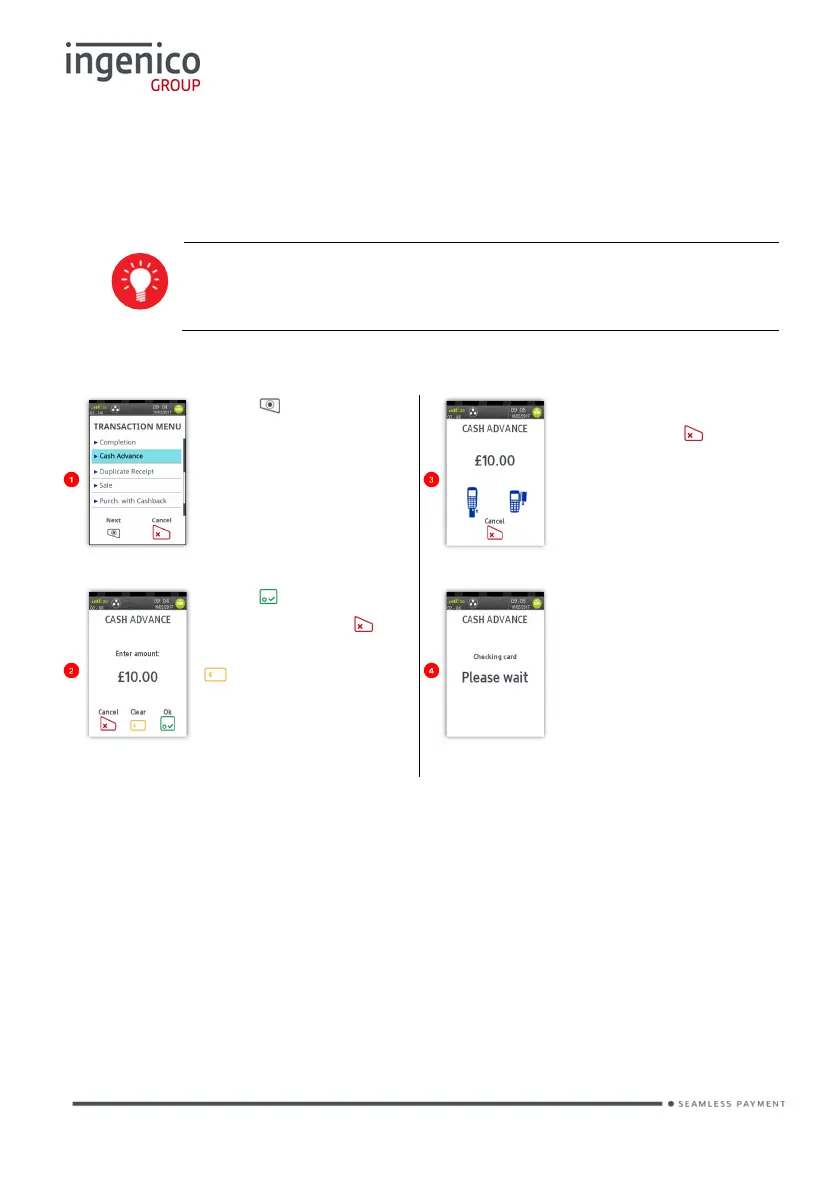
Cash Advance – Swipe Card
Press at the ‘Idle
Screen’. Touch ‘Cash
Advance’ on the screen
to select it.
Swipe the cardholder’s
card or press to
cancel the transaction.
Press to confirm
amount or press to
clear all digits or press
time and type in new
value.
The terminal will check
the cardholder’s
ensure it supports the
transaction type.
The transaction will now continue as a normal ‘Sale’ transaction.














 To Next Page