Page 30
Copyright© 2019 Ingenico
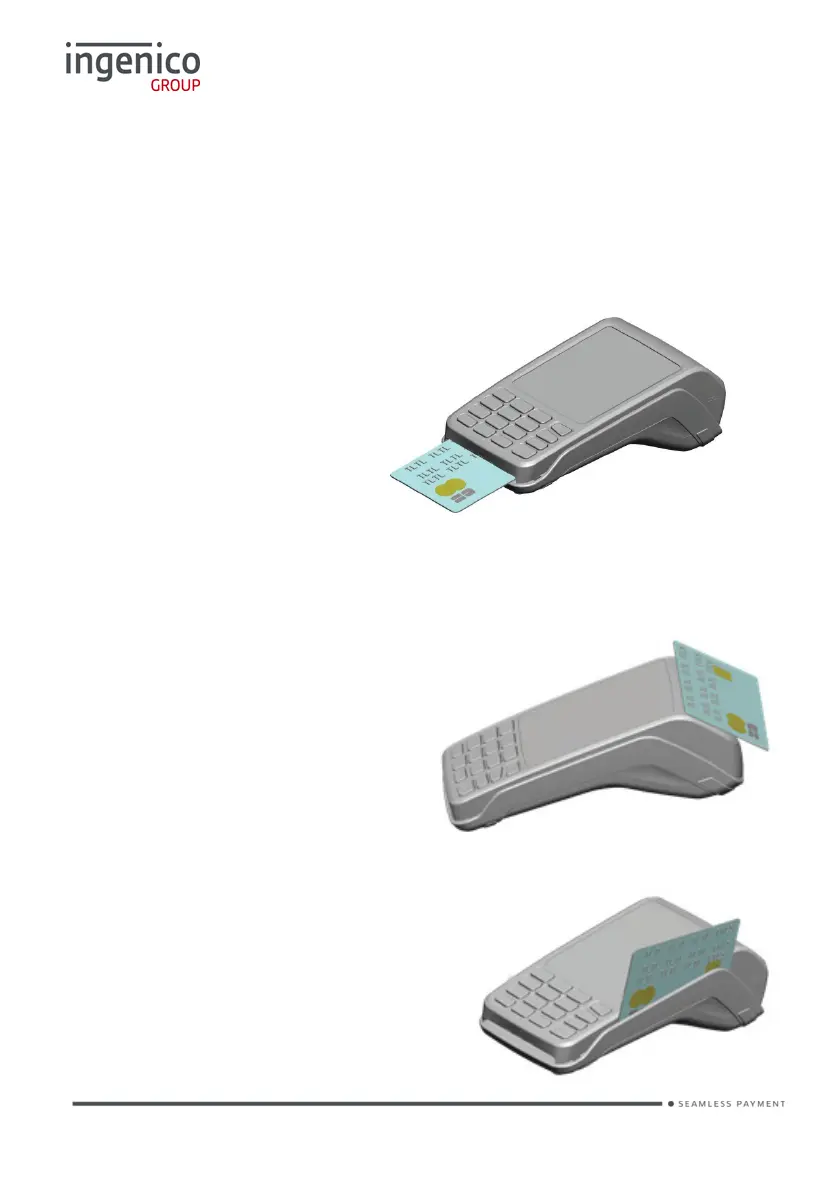
Card Reading
Chip Card
Insert the card horizontally into the terminal with the chip facing upwards.
Leave the card in position throughout the transaction.
Contactless Card
Bring the card firmly up to the active zone above the contactless logo located
on the paper trapdoor.
Keep the card close to the contactless logo during the transaction.
The 4 virtual LEDs will light
sequentially during the transaction
and the terminal will beep when the
card is successfully read.
Magnetic Stripe Card
The card can be read either from bottom to
top or from top to bottom, with the stripe
facing the terminal.
Use a regular movement in order to ensure
a reliable card reading.














 To Next Page