Page 81
Copyright© 2019 Ingenico
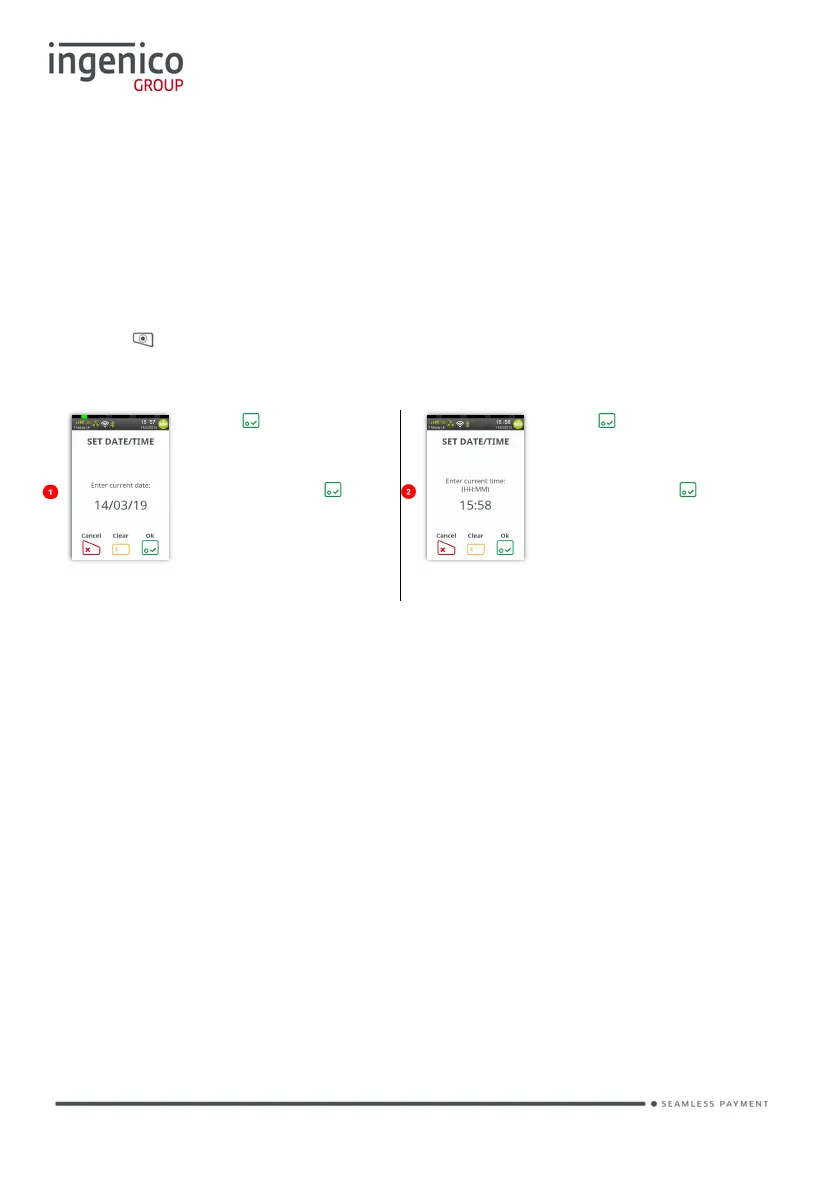
Function 30 Set Date and Time
You may have been prompted to set the ‘Date and Time’ when installing your
terminal.
If you have set the ‘Date and Time’, the terminal will automatically adjust for
‘Daylight Saving’.
However, if you have a need to amend either of them this is achieved as follows:
Press the button until the ‘Application Menu’ is displayed and enter the Function
Code 30 as described previously.
Press if the date is
correct or type in the
correct date (ddmmyy)
and then press .
Date will be overwritten
as it is typed.
Press if the time is
correct or type in the
correct time (hhmm)
and then press .
as it is typed.
Alternatively, you may access the ‘Set Date/Time’ function via the ‘Admin’ option in
the ‘Application Menu’ described later in this manual.














 To Next Page