Page 32
Copyright© 2019 Ingenico
Data Input
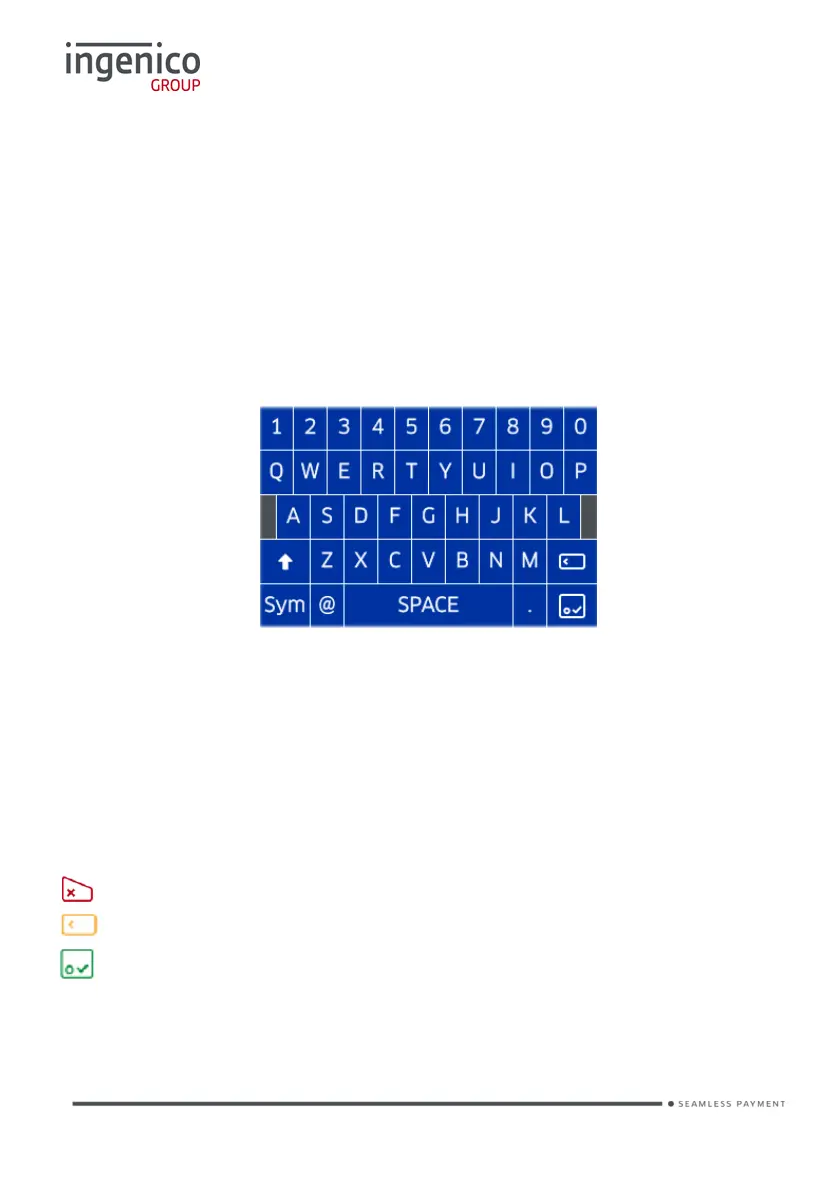
If it is necessary to enter letters and characters during transactions or ‘Function
Codes’ a virtual keyboard will be displayed on the touch screen.
Remove the stylus from the underside of the terminal and use it to select the
required values.
If you have no stylus then you may use your finger or a pen or pencil.
Take care NOT to press too hard on the display when selecting characters to
prevent damaging the display.
Note: Change case or symbols in the same way you would on your mobile
telephone i.e. press the ‘shift button’ and the terminal will change to lower
case characters or press the ‘Sym’ button and the terminal will display the
special characters.
Pressing any of the following buttons during data entry will have the following
effect:
Will clear all of the data entered.
Will act like a backspace i.e. it will clear one character/digit at a time.
Will submit the data entered.














 To Next Page