◆
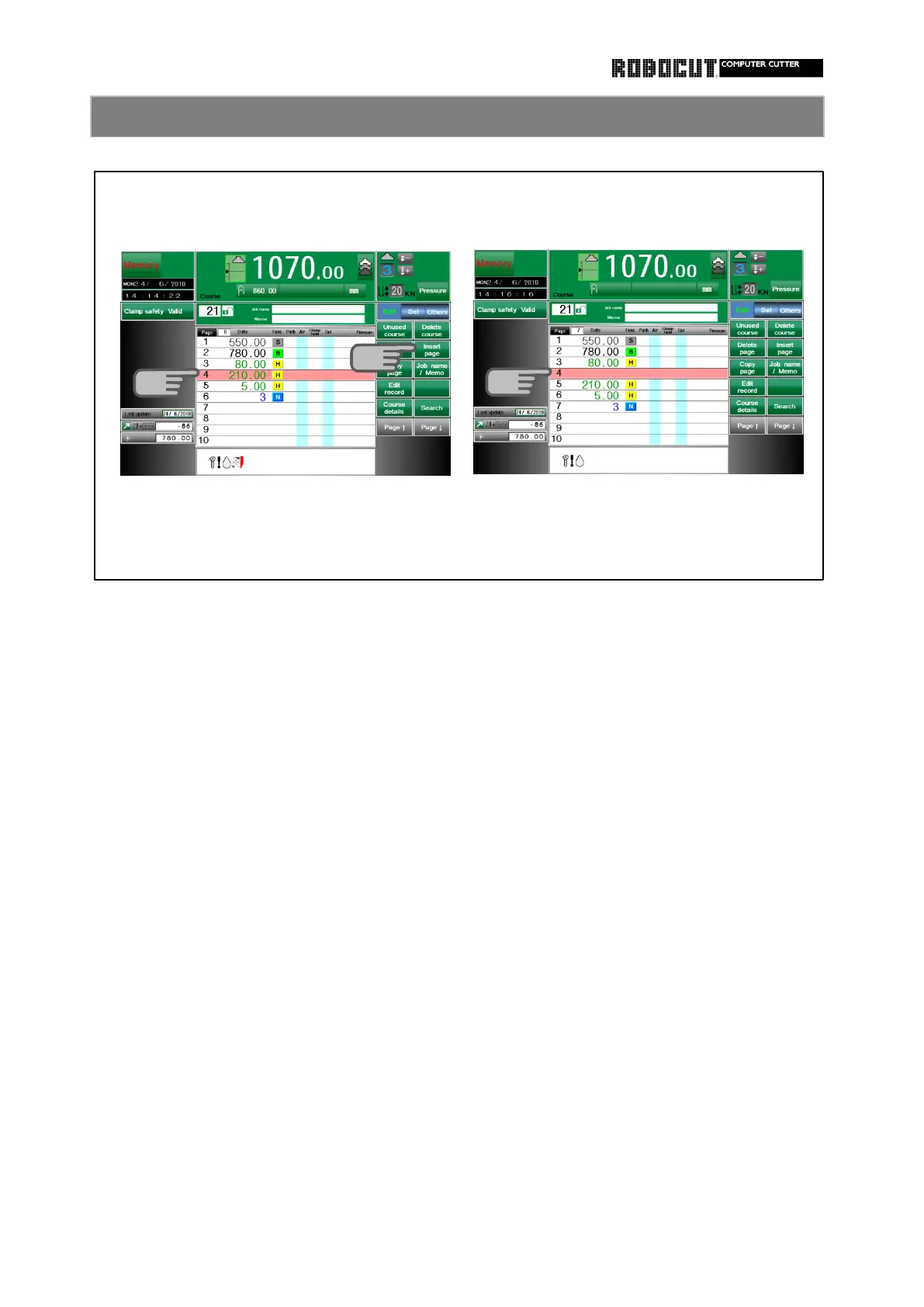
A break can be inserted in continuous
◆ How to enter data including blank
repeat size data.
line.
If the frequency is attributed to continu- The cursor does not move beyond the
ous repeat size data, a blank line can be
line. To enter new data, temporarily enter
inserted in the repeat size data to repeat
without a blank line. Next, move the
the part og repeat size data after the cursor and press 【 Insert page 】 to
blank line by the number of repeat size. insert a blank line.
Move the cusor to the break point.
Press 【 Insert page 】 .
Blank lines can be made.
In the above example
and 5mm.
If there is no blank line
Repeat 3 times 80mm, 210mm, 5mm



 To Next Page