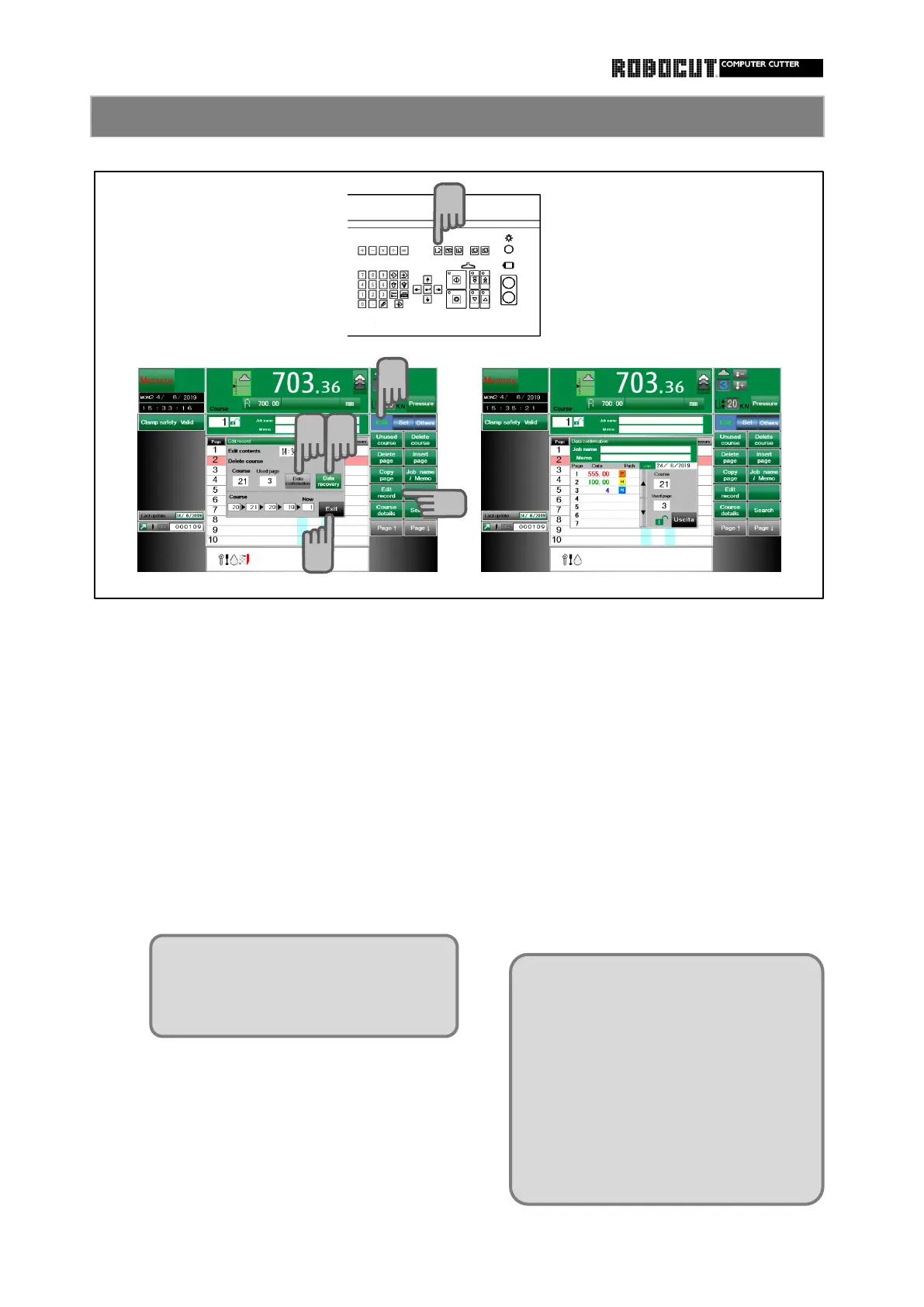
Select the memory mode.
After deleting a course, press 【 Data
Press sub mode menu 【 Edit 】 . course.The course is restored and the
Press 【 Edit record 】 . data is stored in the temporary storage.
The editing operation excuted last and the
empty course search are displayed.
Call up the course to be pasted, and
press 【 Data recovery 】 in the 【 Edit
Press 【 Data confirmation 】 . record 】 to overwrite.
The data having been stored in the des-
tibation course of pasting, if there is any,
To recovery, press 【 Data recovery 】 . is overwritten with the data temporary
Press 【 Exit 】 .
recovery 】 in the 【 Edit record 】 of the
course data is restored and the course
strage described previously.
Data confirmation and recovery
The course data prior to editing is displayed.
How to use the edit history
If data is entered to the destination
of writing, an overwrite confirmation
message is displayed.
Difference from course past ;
Overwriting is always made from page
1 to the destination of pasting.
When course past can write after the
last page in memory divively, data
recovery obverwrites from page 1.
The temporary storage in case of
course delete is difference from the
temporary strage in case of course
copy.
1
2
3
4
5
6



 To Next Page