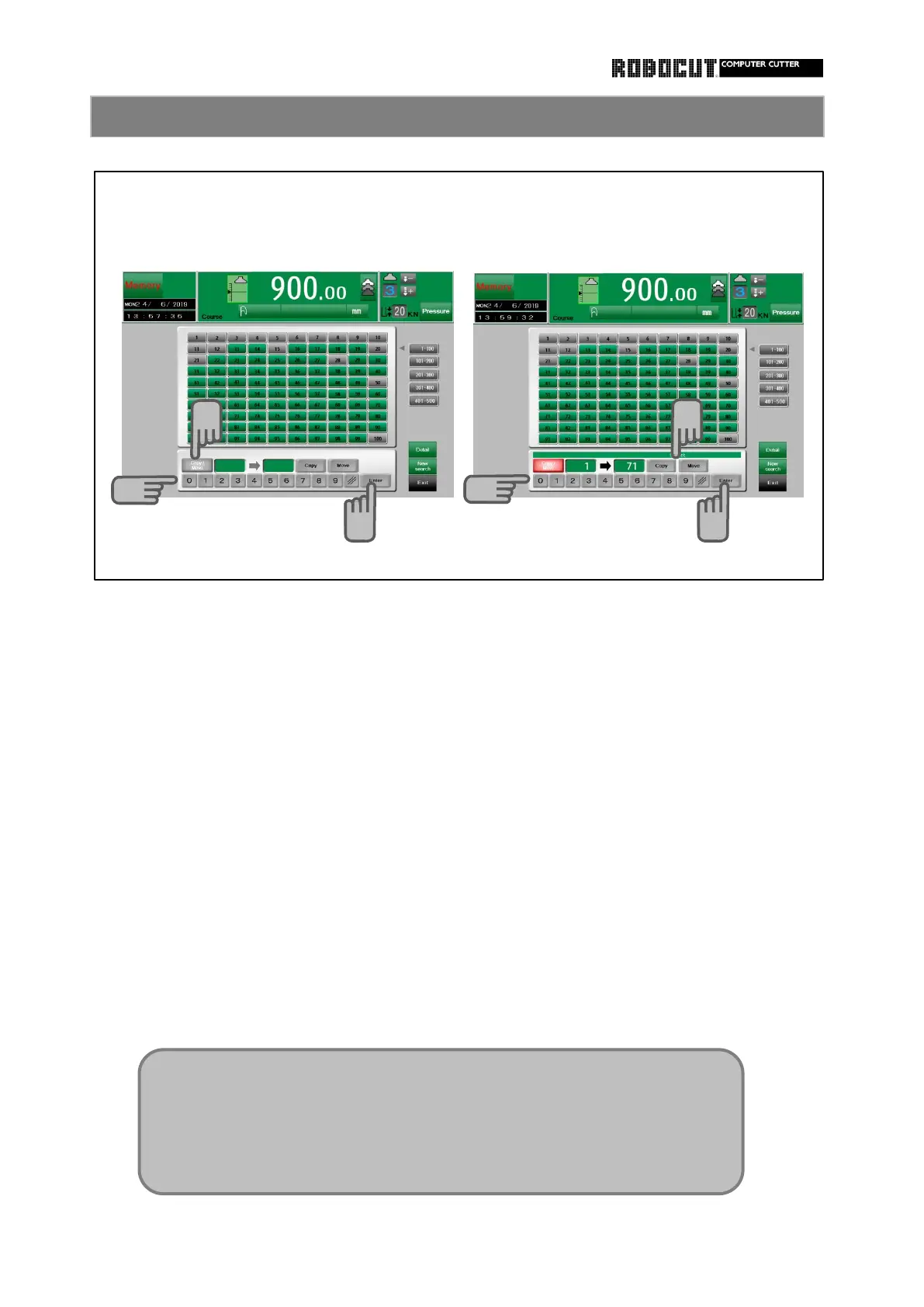
Select the memory or the automatic mode.
Enter the destination course of copying,
using number keys.
Press sub mode menu 【 Edit 】 in the
memory mode, press sub mode menu Press 【 Enter 】 .
【 Main 】 in the auto mode.
Select either 【 Copy 】 or. 【 Move 】 .
Press 【 Course details 】 .
Press 【 Course list/copy 】 .
The above is the same as 【 Course list display 】.
Press 【 Copy/Move 】 .
Enter the source course of copying,
using number keys.
Press 【 Enter 】 .
◆ If data is entered to the destination course of copying or moving, an
overwrite confirmation message is displayed.
◆ If the destination course of copying or moving is locked, copying or
moving is rejected. Unlock the course first.



 To Next Page