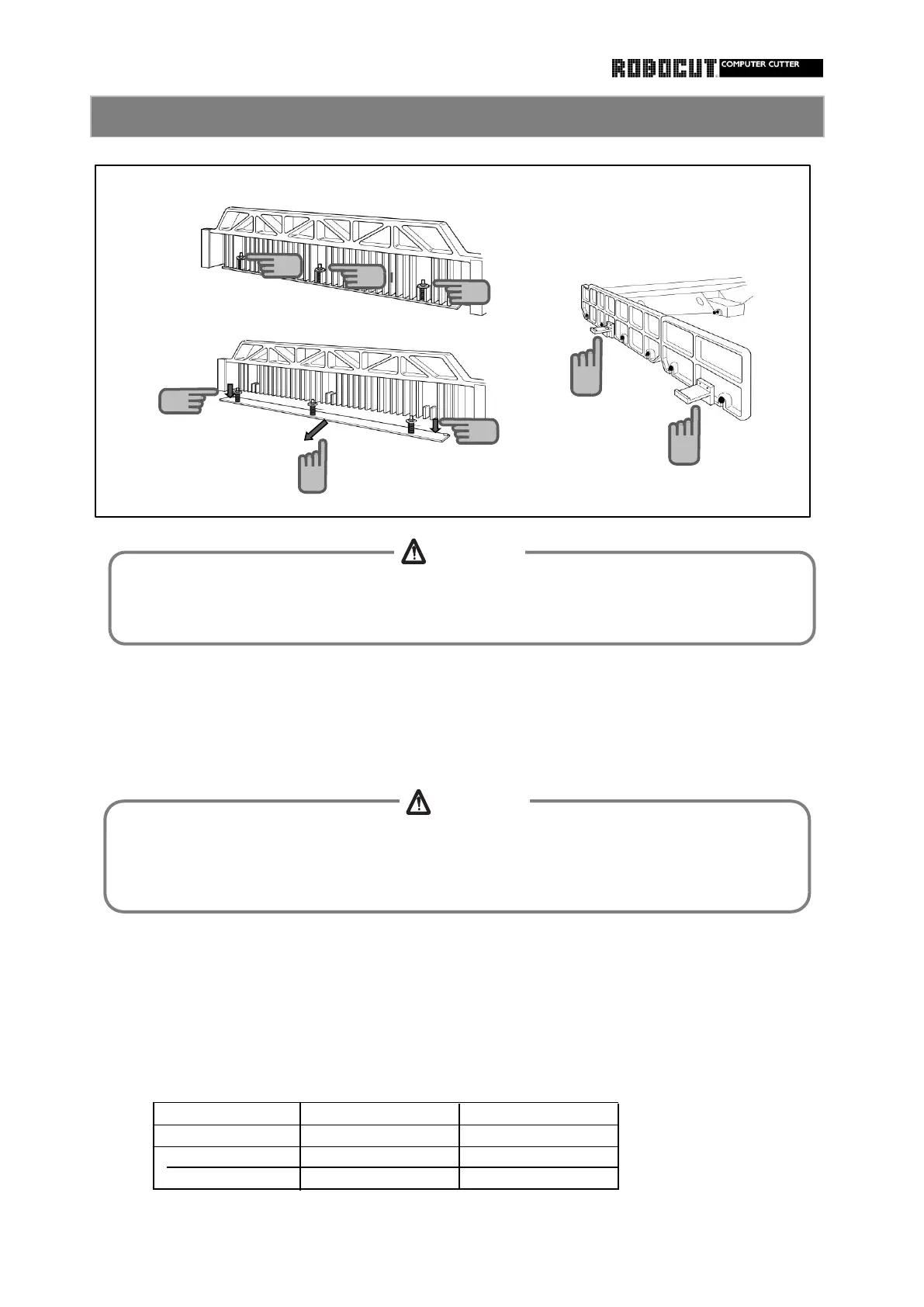
Loosen the installation nut by about 8mm.
Pull false clamp backward.
Minimum cutiing size (Approximate)
Model With false clamp
SC100~115Z 85
27
SC137~200Z 105 27
SC250Z 125 35
appropriately to the one without the false clamp.
A limit switch in the holder senses the false clamp to adjust the advance limit of the backgauge
Install/remove the false clamp
Turn the power switch of the main motor off.
Pull the false clamp down to disengage from the dowel pin of the clamp.
Place the false clamp on the false clamp holder.
How to remove the false clamp
Be sure to stop the main motor when removing or installing the false clamp. If anyone
starts the clamp while another person works at the rear of the machine, injuries will be
caused.
2
2
2
3
3
4
When removing or installing the false clamp, wear gloves and keep away from the knife in
front of the clamp.
Otherwise injyries will be caused.



 To Next Page