EasyManua.ls Logo

Itotec SC115Z - How to Look at the Alarm History

Default Icon
88 pages
Print Icon
To Next Page IconTo Next Page
To Previous Page IconTo Previous Page
Loading...
5
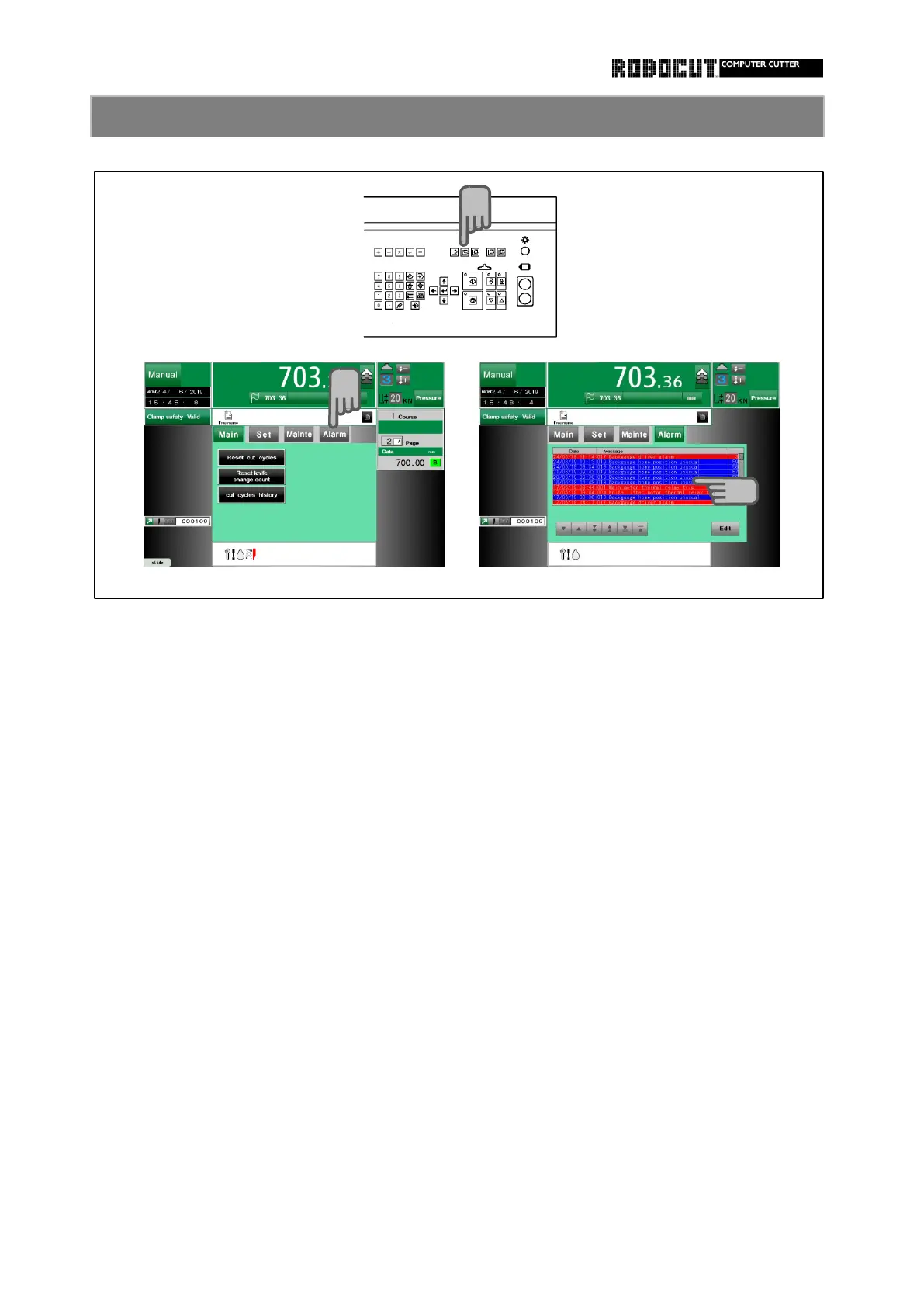
Select the manual mode.
The alarm history is displayed.
Press the history screen.
The cursor moves to the latest alarm.
Press 【 ▲ 】 or 【 ▼ 】 to move the cursor.
Setting requires password input.
In the input screen
Press 【 Set 】 .
Enter the password and press 【 Enter 】.
Press 【 Exit 】 .

Operation
Press sub mode menu 【 Alarm 】 .
To edit press 【 Edit 】 .
How to look at the alarm history
1.
2.
3.
1
2
3
4.
35

Table of Contents

Related product manuals