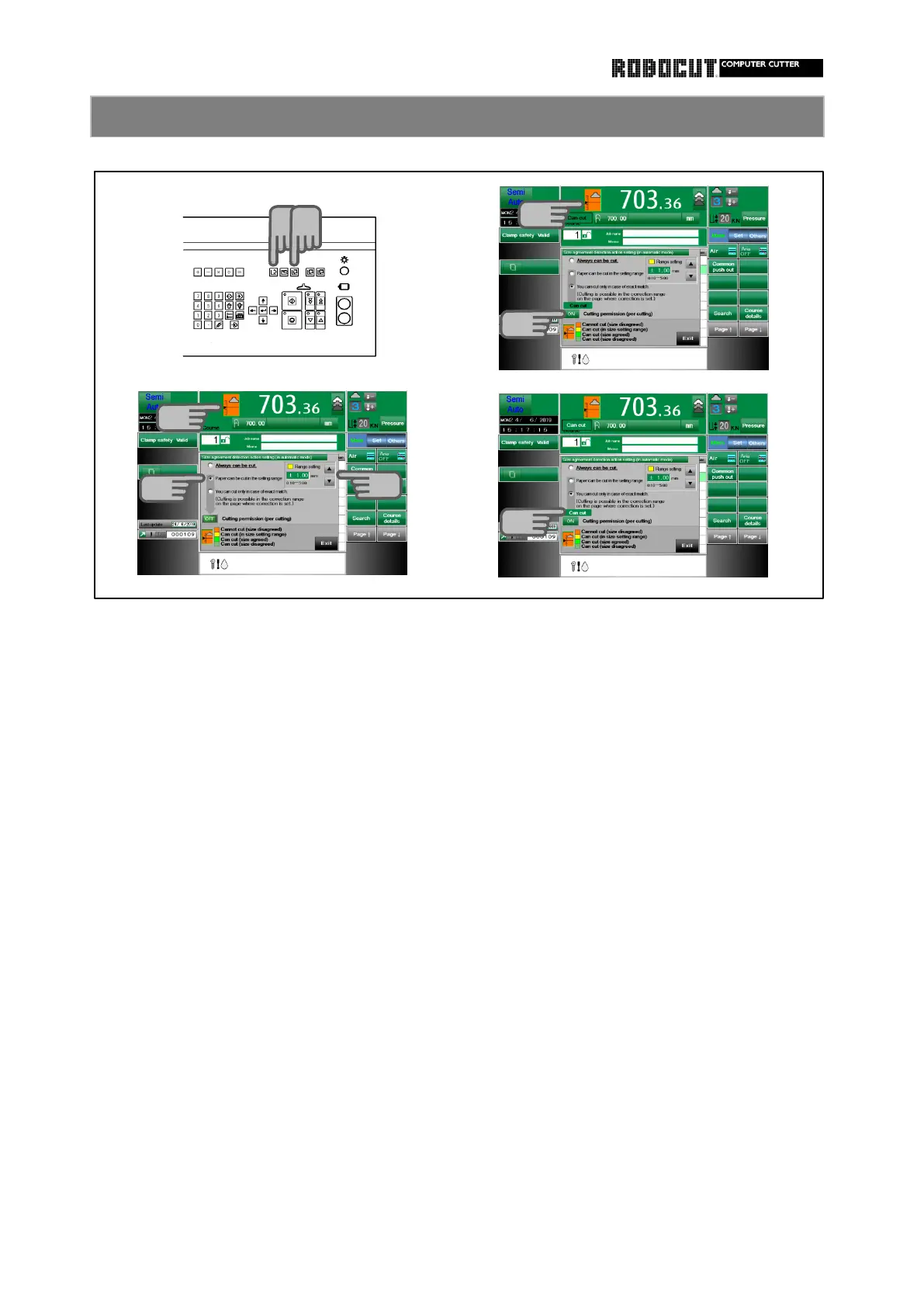
Select the memory mode or Automatic Select the memory mode or Automatic
mode . mode .
Press the left part of display of the Press the left part of display of the
backgauge position at the top of the backgauge position at the top of the
screen. screen.
Check ”Paper can be cut in the setting Set ON ”Cutting permission(per cutting)”
range ".
Displayed "Can cut" and cutting is poss-
Change setting valuue using 【 ▲ 】 【 ▼ 】 ible in the state of size disagreed.
But once cut, cutting permission will be
If cutiing in the state beyond setting canceled.
range, displayed error message.
It can be set independently for each unit.
◆ mm Initial setting 1.00 mm
Chengeing unit 0.10 mm
Setting range 5.00 mm
◆ cm Initial setting 1.00 cm
Chengeing unit 0.010 cm
Setting range 0.500 cm
◆ inch Initial setting 0.100 inch
Chengeing unit 0.010 inch
Setting range 0.500 inch



 To Next Page