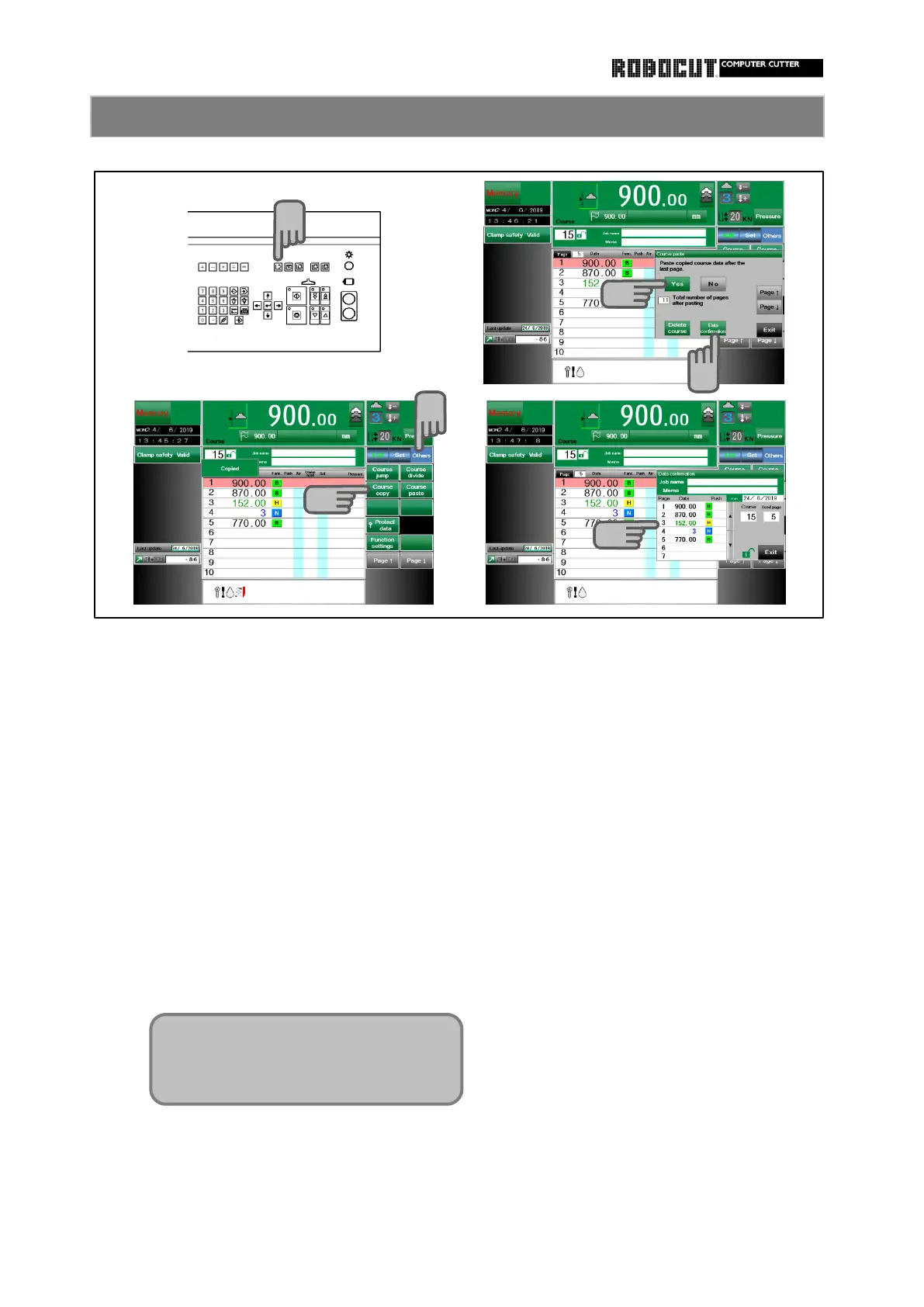
Select the merory mode. Copy confirmation
Press 【 Data confirmation 】 .
Press sub mode menu 【 Others 】 .
Displayed job name, memo, course number
and data up to 7 pages.
Press 【 Course copy 】 .
Press 【 Yes 】 .
The contents of the currently displayed
course are now stored in the temporary
strage location.
Only one can be stored in the strage
location. Copy another course and it
will be replaces by that data.
1
2
3
5



 To Next Page